GETTING STARTED
Set up your PlayStation®2 computer entertainment system according to the instructions supplied with your system. Check that the system is turned on (the on/standby indicator is green).
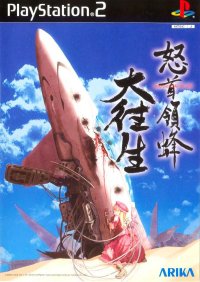
Press the OPEN button to open the disc cover. Place the Raiden 3 disc with the label side facing up in the disc holder, and then close the disc cover. Attach game controllers and other peripherals as appropriate. Follow the on-screen instructions and refer to this manual for information on using the software.
Memory Card (8MB)(for PlayStation®2)
To save game settings and progress, insert a memory card (8MB)(for PlayStation®2) into MEMORY CARD slot 1 or 2 of your PlayStation®2 console.
You can load saved game data from the same card or any memory card (8MB)(for PlayStation®2) containing previously saved Raiden 3 games. A memory card (8MB)(for PlayStation®2) with at least 41 KB of free space is required for a "Save Game" file. Any mention of a "memory card" in this manual refers to the "memory card (8MB)(for PlayStation®2)."
MAIN MENU
•
GAME START: Main Play Mode.
•
SCORE ATTACK: Try to attain the highest score in a level of your choice.
•
BOSS RUSH: Choose a boss you want to battle.
•
REPLAY & GALLERY: View high scores and run replays of game action.
•
OPTIONS: Select game settings.
•
SAVE/LOAD: Save / Load game data.
•
HIGH SCORES: View the "Hall of Aces".
•
EXIT: To exit game and return to the title screen, press / button.
ABOUT GAME MODE
•
GAME START: Begin game (Play levels 1-7).
•
SCORE ATTACK: Move directional buttons to select and start a stage. You cannot jump to another stage if you have not cleared it.
•
BOSS RUSH: Press button to change the play mode.
SINGLE PLAY MODE
This is the single player mode.
DUAL PLAY MODE
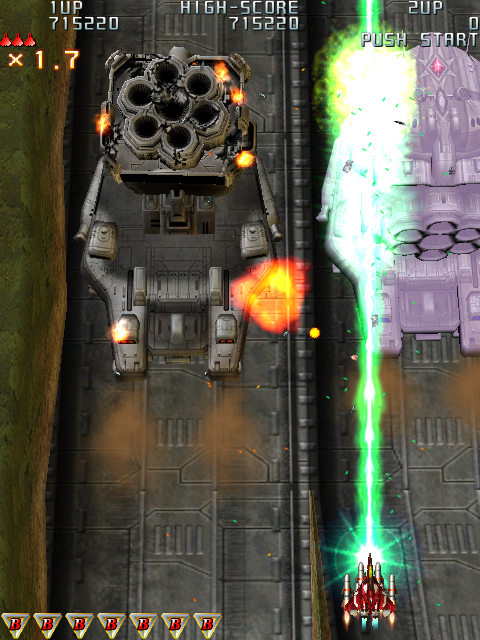
This is the dual player mode (simultaneous play). Player 1 uses the red ship while player 2 uses the blue ship.
DOUBLE PLAY MODE
This mode allows control of two ships using one controller. One player can control two ships, or two players can play using one controller (alternating play).
Prior to starting a game, refer to the OPTION & CONTROLLER section for instructions on setting the double controller option.
Player Controls
•
L2 Button: Bomb (Player 1)
•
L1 Button: Shoot (Player 1)
•
Directional Buttons OR Left Analog Stick: Player Control (Player 1)
•
R2 Button: Bomb (Player 2)
•
R1 Button: Shoot (Player 2)
•
O, X, △, □ Buttons OR Right Analog Stick: Player Control (Player 2)
Double Play Mode Details
•
Play two ships at the same time using one controller.
•
1 player or 2 player option.
•
Two players will share ships and bombs.
PAUSE MENU
During play, pressing the START button will cause the game to pause and display the Pause Menu.
•
QUIT GAME: Select this option to return to the Main Menu.
•
DISPLAY MODE: Select this option to go to Display Mode Menu.
•
ADJUST DISPLAY: Select this option to adjust the screen display. Use Directional Buttons to adjust display.
Game Over & Continuing Game
The game is over when all of your ships are destroyed.
If you want to continue the game and carry over your credit, press the START button before the counter reaches "O" and play will resume in the same level. Credit earned from cleared levels will carry over.
SCORE ATTACK
Except for LEVEL 1, you can replay a cleared stage if you like. Continue to score in a stage you play well, or practice in a stage you want to improve in.
Use Directional Buttons to scroll up and down in the menu, press the button to select. Then, move the Directional Button / to select desired stage.
BOSS RUSH
Choose the Boss you want to battle to continuously improve your skill. You must clear all the stages to access this mode.
REPLAY & GALLERY
View replay data, and browse through the screenshot gallery. You can also view replays of sample game play and access the art gallery.
Replay data can be saved at the end of each stage by pressing the button. This is done at the end of the stage during the Continue message. This cannot be done in a 2 player game.
In order to save replay data, save to a file using a memory card (8MB)(for PlayStation®2) with at least 41 KB of available space.
REPLAY & GALLERY Menu
•
REPLAY DATA: View your saved gameplay data.
•
DEMO PLAY: View replays of sample gameplay.
•
ARTWORK: View illustrations of ship designs.
•
MACHINE: View illustrations of a ship's body.
VIEW REPLAY
You can replay your saved data. To save your data, you need a memory card (8MB)(PlayStation®2).
Use the Directional Buttons <-/->
.png)

.png)






_1.png)
_1.png)


_1.png)
_1.jpg)







_1.png)