GETTING STARTED
Set up your PlayStation®2 computer entertainment system according to the instructions supplied with your system. Check that the system is turned on (the on/standby indicator is green). Insert the Petz® Horsez® 2 disc in the system with the label side facing up.
Attach game controllers and other peripherals as appropriate. Follow the on-screen instructions and refer to this manual for information on using the software.
Memory Card (8MB)(for PlayStation®2)
To save game settings and progress, insert a memory card (8MB)(for PlayStation®2) into MEMORY CARD slot 1 of your PlayStation®2 system. You can load saved game data from the same memory card or any memory card (8MB) (for PlayStation®2) containing previously saved games.
STARTING THE GAME
When the title screen appears, press the START button to access the Main Menu. Move the left analog stick to the right or left to select New Adventure, Load Game, or Options and then press the button to confirm.
New Adventure
Choose this to start a new game from the beginning. Select a MEMORY CARD slot or play without saving, then choose a name for your mare.
Select letters using the left analog stick and confirm using the button. Once you have entered your name, press the O button to confirm.
Load Game
Load a saved game to resume gameplay.
Options
Change certain game settings. Press the button to view or change the settings to enable the game to run optimally.
SAVING A GAME
The game will be saved automatically, so you do not need to save the game yourself. You can disable Autosave in the Options menu.
If Autosave is disabled, you will be asked at key moments in the game if you wish to save your game manually. The message "Would you like to save your game?" will appear on-screen. If you select Yes, the adventure will be saved in the MEMORY CARD slot selected when the game was created, or written over the game you have loaded.
THE STABLE
The ranch stable represents the central point in the game; it allows you to manage and look after your horses. Once you are in the stable, use the stable board to access the different categories listed below.
Select a Horse
The first step is to choose the horse you want to look after. All the horses you have can be found here. There are three types of box:
•
The Box: Horses you win during the game will be automatically placed in this type of box.
•
The Maternity Box: When you obtain a new foal, it will be placed directly into this maternity box.
•
The Reception Box: When a foal born as a result of the breeding program becomes an adult, it is moved into a reception box.
Identity Card
Select this icon to view a horse's identity card, which contains detailed information about it:
•
Description: The breed, sex, and temperament of the horse you have selected.
•
Abilities: Your horse's ability level in jumping and speed.
•
Health: Your horse's morale, along with its care schedule. These icons show which care activities you have carried out and what you still have to do. This icon also shows you when your horse has been broken in.
•
Breaking in: Your horse's breaking-in schedule. The training program you must carry out is described here.
•
Web Code: Each horse has its own web code. This code contains the following information: the name of the horse, its breed, coat color, mane and tail color, sex, number of competitions won (including local and international competitions), and its abilities. To view it, first select a horse, select its identity card, and then select the web code. You can enter your horse's code at this address: www.petz.com. Your horse's profile will then be accessible on the Horsez website so you can show your horse's skills to your friends.
Breaking in
Select this icon to break your horse in. It is important to do this, as you cannot ride a horse that has not been broken in (see the Breaking In section on page 11 for more details).
Care
Select this icon to access the different care elements (e.g., bandaging, washing, picking out the hooves, and cleaning the box). Note that hoof-picking is not required when looking after a foal (see the Looking After the Horses section for more details).
Training
Training the horse to jump over obstacles is carried out in the ranch manege. Enter the stable and select the horse you would like to train with, then choose this icon. If your horse has not been broken in, you cannot train with it.
Place with Edie
This icon is only visible when you select a horse in a reception box. The horses in the reception boxes are horses from the breeding stable.
Select this option if your reception boxes are full and you want to breed new foals. The horse selected will be placed directly with Edie. Once the horse is at Edie's you will no longer be able to see it or access it (see the Breeding Program section for more details).
Leaving the Ranch
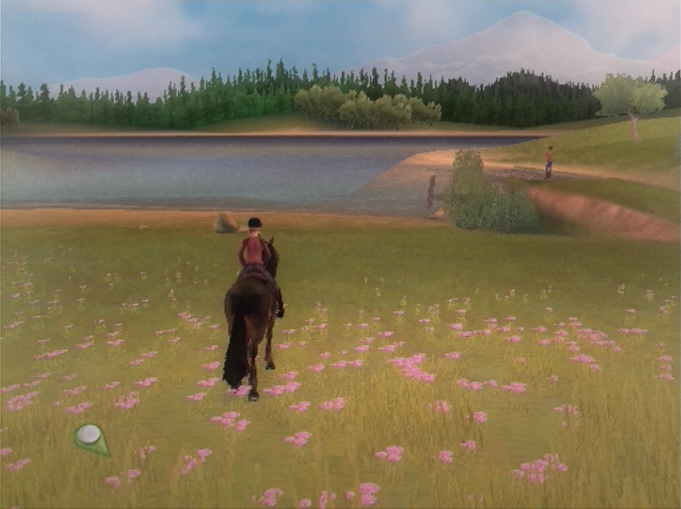
You can only leave the ranch on horseback. To leave the ranch, first choose the horse you wish to ride and then


_1.png)
_1.png)




_1.jpg)





_1.png)
.png)
_1.png)

 (En,Fr,Es).png)