GETTING STARTED
Set up your PlayStation®2 computer entertainment system according to the instructions supplied with your system. Check that the system is turned on (the on/standby indicator is green). Insert the FATAL FURY BATTLE ARCHIVES VOLUME 1 disc in the system with the label side facing up. Attach game controllers and other peripherals as appropriate. Follow the on-screen instructions and refer to this manual for information on using the software.
Memory Card (8MB) (for PlayStation®2)
To save game settings and progress, insert a memory card (8MB) (for PlayStation®2) into MEMORY CARD slot 1 of your PlayStation®2 system. You can load saved game data from the same memory card or any memory card (8MB) (for PlayStation®2) containing previously saved games.
•
Insert a PlayStation 2 Memory Card (8MB) into the MEMORY CARD SLOT 1 or MEMORY CARD SLOT 2 before turning the PlayStation 2 console on. •
If there are memory cards in both the MEMORY CARD SLOT 1 and MEMORY CARD SLOT 2 with saved game data for this game, data will automatically be loaded from the card in MEMORY CARD SLOT 1.
•
It is necessary to have 32KB or more of available memory on the PlayStation 2 Memory Card when saving game data. PLEASE NOTE
•
1: Pushing the START Button, SELECT Button, L1, L2, R1 & R2 Buttons simultaneously during game play resets the game.
•
2: The Analog Mode Switch cannot be switched on and off in this game. It remains in Analog Mode.
•
3: Commands listed above describe the initial settings and the functions for each button can be changed using the Controller Setup menu in Game Options.
BEGINNING GAME PLAY
Pressing the START Button when the Title Screen appears calls up the Main Menu Screen allowing you to play one of the 4 FATAL FURY games or select the following Game Option items.
GAME OPTIONS
There are 5 Game Option items you can select on the Main menu screen.
SAVE & LOAD
You can save and load game data using a "PlayStation 2" Memory Card (8MB). Select items with the ↑↓ directional buttons and press the X Button to confirm. •
LOAD Loads game data saved onto a "PlayStation 2" Memory Card (8MB). •
SAVE Selecting this saves data onto a "PlayStation 2" Memory Card (8MB). •
AUTO SAVE Turn this on to save game data automatically. Use the or directional button to adjust the settings.
•
EXIT Returns you to the Main Menu screen.
CONTROLLER SETUP
In each game title you can change the controller settings for the Player 1 and Player 2 controllers. Move the cursor to "TITLE" and use the and directional buttons to call up that title's Controls menu.
Select the commands you want to change with the ↑ directional buttons and push the button you want to use for the function (pushing the SELECT Button returns everything to their initial settings). Select "EXIT" when you finish changing the settings to return to the Main Menu screen.
DISPLAY SETUP
This lets you change various settings related to the screen display. Select items with the ↑↓ directional buttons and change settings using the and directional buttons.
•
SCREEN Lets you change the width of the picture display area to "TYPE A" or "TYPE B."
•
POSITION X Lets you move the picture display area right or left. Changing numbers to positive values moves the picture to the right, and negative values moves it to the left.
•
POSITION Y This allows you to move the picture display area up or down. Changing numbers to positive values moves the picture down, and minus values move it up.
•
FOCUS Lets you set the game display image to either normal or soft.
•
EXIT Returns you to the Main Menu screen.
FATAL FURY
When the 10th round ends and a winner is still undecided, the match ends in a draw and the game ends. The Continue Countdown appears when you lose a match. Push the START Button before the countdown runs out for a rematch. The game resumes against the opponent you lost to.
TWO-PLAYER, BURST-IN, AND TWO-PLAYER CO-OP PLAY
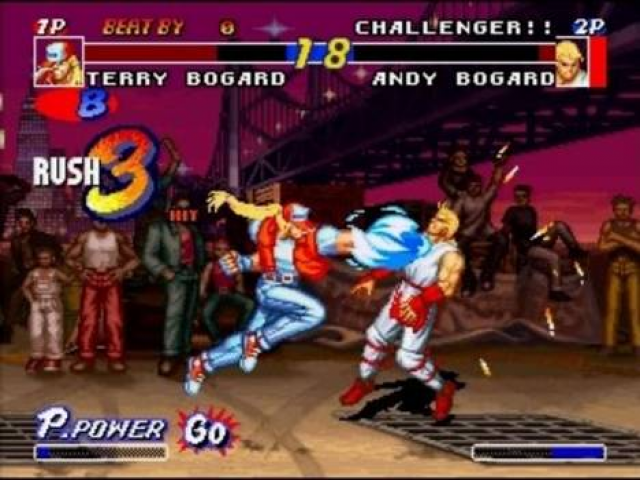
To start a Two-Player battle in any FATAL FURY game push the START Button of the unused controller before selecting a character from the character select screen. You can also push the START Button of the unused controller during a single-player computer battle, the game is interrupted and a Burst-In two-player game is started.
FATAL FURY 1 features a Two-Player Cooperation mode. Start a Co-op battle by either bursting in on a single-player game or by selecting your characters at the beginning of the game and then choosing any area other than "1P vs 2P" on the Area Select screen. Please note you cannot use burst-in play during the final battle against Geese.
When you defeat a computer character in two-player cooperative play, a two-player battle begins and the winner goes on to fight a computer character in a single-player battle.
FATAL FURY Story
The ruler of Southtown's underworld, Geese Howard. This year, too, sees the sponsor .png)

.png)
.png)
.png)
.png)
.png)

.png)
.png)


_1.png)