Console Features
Setting Up Your PlayStation 2 Console
Set up your PlayStation 2 computer entertainment system according to the instructions supplied with your system. Check that the system is turned on (the on/standby indicator is green). Insert the Heavenly Guardian™ disc into the system with the label side facing up. Attach game controllers and other peripherals as appropriate. Follow the on-screen instructions and refer to this manual for information on using the software.
Memory Card (8MB) (for PlayStation 2)
To save game settings and progress, insert a memory card (8MB) (for PlayStation 2) into MEMORY CARD slot 1 of your PlayStation 2 system. You can load saved game data from the same memory card or any memory card (8MB) (for PlayStation 2) containing previously saved games. Ailments
•
Possessed: When possessed by an enemy, the character cannot attack.
•
Heart Magic: When charmed by an enemy, the character will move in the opposite direction. •
Spider String: When caught by a web, the character's movement will be slow.
•
Theft: Enemies can steal the character's power-up and score.
Snow Boy
There are 10 Snow Boys hidden in each stage. To find a Snow Boy, look for an area where snow is falling.
Perform a blizzard attack in that area to reveal the Snow Boy. Finding the Snow Boys will unlock New Modes and Secrets.
Game Modes
•
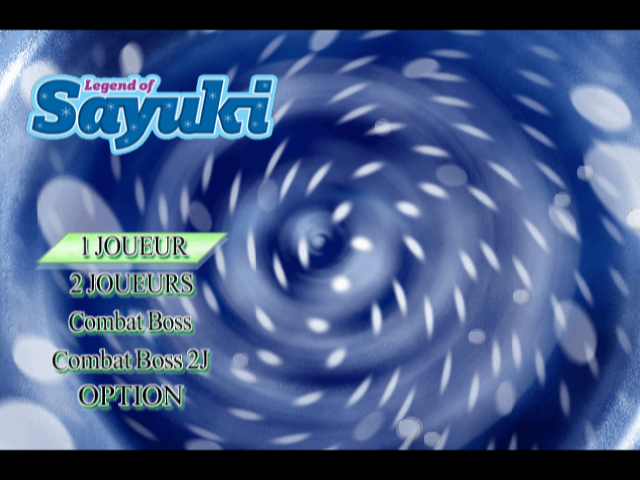
1 Player: Control Sayuki on her quest to save her beloved young man. Toto will fight alongside Sayuki and offer powerful aid.
•
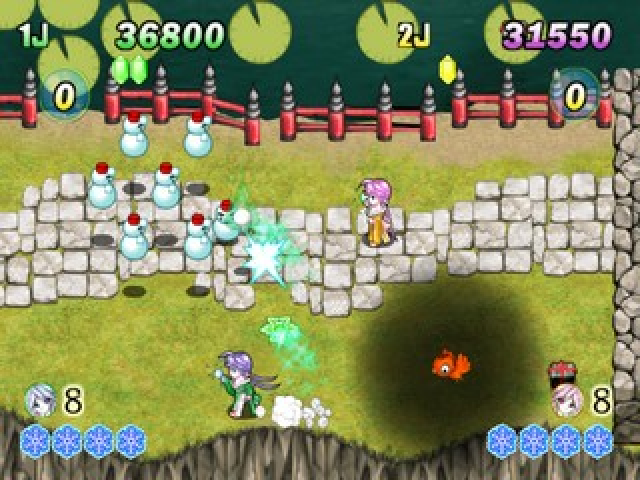
2 Players: Control Sayuki and her sister Koyuki as they battle each other for title of Beauty Queen. Fight the enemies and collect the snowballs to win.
•
Boss Attack: (Find 10 Snow Boys to unlock this mode) Revisit the boss fights and conquer them all.
•
Boss Attack 2P: 2 Players can revisit and battle each boss.
Options
You can change the vibration and player's life settings. Simply highlight the option and press ⬅ or ➡ on the directional buttons to change them.
•
Vibration: set the vibration ON/OFF
•
Player Left: set the number of players lives to 3,4,5






.png)

.png)



.png)
