FOREWORD
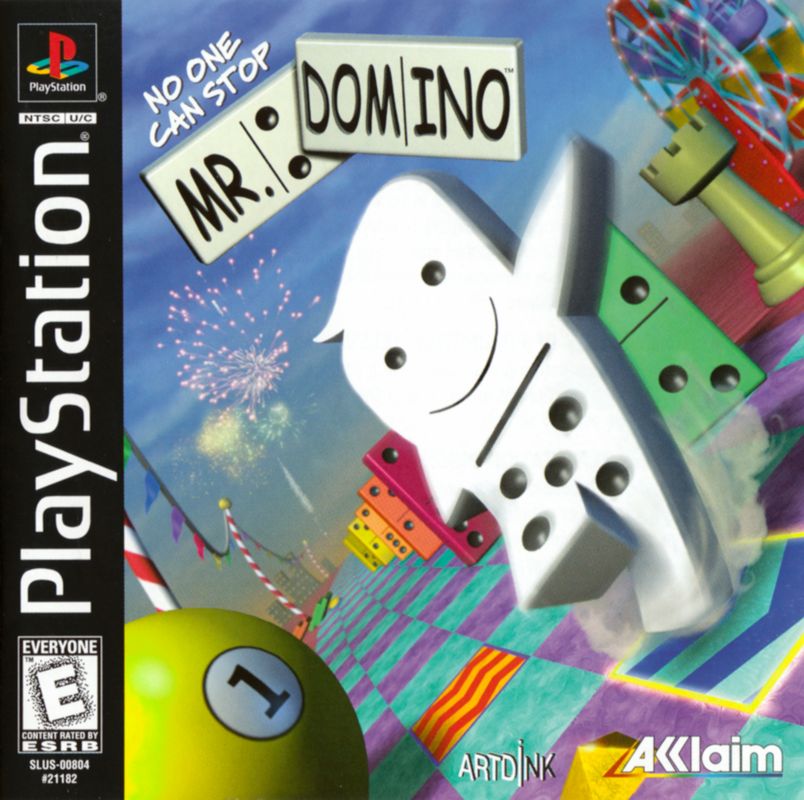
Thank you for purchasing "No One Can Stop Mr. Domino!" In this game, you help Mr. Domino on his journey through many worlds. Mr. Domino is impatient and can't stand still; he has to run everywhere. Your mission is to guide him, avoid hindrances, and use the domino effect to activate switches and enter new worlds. Play well to see what's in store at the end of the journey. LOADING
•
Set up your PlayStation® game console according to its instruction manual. •
Make sure the power is OFF before inserting or removing a compact disc.
•
Insert the NO ONE CAN STOP MR. DOMINO disc and close the disc cover.
•
Insert game controllers and turn on the PlayStation® game console. •
Follow on-screen instructions to start a game.
NOTE
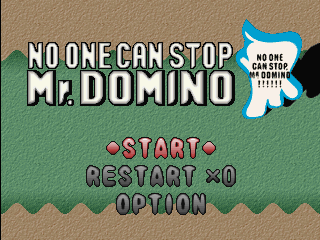
NO ONE CAN STOP MR. DOMINO is for one player. You must have a Memory Card (sold separately) to save games.
STARTING THE GAME
To play from the beginning
•
Select your character. Some characters are not available at the beginning. You cannot change your character in the middle of the game.
•
Select the number of dots on your character's back.
•
Select your character's speed (slow or fast).
To play from where you terminated the game
•
Insert a Memory Card with your saved game into the proper slot and turn the power on.
To save or load the game
•
Select MEMORY CARD from OPTION MENU.
•
Select SAVE when you want to save the current stage you are playing and/or the high score to a Memory Card. You can only save 1 game per Memory Card.
•
If there is already a game saved on the Memory Card, select OVERWRITE and write over the saved game (or insert another Memory Card).
•
When you want to play a saved game, select LOAD. After loading a game saved on a Memory Card, select CONTINUE in the title screen and start playing.
Other settings
The following functions are also available in OPTION mode.
•
Score Ranking Toggles display of the high score.
•
Sound Mixing Adjust the BGM (background music) and SE (special effects) volume.
•
Button Assign Change the functions of controller buttons.
•
To change functions, select SETTING.
•
After choosing a function with the SELECT BUTTON, press the BUTTON you want to perform that function.
•
Press the START BUTTON to return to BUTTON ASSIGN.
•
Select DEFAULT to return button assignments to default settings.
PLAYING THE GAME
1. Stages
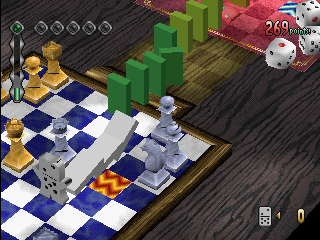
There are 6 stages. Each stage has a course Mr. Domino (or another character) can run around. The course is like a racetrack, and the character will go back to the starting point after each lap. You can make as many laps as you want. When you clear the stage, you will be taken to the next stage. 2. Running Mr. Domino
When the stage begins, Mr. Domino starts to run. He cannot stop running. The player can adjust Mr. Domino's speed and where he runs with the DIRECTIONAL BUTTONS. There are other characters who will try to disrupt Mr. Domino, so make sure you avoid them. 3. Placing domino pieces
When you see the switch for the trick, place the domino pieces effectively! Press ⬤, ✖, ▲ or ■ BUTTON to place domino pieces on the path that the character has run. You can place the domino pieces in succession by holding the button down.
4. Pushing the domino
When you complete a full lap and return to where the first domino piece was placed, let Mr. Domino bump into the piece. The dominos will start falling. Note that Mr. Domino will stand still when dominos are falling. 5. Using Tiles
By using tiles effectively you can avoid GAME OVER or attain the HIGH SCORE.
TILES
•
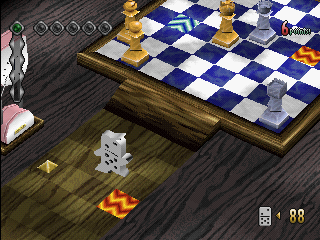
Hint Tile - Hint Tiles influence the tricks on the course. When you place domino pieces from a Hint Tile to the next switch, you can make a chain reaction.
•
Reset Tile - Resets domino pieces that are already placed or tricks that are activated. This tile can be handy, but be careful not to go over one unless you mean to.
•
Recover Tile - Step on this to recover your character's stamina.
•
Acceleration Tile - This will make your character run faster.
•
Deceleration tile - This will slow your character down.
There are also tiles unique to each stage.
6. About Game Over
As you play, Mr. Domino's stamina decreases. When his stamina is getting low, his body color will blacken until he finally becomes one of the domino pieces—GAME OVER! When Mr. Domino's body color starts to change, get him to step on a Recover Tile to recover his stamina. 7. About Clearing the Stage
A stage is cleared when you activate the required number of tricks for the given stage. To clear the stage with a High Score, activate the tricks in as short a time and in as long a chain as possible. You can clear the stage without chaining tricks (activate tricks singly).
TROUBLESHOOTING
3. Cannot save the game
•
Is the Memory Card connected properly?
•
Is there enough space on the Memory Card?
4. Cannot load the game
•
Is the Memory Card connected properly?
•
Does the game you saved exist on the Memory
.png)

.png)
