Taking a Spin
If you're like us, your first order of business is to take one of these super cars down to the track and begin pushing the performance envelope.
The fastest way to hit the road is by accepting the NFS III default settings. You'll begin a Single Race on the Hometown circuit. Your only opponent is the same model super car.
•
To begin a race, press START at each of the pre-race screens (Game Setup, Track, Player Car, Opponent, Race). The race loads.
Default Driving Commands
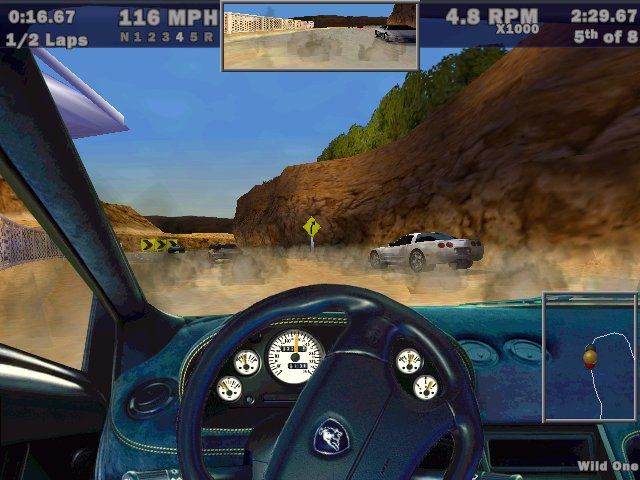
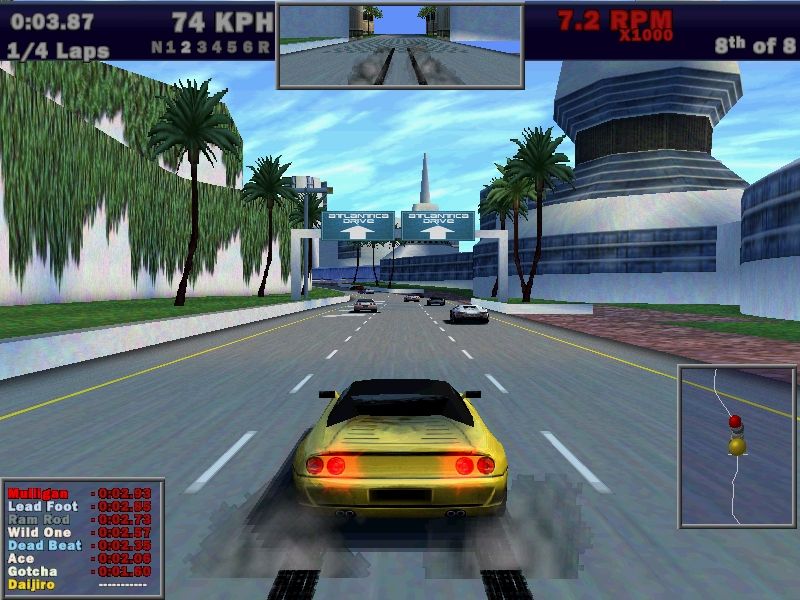
Your race loads with your car idling at the Starting line, as the announcer counts down, "3...2...1...GO!" When he says "GO," hit the gas and see what your machine can do!
•
Don't overrev the engine before the race starts. If your tach is too high when your car locks into first gear, you'll burn your tires and lose valuable ground.
•
To steer left/right, D-Button ↔.
•
To cycle through camera views, press ▲. (To toggle all on-screen gauges ON/OFF, hold ▲ for a full second.)
•
To look behind you, press and hold L2.
•
To honk your horn, D-Button ↑.
•
To reset your car (recover quickly from crashes), press L1.
•
To pull the hand brake, press ●. Use this for tight hairpins and power braking at high speeds.
•
During practice, or just for fun, use the hand brake to perfect spinouts and 360°s.
The Pause Menu
You can access the Pause menu at anytime to take a break or adjust Pause menu options. At the Pause menu, you can set audio levels or quit the race.
•
To pause a race, press START. The Pause menu appears.
Get back to the racing action.
Return to the Starting line and restart the current race.
Set the volume level of the music played during the race.
Set the volume level of the sound effects played during the race.
Set the volume level of the speech played during the race.
Exit the current race. (Choose to go to the Game Setup or Race Summary screen.)
Race Summary Screen
Following a race, the Race Summary screen appears. At the Race Summary screen, you can check statistics, records and view a replay of the entire race.
If you achieved a track record, the Name Entry box precedes the Race Summary screen, and is followed by the Track Records screen.
•
ADVANCE TO GAME SETUP MENU
•
RETURN TO THE STARTING LINE FOR A REMATCH
Replay
When you select REPLAY, the highlight film rolls from start to finish. Use the command icons to control the replay.
Customizing Your Race
This section explains the options and tools you can use to set up your races.
Game Setup Menu
Configure Game Setup options to create the ultimate driving environment for your next race.
D-BUTTON TO HIGHLIGHT AN ITEM. IF APPEARS, D-BUTTON TO CYCLE CHOICES; IF NOT, PRESS TO ADVANCE TO THE APPROPRIATE SCREEN.
These controls are used in all NFS III menus, so learn 'em here and use them everywhere!
•
To accept Game Setup options, press START. The Track menu appears.
•
Default settings in this manual appear in BOLD type.
Game Type
Challenge computer-controlled drivers or race against the clock for track and lap records.
You can compete head-to-head against a friend on a split-screen or team up against computer-controlled super cars.
When you choose TWO PLAYER, the Catch Up and Head Start options become available.
Set Catch Up ON to increase the trailing human player's ability to catch the leading human player. Catch Up races are usually competitive all the way to the Finish line.
Head Start gives the less experienced driver an edge. When the race begins, the other player cannot accelerate until the Head Start time expires.
D-Button to move the slider toward Player 1 or Player 2. That player's Head Start increases by the number of seconds displayed in the middle of the slider.
When using Head Start, you may wish to set Catch Up OFF. With Catch Up ON, the speed boost brings the trailing player right back into it.
Race Mode
Hit the road for a single race on any of the available tracks.
Hot Pursuit mode introduces law enforcement into the game. A single-race mode, you must avoid cops, road blocks, and spike belts to make it to the finish line.
Complete Tournaments to gain access to unavailable tracks and super cars.
A Knockout is an elimination tournament. Win Knockouts to gain access to the hidden track and car.
Drive solo on any track to familiarize yourself with
.png)

.png)
.png)
 (En,Fr,De,Es,It,Sv).png)
