Character Overview
You take on the role of Shin, a brave youth of the Hakkensui bloodline. Your mission is to defeat those who plot to dominate the world in chaos by reviving the 'Gyoshi' (Jade Casket). Shin is a youth full of wisdom and courage. You must proceed on the journey with companions who are said to be the reincarnations of the legendary Hakkensui, helping each other while unraveling mysteries hidden in various places. Preparation and Objective
Visit villages along the way to listen to stories and gather resources. Buy or collect weapons and armor in preparation for battle.
Gain experience by fighting the demons you encounter along the way. Your ultimate goal is to find the Demon King of Darkness and restore peace to the world as quickly as possible.
Game Screens and Controls
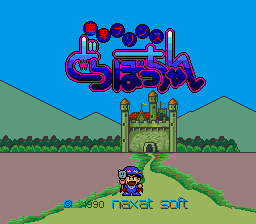
The game consists of three main screen types: Movement/Battle, Equipment/Item Selection, and Function. From the title screen, press START to move to the movement screen or CONTINUE to access the password input screen.
Movement and Battle Screen
The following elements are displayed on the interface:
•
Treasure Balls: Possessed by the Eight Hounds; they fill as you obtain them.
•
Gold: Accumulated by defeating enemies; measured in 'Mon'.
•
Spirit (Shin): Experience points that grow as you defeat enemies. •
Evil (Jya): Enemy hit points; monitor the opponent's stamina during combat.
•
Life (Mei): Your hit points. The gauge is white but turns purple when affected by poison. Use the + Button to move or to ram enemies in battle. It is more effective to attack monsters from behind or the side. Contacting people allows you to talk to them.
•
① Button: Uses techniques or confirms selections during dialogue.
•
⑩ Button: Examines the location where Shin is standing or fast-forwards messages. •
SELECT: Switches to the equipment/item selection screen.
•
RUN: Switches to the function screen.
Press ① or ⑩ to send a message during dialogue.
Equipment and Item Selection Screen
Access this screen from the movement screen by pressing the + Button and then Button 1. It displays Shin's stats and allows you to equip weapons, arts, and items. Equipment Menu
This view displays the weapons, armor, helms, arts, and tools Shin is carrying. •
Plus Button (Up/Down): Selects categories from Weapons to Tools.
•
Plus Button (Right/Left): Selects specific items within a category.
•
Button 2: Confirms and equips the selected item, then switches to the item selection view.
Note that some armor requires dropping other armor to pick it up. Helms increase defense when worn with armor. Arts are taught through scrolls but become unusable when health is low. Tools can restore health or reveal the true form of monsters.
Items Menu
This view displays the items Shin is carrying. Without specific items, you may be unable to pass certain areas or perform specific actions. •
Button 2: Returns to the selection between "Equipment" and "Items" screens.
•
SELECT: Returns to the 'Move/Combat screen'.
Press SELECT while on the "Equipment" screen to return to the movement view.
Function Screen
Access this screen from the movement screen by pressing RUN to save data or manage passwords.
•
SAVE: Saves inventory and health points; write down the generated password.
•
LOAD: Returns to the 'Movement/Battle Screen'.
•
PASSWORD: Switches to the password input screen.
Password Input Controls
•
+ Button: Selects functions or characters for the password.
•
A Button: Confirms the selected function or enters password characters.
•
B Button: Changes the password input character to correct errors.
•
RUN: Finalizes password input; switches to the movement screen if correct.
•
SELECT: Cancels password input and returns to function selection.
It is convenient to perform a SAVE during battle when Shin is in danger. If Shin falls, you can restart from immediately before by pressing A or B on the 'GAME OVER' screen. Reset Option
Press RUN + SELECT to reset the game and start over from the beginning.




.png)
.png)

.png)

_1.jpg)
.png)

_1.png)

.png)
.png)
.png)






.png)
