Getting Started
If you've never played Lemmings or Oh No! More Lemmings, we recommend that you start with the Fun level and work your way up from there. If you're feeling adventurous, you can jump in with both feet and try one of the more difficult categories, but don't blame us if Lemmings start splatting all over the place!
Setting Up
1. Set up your 3DO Interactive Multiplayer System, following the steps in the owner's manual. 2. Plug your controller into the Control Port.
3. Use the Power Switch to turn the unit ON.
4. Open the CD Drawer or CD Tray according to the steps in the owner's manual.
5. Place the Lemmings CD into the CD Drawer or Tray, label side up.
6. Close the CD Drawer or Tray, according to the steps in the owner's manual.
7. Get ready to save some Lemmings!
Handling Your Lemmings CD
•
Hold the Lemmings disk only by its edges, or with one finger inserted through the center and your thumb on the edge. Avoid touching the disk's surface.
•
Do not bend, crush, or submerge it in liquids.
•
Do not leave it in direct sunlight or near any sources of heat, such as on top of a television or monitor.
•
Keep the disk within its protective case when not in use.
•
If your CD should become soiled, clean it with a lint-free, soft dry cloth - wiping in straight lines from center to edge. Never use solvents or abrasive cleaners.
Controls
You control the Lemmings experience with your Control Pad. The following buttons refer to the Control Pad or the 3DO Mouse, which should be plugged into the Control Port on the 3DO System. We strongly recommend that you use the 3DO Mouse to play Lemmings, as it provides very precise control over the pointer. •
Direction Pad: Moves the crosshairs around on the screen or playfield.
•
Button A: Selects an Attribute when the crosshairs are on the icon bar, or gives an Attribute to a lemming when the crosshairs are locked on a lemming.
•
Button B: Scrolls the screen faster when the cursor's at the left or right edges of the screen.
•
Button C: Activates the special lemming fast forward. Great for finishing up a level in a hurry!
•
Left Shift: Moves the Icon Select box to the left.
•
Right Shift: Moves the Icon Select box to the right.
Assigning Skills
Click on the Digger Lemming (i.e., wait until there's a Lemming under the pointer, and then click your mouse button). You will now see a Lemming flinging dirt upwards with his tiny little paws, and you will watch him progress gradually downwards until eventually, he breaks through the bottom. At this point, the other Lemmings will fall through the hole he has created, and head out through the exit.
Some Lemmings may fall through and head towards the left, but eventually, they will hit the wall on the left side of the screen, and turn back towards the right. Congratulations! You have now solved your first Lemmings level! Enjoy the view as the Lemmings hop into the exit. You have embarked on the journey to become a Lemmings Master.
The Main Menu
This is the screen from which all games originate. Be sure to watch the Lemmings for a while, and to read the scroll across the bottom when you have a few spare moments! There are five icons available for your use on this menu. Move the selector with your mouse or control pad to make your selection.
•
New Level: Select this button to enter an access password which will permit you to resume from the last level you completed.
•
Musical Notes: This button controls what you hear while the game is playing. It will change from a set of musical notes, to a symbol that says FX to signify sound effects as you select this button. The musical notes symbol signifies that you will hear music and sound effects during the game. The FX symbol means that you will hear only sound effects, but no music during gameplay.
•
Category Indicator: This button shows the category of level which you are currently in. Click on the up and down arrows to change the category of levels you will be playing.
The Objective Screen
This screen describes what you and your Lemmings will be facing on the upcoming level. You will see this page every time you and your little friends embark on a new adventure.
•
Mini-Map: This is basically a miniaturized version of the level, so you can get an idea of what you will be facing.
•
Level Number: Where this level ranks in the category.
•
Level Title: Just the name of the level. Read carefully, though, because sometimes there's a hint hidden in the name!
•
Number of Lemmings: The number of lemmings that will come tumbling out of the hatch for you to save.
Important Note
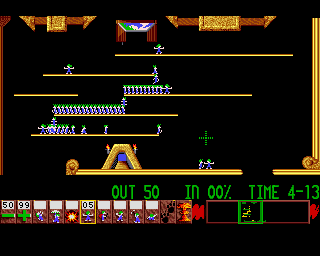
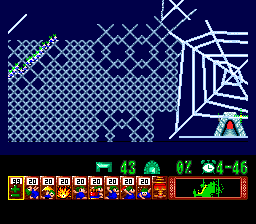
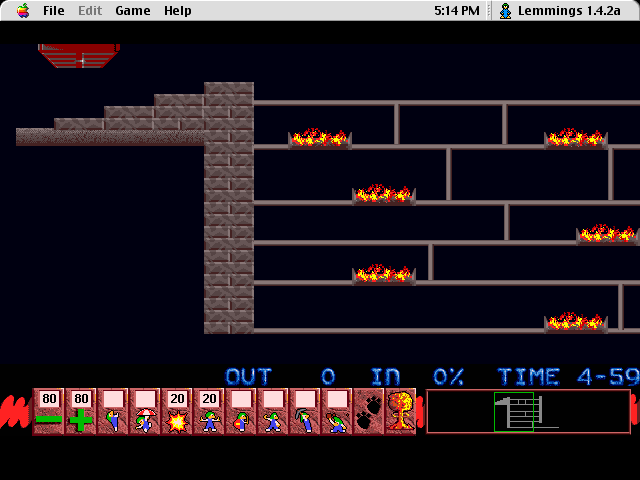
You only have a limited supply of each skill for each level. This is demonstrated by the number above each icon. A blank space immediately above the icon indicates that you have none of these skills left.
The number above the large minus sign (the Lemming-flow decrease icon) is the original Lemming release rate for the level. The number above the large plus sign (the Lemming-flow increase icon) is the current Lemming release rate for the level.


.png)
.png)

.png)