Getting Started
Illustration may not match all PlayStation 2 console types. For owners of SCPH-70000 series PlayStation 2 systems, refer to the setup instructions supplied with your system. Set up your PlayStation®2 computer entertainment system according to the instructions in its Instruction Manual. Make sure the MAIN POWER switch (located on the back of the console) is turned ON.
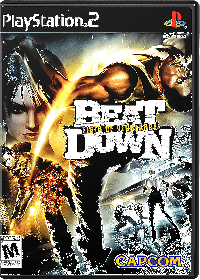
Press the RESET button. When the power indicator lights up, press the OPEN button and the disc tray will open. Place the BEATDOWN: Fists of Vengeance™ disc on the disc tray with the label side facing up. Press the OPEN button again and the disc tray will close.
Attach game controllers and other peripherals, as appropriate. Follow on-screen instructions and refer to this manual for information on using the software.
Memory Card (8MB) (for PlayStation®2)
To save game settings and progress, insert a memory card (8MB) (for PlayStation®2) into MEMORY CARD slot 1 of your console. You can load saved game data from the same memory card or from any memory card containing previously saved games.
You must be using a memory card with at least 1408KB of free space in order to save your game data. If you need more free space than is available, delete older data from the memory card before starting play.
Do not remove the memory card or turn off the power while saving or loading game data. Doing so could damage your game data.
Hand-to-Hand Attacks
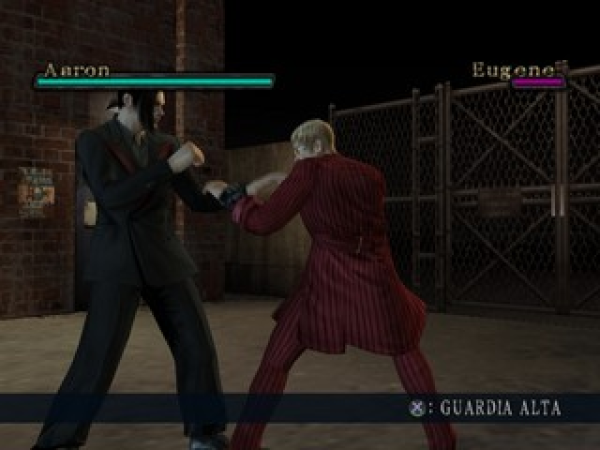
Combine the P and K buttons with the left analog stick (or directional buttons) to produce a variety of special moves and powerful combos.
When using the left analog stick (or directional buttons), three levels of attacks are possible: high, mid-level and low. You can perform a follow-up attack to attack your opponent on the ground. Attacks in group battle are limited to special group fighting actions.
High Attack
Aimed at opponent's face. Can be blocked with high block. Does not land if opponent is performing a low block. High attacks include many types of quick, devastating moves.
Mid-Level Attack
Aimed at opponent's mid-section. Can only be blocked with high block. If you hit an opponent guarding with low block, the opponent is knocked down in a long damage animation.
Low Attack
Aimed at opponent's legs. Can only be guarded against using low block. Mainly helps to trip up and then leave the opponent open or knock the person down.
Straddle
After knocking opponent down, walk up and press the button to straddle the person. Then use the and A buttons to pound on your opponent.
Follow-Up Attack
After knocking opponent down, walk up and press the button to attack again.
Weapon Attacks
Use your currently equipped weapon to attack. You must block with the weapon to successfully guard against weapon attacks by enemies. Certain weapons may be controlled differently.
Vertical Slash
Press the button to swing your weapon vertically for massive damage.
Horizontal Swing
Press the button to swing your weapon horizontally to yield a wider attack range.
Draw/Put Away Weapons
From the weapons/items section of the inventory, you can assign weapons to the R2 and L2 buttons to use at any time during a fight. Press the corresponding button again to put that weapon away. Only weapons equipped from the inventory can be put away with the R2 / L2 buttons.
Guard
Press the button to guard against attacks, and combine it with the left analog stick (or directional buttons) to perform high and low blocks.
You must be holding a weapon to guard against weapon attacks. Group battles are limited to specialized group fighting tactics. In group battle, all high, mid-level and low attacks (except grab attacks) can be guarded against. Certain weapon attacks cannot be guarded against.
High Block
Blocks high attacks. Does not guard against low attacks or grabs.
Low Block
Blocks low attacks. Does not guard against mid-level attacks or grabs.
Grab
Press the R1 button while near an opponent to grab the person. Once you grab someone, you can perform a variety of actions by pressing different attack buttons.
You cannot grab an opponent while holding a weapon. Special group-fighting tactics are only possible during group battle.
Throw/Wall Slam
Press an attack button after grabbing an enemy to throw or kick the person. If you are close enough to a wall, you can slam the opponent into the wall.
Tag-Team Attack
Perform powerful tag-team attacks when fighting next to your allies. The move's success depends on the friendship level that ally has with you.
Steal Weapon
If an opponent has a weapon, you can steal it by grabbing the opponent.
Pick Up/Discard
Press the R1 button when you're close to a weapon or item on the ground to pick it up. Press the R1 button again to discard your current weapon and throw it on the ground.
Steal
After a fight, you can steal money and items from defeated opponents who are lying on the ground