SETTING UP
Set up your PlayStation®2 computer entertainment system according to the instructions supplied with your system. Check that the system is turned on (the on/standby indicator is green).
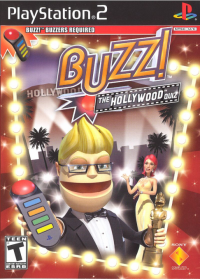
Insert the Buzz!: The HOLLYWOOD™ Quiz disc in the system with the label side facing up. Attach game controllers and other peripherals as appropriate. Follow the on-screen instructions and refer to this manual for information on using the software.
USING A MEMORY CARD (8MB) (FOR PLAYSTATION 2)
To save game settings and progress, insert a memory card (8MB)(for PlayStation®2) into MEMORY CARD slot 1 of your PlayStation 2 system. You can load saved game data from the same memory card or any memory card (8MB) (for PlayStation®2) containing previously saved games. Buzz!™: The HOLLYWOOD™ Quiz features an autosave function that saves progress after a save game file has been created. At certain points during the game, a "Save" icon will be displayed on-screen indicating that progress is being saved. While the icon is on-screen, DO NOT remove the memory card (8MB) (for PlayStation®2) or turn off your console.
GETTING STARTED
The following on-screen message will be displayed when playing Buzz!™: The HOLLYWOOD™ Quiz for the first time with a memory card (8MB)(for PlayStation®2) inserted into MEMORY CARD slot 1: "No Buzz!™: The HOLLYWOOD™ Quiz saved data present on memory card (8MB) (for PlayStation®2) in MEMORY CARD slot 1."
Press the orange button to select "Continue," and then either press the blue button to select "yes" to enable the autosave feature or press the orange button to select "no" to disable the autosave feature. Enable the autosave feature to automatically save Buzz!: The HOLLYWOOD™ Quiz data and information to a memory card (8MB) (for PlayStation®2).
CAUTION: do not insert or remove a memory card (8MB)(for PlayStation®2) after start-up as this may cause data to be overwritten.
Press the blue button to continue and an introductory video sequence will then be displayed. Press any Buzz!™ Buzzer button to skip the video sequence and access the Main Menu.
WELCOME TO HOLLYWOOD™!
Roll out the red carpet, fire up the studio lights and prepare to be dazzled by the spectacular glitz and glamour that only HOLLYWOOD™ can offer! That's right folks, my fabulous game show has officially hit the big time. I've come all the way to the heart of Tinseltown to rub shoulders with movie royalty and hobnob with the showbiz elite. Welcome to the star-studded line-up of Buzz!™: The HOLLYWOOD™ Quiz!
Think you know your superheroes from your super agents? Can you tell your villains from your vamps? It's time to step into the spotlight and prove that when it comes to big screen trivia, you've got the skills to go straight to the top.
My studio has received a complete movie makeover and is ready to play host to Sunset Boulevard's biggest names. As ever, my beautiful assistant Rose will be on hand to enlighten and explain - and you can always rely on me, your devilishly debonair quizmaster, to pose the kind of questions that will sort the superstars from the stand-ins.
So join me on an all-star trip to the movies and prepare to see your name in lights!
PLAY BUZZ!™
Before our director shouts "lights, camera, action," let me explain one or two things about Buzz!: The HOLLYWOOD™ Quiz to get you up and running.
First of all, press the blue button on the Main Menu to access the "Play Buzz!" option, then choose either "2-4 Players," "Single Player" or "5-8 Players." The number of players chosen will depend on how many movie buffs are clamoring round the TV!
Then choose your game's difficulty level - either "Standard Game" or "Film Fanatic." The "Film Fanatic" option may sound like it's only for motion picture scholars, but trust me - it's not just for the experts. You might surprise yourself with knowledge you never knew you had.
Now it's time to choose the length of your game. Press the blue button to start a Full Game and play my quiz from start to finish. Press the orange button to begin a Points Game and enjoy a slightly shorter quiz, where the player with the highest score wins. Press the green button to begin a Quick Game that will last for about 15 minutes.
When the difficulty and length of your quiz has been chosen, press the blue button to "Select Your Contestant." To get going straight away, press the orange button to select "Quick Start." A "Quick Start" means that each player will be assigned a contestant and buzzer sound at random - and will simply be named "Player 1," "Player 2" and so on.
SELECT YOUR CONTESTANT
There are fourteen colorful contestants to choose from - and some of them have flown in from around the globe just to be here! Who will you choose?
CHOOSE YOUR POSITION
In Multiplayer only, Buzz!™: The HOLLYWOOD™ Quiz is easier to play when you folks