Setting Up
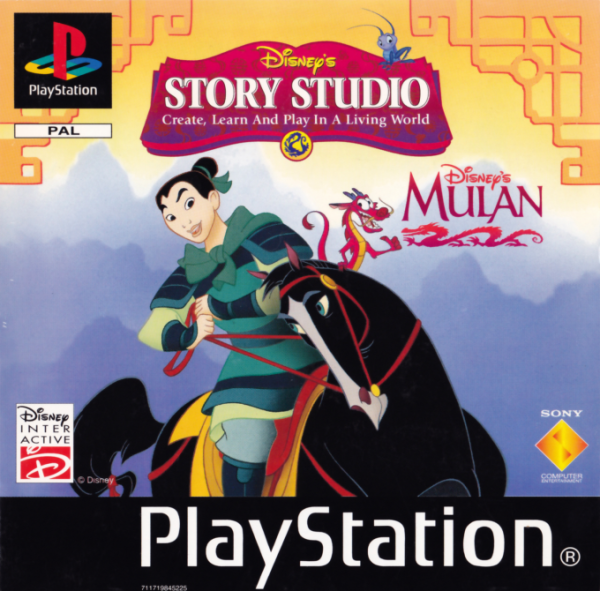
Set up your PlayStation® game console according to the instructions in the Instructional Manual. Insert the Disney's Story Studio, Mulan disc and close the disc cover. Turn the PlayStation® game console ON with the POWER BUTTON. It is advised that you do not insert or remove peripherals or MEMORY CARDS once the power is turned on. Make sure there are enough free blocks on your MEMORY CARD before commencing play.
•
Disney's Story Studio, Mulan supports MEMORY CARDS in MEMORY CARD SLOT 1 only.
Controller Notes
If you are using an Analog Controller (DUAL SHOCK™), Disney's Story Studio, Mulan can be played using the DIRECTIONAL BUTTONS or the LEFT ANALOG STICK. When using the LEFT ANALOG STICK, ensure the LED lights up red (press the Analog Button).
Throughout this manual the term "click and drag" will be used.
•
To click on an object, press the X BUTTON.
•
To drag that same object across the screen, use the DIRECTIONAL BUTTONS or the LEFT ANALOG STICK.
•
To then release that object, press the X BUTTON once again.
Mulan's Journey
Live the magic of Disney's Mulan through this exciting journey with Mulan, her wise-cracking side-kick Mushu, and all your favorite characters from the film.
This high-spirited adventure will take you to Mulan's House, the Tung Shao Pass, the Imperial City, and more, to discover the magical scrolls that will earn you the title of Imperial Storymaker. Interact with the characters, play challenging games and activities, and design your own story books. It's the amazing story of Mulan and so much more!
Signing In
At the opening of the story, Mushu will ask you to type in your name. Use the DIRECTIONAL BUTTONS to position the Yin-Yang cursor over a letter of the alphabet. Then press the X BUTTON to confirm your selection. Now highlight GO and press the X BUTTON to be taken to the game introduction and the Village.
To access the MEMORY CARD Menu, press the START BUTTON or use the DIRECTIONAL BUTTONS to move the Yin-Yang cursor over the gong in the lower-right corner. In the MEMORY CARD Menu you save your data or continue without saving.
•
Once you've saved your data to the MEMORY CARD, your name will automatically appear on the signing-in screen and can be selected each time you play.
Navigation Commands
The Yin-Yang symbol is your cursor. Use the DIRECTIONAL BUTTONS to move the Yin-Yang cursor around the screen. It will turn red when it is over something fun to click. Some items have different sounds and animations when you click a second or a third time.
When you've uncovered a navigational hot spot, a directional arrow will appear showing you the way to a new location. The Yin-Yang cursor becomes an arrow when you move it over the navigational hot spot. Press the X BUTTON if you wish to leave your current screen and travel to the new location. If you do not wish to leave your current screen, simply use the DIRECTIONAL BUTTONS to move the Yin-Yang cursor away from the arrow.
The Yin-Yang cursor will transform into an open hand when it is over a movable object. Listen for suggestions from the characters in the story, then press the X BUTTON once and move the object to a new place on the screen using the DIRECTIONAL BUTTONS. Press the X BUTTON again to release the object.
How To Play
This is Mulan, and she needs your help. Collect all five magical scrolls (one in each story screen) and replace their lost magic as you journey through Mulan's amazing adventure. Discover the world of ancient China as you go.
Look for clues and suggestions from Mushu - your trustworthy guide - on how to move the story along to all the wonderful places in Mulan's world. Once you find a magic scroll, click on it to reveal a narrated passage that will unfold the story of Mulan's great adventure.
To begin the story in sequence, start with the Village, then proceed to Mulan's House, the Army Camp, Tung Shao Pass, and finally, the Imperial City. Just move the Yin-Yang cursor over the area you'd like to visit first, then press the X BUTTON to be whisked away into ancient China.
Scroll Interaction
•
Click the top left portion of the scroll to hear the passage read again.
•
Click on the red arrow in the bottom left portion of the scroll to close the scroll.
Dictionary
•
Click on the magic word in blue to watch that word come to life.
Thesaurus
•
Click on the words in a box to reveal different words that mean the same thing.
Returning to the Great Wall
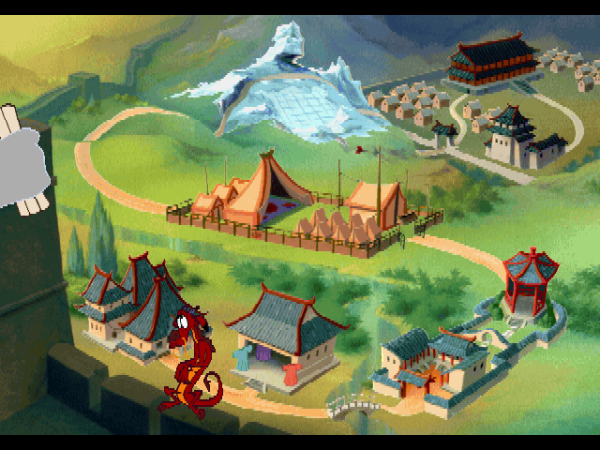
You can travel to any location in the story from the Great Wall. Any time you want to return to the Great Wall, just position the Yin-Yang cursor on the gong in the bottom right of the screen and press the X BUTTON or alternatively, press the START BUTTON.
In-Game Pause Menu
Highlight one of the three gongs and press the X BUTTON to confirm.
Reset
Begin the current activity again.
Great Wall
Takes you back to The Great Wall.
Save and Quit
Saves your current progress to the MEMORY CARD and sends you to the credit sequence and then to the main title screen. At any time during the credit sequence, you may press the A BUTTON to return to the main title screen.
Quit
When there is no MEMORY