Starting the Game
•
Make sure a Control Pad is plugged into the port labeled Control 1 on the Sega Saturn system. •
Open the disc tray and place the disc inside.
•
Press START to advance to the Game Setup screen.
Controls and Navigation
Use the D-Pad to move through menus. Highlight options using D-Pad up/down, and alter settings using D-Pad left/right. Press A to select a highlighted option, and press C to return to the previous menu screen.
Main Menu
•
Options: Go to Options menu.
Race Menu
•
Championship: Go to Championship menu.
•
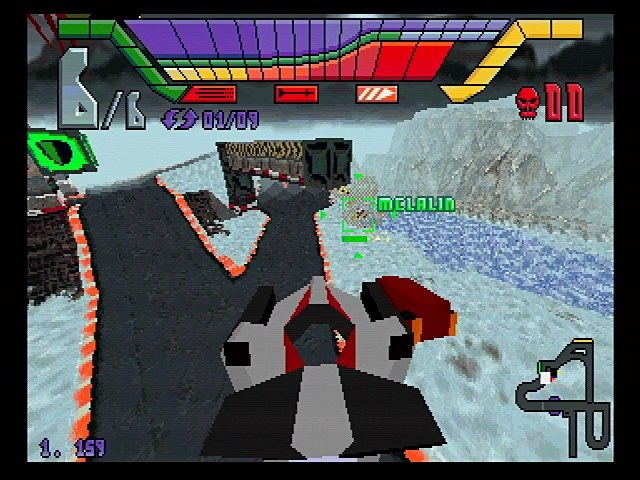
Single Race: Race against up to seven computer-controlled opponents on the track of your choice. NOTE: You will need a Backup™ RAM Cartridge to save your game.
•
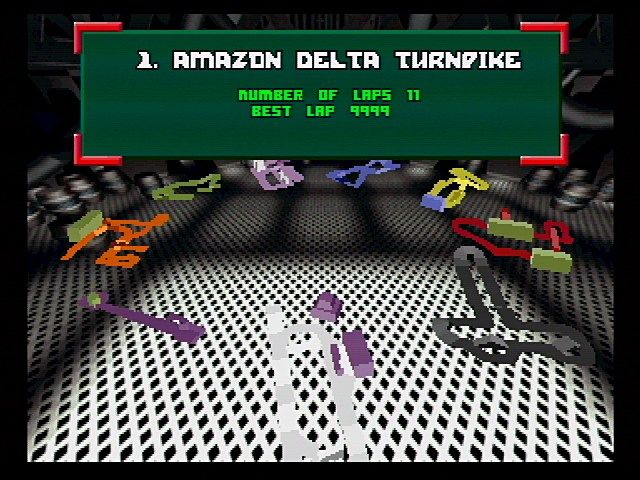
Clone Race: Race against a clone of your car programmed with your best ever lap or best lap that session. Your best performance for each individual track is saved automatically. NOTE: You will need a Backup RAM Cartridge to save your game. NOTE: Due to memory limitations, very long laps may not be recorded.
•
Death Match: Vent frustration on up to seven computer opponents without a race. Set up ambushes, go in guns blazing, or drive the wrong way. Bonuses are awarded for performing stunts.
•
Split Screen Single Race: Play a single race with a friend; Control pad 1 controls the top screen, Control pad 2 controls the bottom. Both players must use the same class of vehicle.
•
Hot Seat: Race against up to seven friends on one machine. Select a track and vehicle, then press A to begin. Players take turns controlling their craft until one wins. To modify player count and time limits, see Hot Seat Options.
•
Main Menu: Return to Main menu.
Selecting Track and Vehicle
Once you have selected a race mode, you arrive at the track and vehicle selection screen. Choose a track by D-Padding left/right, and set the number of laps by D-Padding up/down, then press A. Highlight your vehicle by D-Padding left/right, and use up/down to select a team. When complete, press A to begin the race.
Championship Menu
•
Continue: Displayed only if a Championship has started. Select this to take part in the next race.
•
New Championship: Select car and team options only. You cannot select a track, as each race takes place on a different track.
•
Load Championship: Load a previously saved game by pressing A.
•
Save Championship: After a race, choose this to save an in-progress Championship. Press A to save, or B to return to the menu. Note: You must have a Backup RAM Cartridge installed.
•
Quit Championship: Discontinue the current Championship.
Options Menu
•
Change Name: Change your player name by D-Padding up/down to change letters and left/right to move the cursor. Press A to confirm.
•
Music Volume: Adjust from 0-16.
•
Main Options: Return to the Options menu.
•
Control Option: Toggle between standard and alternative control methods.
•
Computer Players: Select the number of computer opponents.
•
Death Match Lives: Choose between 0 (infinite) and 4.
•
Use Best Lap in Clone Race: Toggle between using your best ever lap and the best lap from the present session. Note: This option is only available if you have a memory card installed.

.png)

.png)
.png)
.png)
.png)
.png)
.png)
.png)




_1.png)