Starting Up
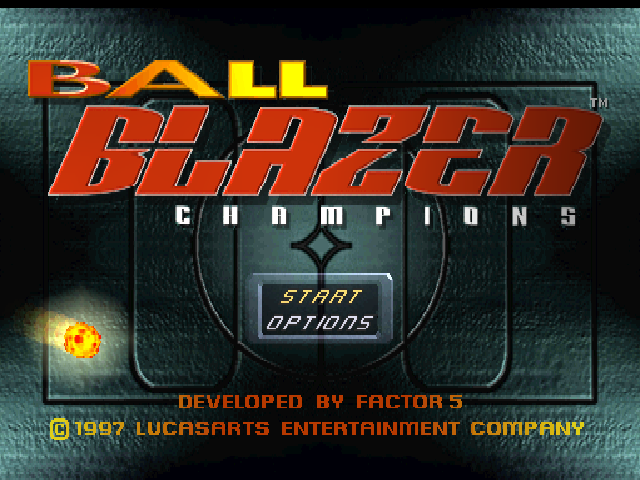
Set up your PlayStation game console according to its instruction manual. Check all cable connections to the PlayStation, television, and wall sockets. Insert a Memory Card if you want to save game data. Insert the "BALLBLAZER CHAMPIONS" CD and close the disc cover. Make sure the PlayStation game console's power is "Off" before inserting or removing a compact disc. Plug in one or two game controllers and turn the PlayStation game console on. Following the title screens, the opening sequence will play, then end at the Title Screen/Game Start Menu. The button will let you skip the opening sequence and go directly to the Main Menu. At the Title Screen/Game Start Menu, use the directional arrow keys on your controller to choose START GAME or OPTIONS. Use the Start button or button to activate your selection. The OPTIONS screen allows you to customize game settings.
Hold down the Select button and then hold down the Start button for two seconds to return to the Title Screen. We recommend that you select START GAME before changing any game settings. START GAME will take you to the Main Menu.
At the Main Menu screen you can select from one of four game modes: Practice Mode, 1-Player Tournament, 1-Player Freeplay or 2-Player Freeplay. To select one of the games, use the directional arrow keys and press the Start button.
Object of the Game
The object of BallBlazer is to get the ball (Plasmorb) into the goal more times than your opponent. A standard match is four minutes long with five goals. Scoring more goals than your opponent before the end of the time limit wins the round. Winning two out of three rounds wins the match.
Your craft is called a Rotofoil, which has an external electromagnetic field that allows it to hold, carry, shoot, and knock the plasmorb loose from the other craft.
The basics are to grab the Plasmorb, race for the goal, and shoot. However, getting the plasmorb, moving toward your goal, and scoring doesn't always come easy.
There are a number of obstacles and realities to understand and avoid. Every rotofoil has a finite amount of energy, and many maneuvers require energy to perform. Holding the plasmorb uses up energy.
You'll also have an opponent to worry about, weapons will be used against you, arena obstacles will be in your way, and the clock is ticking. For defense, you'll need to perfect the "plasmorb steal", dodge weapons, outmaneuver your opponent, and learn the lay of the land in each stadium.
Stadium Features
To be a winner, you must understand each stadium and its contents. Many items discussed in this section may not be found in all arenas or every gameplay mode.
The Goal
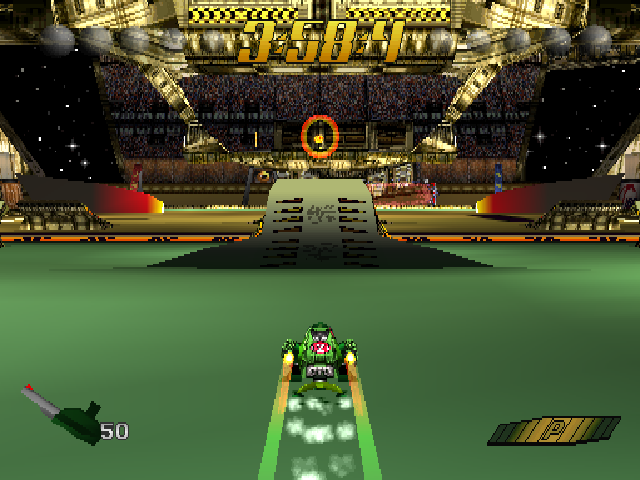
If you have the plasmorb in your rotofoil magnetic field, cross-hairs will appear over your goal to help identify it. Note the red and blue coloring of each goal.
Player 1 is always blue and will defend the blue goal and score into the red goal. Player 2 is always red, defending the red goal and shooting to score in the blue goal. This coloring is also seen in the "score orbs" at the top left and right-hand sides of the game screen.
Opponent Radar
If you cannot see your opponent's rotofoil on the game screen, a large red or blue arrow will appear above your opponent's rotofoil.
The Score Orbs
Along the top of the game screen are two groups of orbs. When Player 1 scores a goal, the orbs on the top left side of the screen become highlighted in blue. When Player 2 scores a goal, the orbs on the top right side of the screen become highlighted in red.
There are five score orbs on each side of the game screen. When a player wins a round, a solid orb will appear on that player's side.
The Energy Bar
Some rotofoil maneuvers (including holding the plasmorb, using turbo-boost, and roto-snapping) expend energy. Getting hit by weapons also drains energy.
In the lower right side of the game screen, a bar represents the state of your energy cells. When you have maximum energy, the bar is entirely green. As energy is used, the bar will begin to turn red, your rotofoil will move slower, and your plasmorb's launch speed will decrease.
Often the best way to conserve energy is to continually launch the plasmorb and chase it down, like dribbling a soccer ball. Energy Strips affect rotofoil energy levels. Blaze over a green strip to recharge; sliding over a red strip depletes energy and slows down your rotofoil.
The Rotofoil
Front and center on the play screen should be your craft, or rotofoil. There are four different camera views from which to maneuver your craft. The select button toggles between camera views. Different perspectives work better in different arenas.
Camera Views
•
Inside your rotofoil, or first-person
•
Slightly above your rotofoil
•
Above your rotofoil, or top-down perspective
The Plasmorb
The plasmorb is a ball of magma. When you do not have the plasmorb, a circle on the screen will indicate its location. If you cannot see the plasmorb on the screen, your rotofoil's radar will attempt to locate its direction, indicated by arrows on the right and left of the screen.
If the plasmorb is directly behind you, the radar will not be able to locate it. Use the button to "roto-snap" your craft toward the plasmorb when you'