How to Play the Game
Title Screen
When you turn on the power, the title and demo screens will be displayed. Press the start button to bring up the option screen.
Option Selection
You can change the game difficulty and the number of continues (0-3 times). You can also listen to game music. Select each with the lever and confirm with the A button.
•
Initially set to Normal.
•
Easy Mode (EASY): For beginners
•
Normal Mode (NORMAL): For intermediate players
•
Hard Mode (HARD): For advanced players
•
MVS Mode (MVS): Difficulty close to arcade (Intermediate level between Normal and Hard)
•
Initially set to 1 time. Up to 3 times can be set.
•
Initially, "STOP" is displayed. By operating the lever, song titles will be displayed, and you can enjoy game music.
Control Explanation
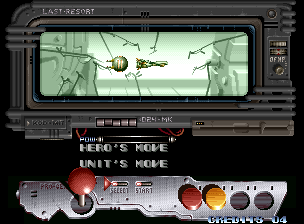
The controller operation method will be explained in order. You can also cut with the A button.
Load (Data Recall) Selection
If you use the separately sold "Memory Card" with this game, you can easily save and load.
If a memory card with game data saved on it is set in the main unit, the load selection screen will be displayed. Select with the lever and confirm with the A button. If you select "YES", you can play from the beginning of the stage where you last saved.
About Memory Card Save (Record)
If a memory card is set in the main unit, the save selection screen will be displayed at game over. Select with the lever and confirm with the A button. The progress stage will be recorded.
Game Start
The game will finally begin. If you lose 3 of your own aircraft, it will be game over. However, if you have continues remaining, you can continue playing by pressing the start button.
About 2-Player Simultaneous Play / Mid-Game Participation
This game allows for 2-player simultaneous play and mid-game participation if two controllers are connected.
When two people play, both start buttons must be pressed. A separately sold controller is required.
About Unit Shoot (Charge Shot)
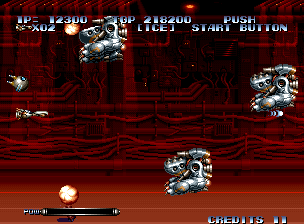
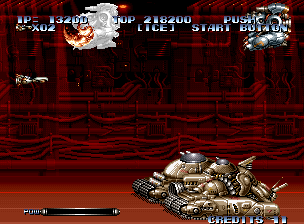
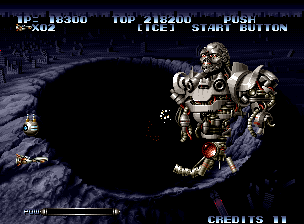
The biggest weapon of your ship is an attack that fires the unit itself. By continuing to press the shot button (A button), the power gauge will increase.
When you release the shot button, it will fly out with the attack power at that point, deal damage to enemies, and then return. The firing direction is the line connecting your ship and the unit.











.png)

