GAME MODE
ARCADE MISSION
This is the main mode of play. Your mission, should you choose to accept it, is to seek out the instigator of recent worldwide uprisings, and eliminate him.
CLEARING MISSIONS
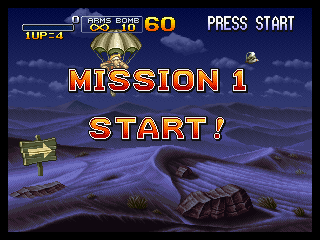
Successfully complete a mission by guiding your character to the end of the mission and defeating the boss character that resides there.
MISSION SELECT
As each new mission is entered, it becomes available on the Mission Select screen. Use the Directional buttons to make mission selections and confirm selection by pressing the button. Missions that have not been cleared will not be available on the Mission Selection screen.
2P MODE
When starting a new game, press the START button on both controllers to begin a 2-player game.
Also, a second player can join in a single-player game at any time by pressing the START button on a controller that is not currently in use.
CONTINUE
When all character lives have been used up, a continue message will be displayed. To continue playing the current game from your character's current location press the START button before the countdown reaches zero.
COMBAT SCHOOL
Even veteran soldiers benefit from continued training to hone their skills. The Combat School offers two training challenges: SURVIVAL and PINPOINT.
Instructor Meg is waiting for you when you enter the Combat School. Though she may be friendly in the beginning, her attitude may change depending on your performance. SCREEN DESCRIPTION
To enter the Combat School, highlight it from the main menu and press the button. Select YES to confirm your intention of entering the Combat School and you will be presented with the School's menu options.
Highlight menu options using the Directional buttons and confirm your selection by pressing the button. The Directional button can be used to advance menu selections and the Directional button can be used to backtrack through menu selections. Press the ▲ button to cancel menu selections.
•
ATTACK: Select from one of two training challenges: Pin Point or Survival.
•
RESULT: View results/rankings for the Pin Point and Survival training challenges.
•
OFFICE: Combat School registration office. From here you can enroll or cancel your enrollment in the Combat School.
•
EXIT: Exit the Combat School.
TIPS (#2)
When the Combat School menu screen appears, press the button to initiate conversation with Instructor Meg. This is known as chat mode. ENROLLING/CANCELING ENROLLMENT
ENROLLING
To get started in the Combat School select OFFICE then JOINING THE ARMY. Create a new file by selecting an empty slot in the File Window.
Follow the on-screen instructions and input your name and personal information. Please note that you must clear the first stage in Arcade Mission in order to enroll in the Combat School. Otherwise, Instructor Meg will turn you away. CANCELING ENROLLMENT
Select OFFICE and then choose DISCHARGE FROM ARMY. Delete the desired file from the File Window.
PIN POINT TRAINING CHALLENGE
Choose ATTACK from the main Combat School menu, next select PIN POINT and then the file that will be used. This mode tests how quickly you can clear different stages. The stages available for play are the same as those in the Arcade Mission. The faster the stage completion time, the better the score. Please note that there are some differences in the rules when playing the Arcade Missions in this mode. •
No matter the setting in the OPTION menu, the default number of lives is three. The game ends when all three lives have been lost.
•
Vehicle stamina has been decreased. One hit is now enough to incapacitate a vehicle.
•
All weapons (not including cannons, grenades, etc.) have unlimited ammunition. Fire them as much as you wish! •
When the game is paused during this mode, the following menu options are available: CONTINUE, RETRY, MISSION SELECT, and EXIT.
SURVIVAL TRAINING CHALLENGE
Absolutely no mistakes are allowed in this mode. Choose ATTACK from the main Combat School menu, next select SURVIVAL and then the file that will be used. This mode can only be entered once all stages in the Arcade Mission mode have been successfully completed. Please note that there are some differences in the rules when playing the Arcade Missions in this mode. •
All weapons (not including cannons, grenades, etc.) have unlimited ammunition. •
Vehicles are not available.
•
One mistake and the game is over.
•
When the game is paused during this mode, the following menu options are available: CONTINUE and EXIT.
OPTION
Access this selection from the main game menu to save/load game data, make changes to controller functions and adjust/change other game features. Highlight menu selections using the Directional buttons and press the button to confirm selections.
•
HERO: Select the starting number of character lives (1-5) in Arcade Mission. •
DIFFICULTY: Set the level of difficulty (Easy, Normal, Hard, Very Hard) in Arcade Mission. •
1P KEY CONFIG: Make changes to default controller settings for player one.
•
2P KEY CONFIG: Make changes to the default controller settings for player two.
•
SOUND: Adjust the sound setting: Stereo or Mono.
•
VIBRATION: Turn the controller's vibration function ON/OFF.
.png)

.png)




_1.png)



.png)
.png)



.png)