Notes on Use
About Memory Card and Backup
This game allows you to easily back up your progress data using a separately sold "memory card". Please insert the memory card securely into the memory card slot of the Neo Geo console.
Follow the instructions below to save and load game data.
Load (Data Recall) Method
If the memory card is correctly set, the "Load Selection Screen" will appear before the game starts.
•
Select "YES" with the lever and press the A button to continue playing from your last save.
Save (Data Recording) Method
If the memory card is correctly set, the "Save Selection Screen" will appear after the game is over.
•
Select "YES" with the lever and press the A button to record your progress data up to that point.
•
Some software may automatically save during the game.
•
Normally, multiple saves for the same game are not possible. If data for the same game is saved on the memory card, the previous data will be automatically erased.
About Card Formatting (Initialization)
New memory cards are not formatted (initialized). Please be sure to format the card according to the following steps before use.
•
① Correctly set your Neo Geo cassette and memory card into the Neo Geo console.
•
② While simultaneously pressing the A~D buttons on the 1P controller, press the reset button on the Neo Geo console.
•
③ When the "Data Screen" appears on the TV, select "Card Format" with the lever.
•
④ Press the A button to complete the format.
How to Start the Game
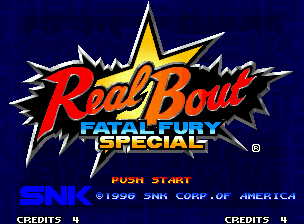
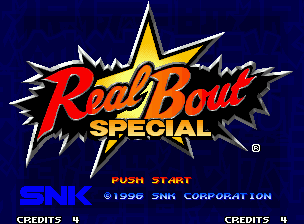
First, press the Start button on the title screen.
•
1 Mode Select: Select and confirm [GAME START].
•
2 Player Select: Select and confirm a player character from the 16 available.
•
3 Opponent Select: Select and confirm the first opponent (CPU side).
•
Before player selection, a demo explaining how to play will be shown. You can skip it by pressing the A button.
How to Play the Game
About Game Data and Load Selection
By using a memory card (sold separately), you can save game data and continue playing from where you left off.
For details, please refer to P4 "About Memory Card Backup."
About 2P Versus & Interruption Play
If both 1P and 2P press the controller's start button, you can enjoy 2P versus play.
During 1P play, you can interrupt by pressing the start button on the unused controller.
About Continue
If you lose a battle, a continue count will be displayed.
If you wish to continue the game, please press the controller's start button before the count reaches "0."
Player Basic Operations
Guard Cancel
When the power gauge is MAX, or when the power gauge is yellow, you can perform a special move even from a guarding state.
Super Special Move
This is a more powerful move than a special move, and can only be used when the power gauge is MAX or when the health gauge is flashing.
Potential Ability
When the health gauge is flashing and the power gauge reaches MAX, you can unleash a move that surpasses even Super Special Moves.
Power Gauge
During the game, by performing special moves (even if they are evaded), or by hitting or guarding normal attacks or special moves, the power gauge at the bottom of the screen will fill up.
When the power gauge reaches MAX, the [GO!] sign will flash. Depending on the state of your health gauge at that time, either [S.POWER] or [P.POWER] will appear on the screen, and the following attacks will become available:
•
S.POWER (When health gauge is normal): Super Special Move, Guard Cancel
•
P.POWER (When health gauge is flashing): Potential Ability, Guard Cancel
•
The state of the power gauge continues even if the round changes.
•
Even if a Super Special Move is used when the health gauge is flashing, the power gauge will not decrease.
Battle Rules
A new strategic rule [Ring Out System] makes its debut!
King of Fighters Overview
The game is played on 4 stages, with 3 opponents to defeat in each stage.
Those who clear all stages can challenge the final battle in Geese Tower!
About Match Victory/Defeat
•
Matches are best of three. The player who wins two rounds first advances to the next match.
•
If there is no clear winner in the final round (3rd round), an extra round will be played. The winner of this round advances to the next match.
About Round Victory/Defeat
•
You lose if your health gauge reaches 0.
•
If you are ringed out during the match, you lose at that point.
•
A double knockout results in a draw.
•
If time runs out, the player with more remaining health wins.
•
If both players have the same remaining health, it's a draw. (Draw).
About Option Mode
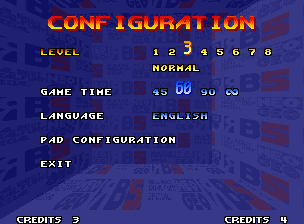
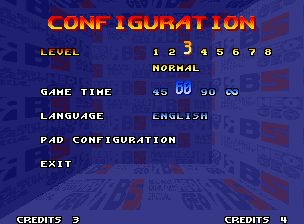
You can change game difficulty and button settings!
When selecting a mode, select and confirm [OPTION].
Level Select
You can select the difficulty of CPU battles. It gets harder in order from 1 to 8.
Game Time Select
You can select the round time limit from 45, 60, 90, or ∞ (unlimited).
Language Select
You can select the display language (Japanese, English, Spanish,


_2.png)
_2.png)

_1.png)