Select Your Level
When the level selection screen appears, you may choose to start from any level between 1 and 16. To select a level higher than 16, you must use a password.
•
Use the A button to increase the level number.
•
Use the B button to decrease the level number.
•
Use the Start button to enter your selection.
How to Use Your Password
If you reach beyond level 16 during normal gameplay, a password will appear on the screen. This password must be entered if you wish to begin play above level 16.
1. Select the desired level (above 16) and press the Start button.
2. Use the Control Pad to move the cursor left or right. Press the A button to select letters from A to Z and numbers from 0 to 9. Press the B button to select in reverse order.
3. Once you have entered your password, press the Start button.
4. If you make a mistake, press Select and repeat the process.
Basic Rules of the Game
Hyper Lode Runner is an action maze game. The objects of the game are simple: dig up bricks one at a time, avoid approaching robots, collect stacks of gold, and escape using the ladder.
The ladder will appear after you've collected all the gold.
•
You can dig up bricks in these cases:
•
You cannot dig up bricks in these cases:
The game is over when the number of remaining MEN reaches 0.
When you've collected all the gold, an escape ladder will appear. Use it to move to the next level.
Note
If you collect all the gold and the escape ladder does NOT appear, a robot might be carrying some gold!
If you fall into a pit between two bricks, the game is over. Press the Select button to start again.
Game Pak
Video Link™ Cable
How to Play in the "VS" Mode
Hyper Lode Runner may be enjoyed by two players by linking two Game Boy units with the exclusive Video Link cable.
You must have the following equipment before starting a two-player game:
•
2 Hyper Lode Runner Game Paks
1. Connect the two Game Boy units with the Video Link cable and ensure both units have Game Paks correctly inserted. Turn the power switches ON.
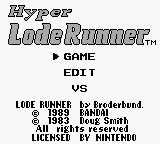
2. When the Hyper Lode Runner title screens are displayed on both Game Boy units, either player can select the "VS" mode.
3. Either player can select the level on which to begin play. If you wish to start above level 16, you must insert your password.
4. Press Start to begin the game! The rules are simple: try to clear out the level before your opponent can by collecting the special "VS" objects, and do it before the clock at the bottom center of the screen runs out!
How to Play in the "EDIT" Mode
When you use the "EDIT" mode, you can create your very own Hyper Lode Runner game screen.
1. When the title screen comes on, select "EDIT" and press the Start button.
2. Choose the screen you would like to edit – from 1-A to 4-B (there are a total of 8 screens). Press the A button to increase the selection number and the B button to decrease the selection number. Press the Start button to enter your choice.
3. The screens ending with 'A' represent front rooms. The 'B' screens represent back rooms.
4. The flashing light is the cursor. Press the Control Pad to move the cursor to the desired position. The object to be moved will appear at the top center of the screen. Press the B button to select the object; then press the A button and the object will appear in the same place the flashing cursor was. Repeat this procedure to build whatever game screen you like.
5. After completing your game screen, press the Start button. When the original title screen appears, use the Select button to move the cursor to "Game," and press the Start button to begin.
Objects in the "EDIT" Mode
•
Brick (leading to the pitfall) - There is no difference in appearance from the other bricks.
•
Escape Ladder - This ladder appears after you have collected all the gold.
.png)


 (Rev A).png)





.png)