Game Overview
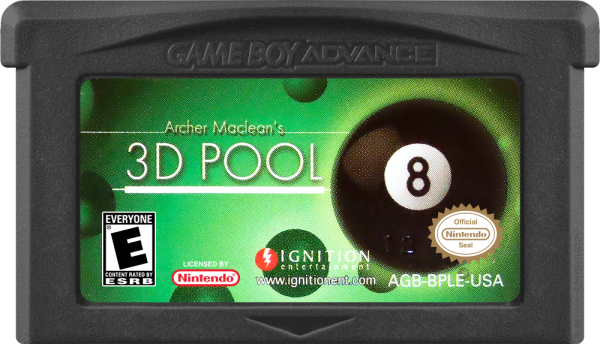
Archer Maclean's 3D Pool is the original 3D pool game, featuring true 3D graphics and three rule sets: 8-Ball, UK Coin-Op, and 9-Ball US Pro. Players can practice, compete in a single match against a friend or one of 20 computer-controlled opponents, or participate in a tournament as one of eight players.
Getting Started
Power and Installation
•
Make sure the POWER switch is in the OFF position.
•
Insert the Archer Maclean's 3D Pool Game Pak into the Game Boy® Advance slot as described in your Nintendo instruction manual.
•
Turn the POWER switch ON to begin the intro sequence.
Warning: Never try to insert or remove a Game Pak when the power is ON.
Game Control Menu
Select Type of Pool
Choose Type of Game
•
Six game types available, including SINGLE, PRACTICE, and TOURNAMENT matches.
Edit 8 Ball Rules
•
A simple editor that allows you to change the rules associated with UK and USA 8-ball pool.
Setup Trick Shot
•
Arrange the balls to set up specific situations, trick shots, or solve problems. This option also serves as a handy single-player practice mode.
Enter Demo Mode
•
Watch two computer-controlled opponents battle it out.
Chalk Cue
•
Using chalk improves the cue tip's grip on the cue ball to minimize the possibility of mis-cueing.
•
Note: Can also be achieved by pressing the B Button.
Top Spin
•
Moves the cue tip impact point up from the center to the top of the cue ball. The higher the impact point, the more top spin is applied.
Side Spin (Left)
•
Moves the cue tip impact point from the center to the left of the cue ball. The further to the left, the more left-hand spin is applied.
Side Spin (Right)
•
Moves the cue tip impact point from the center to the right of the cue ball. The further to the right, the more right-hand spin is applied.
Take Shot
•
Press once to bring the cue ball into view.
•
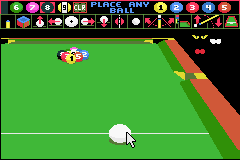
Press again to take the shot; the black cross denotes the impact point and indicates the cue ball is ready to be hit.
•
Note: This can also be achieved by pressing both L and R Buttons simultaneously.
Mode Switch
•
Switches the control panel to Fixed mode, where the pointer moves between each option in the Control Panel only.
Foul
•
Any player who breaks the rules of pool is penalized accordingly. One of two types of FOUL window will be displayed:
•
The first FOUL window details the player who committed the foul, the penalty, and the foul itself.
•
The second FOUL window features the same details, but the fouling player's opponent has a choice related to the penalty.
Choose Your Color
•
In 8-ball pool, if neither player has potted a color and a player pockets an object ball from both groups (e.g., a red and a yellow), he gets to choose which color he will continue to play.
Cue Ball in Hand
•
8-ball UK & USA rules: The cue ball may be placed anywhere within the D line.
•
9-ball USA rules: The cue ball may be placed anywhere on the table.
Push Norm
•
Appears in a Player's Status window in 9-ball pool. When these two options are shown, the player can choose to play a PUSH shot or a NORMAL shot in accordance with 9-ball pool rules.
Calling the Pocket
•
When playing 8-Ball USA Rules, a player who has pocketed all object balls in his group and is about to pot the 8-ball (black) must first call its destination pocket.
Pool Rules
8 Ball UK Coin-op
•
The game is played on a rectangular 6-pocket table with 15 balls plus a cue ball.
•
Balls comprise two groups: 7 red and 7 yellow. These are known as object balls, plus the 8-ball, which is black.
•
The player who pockets all the object balls in his group and then legally pockets the 8-ball (black) wins the game.
8 Ball USA Bar
•
The game is played on a rectangular 6-pocket table with 15 balls plus a cue ball.
•
Balls comprise two groups: 7 red and 7 yellow. These are known as object balls.