Getting Started
1. Turn OFF the POWER switch on your Nintendo® Game Boy® Advance system. Never insert or remove a Game Pak when the power is ON.
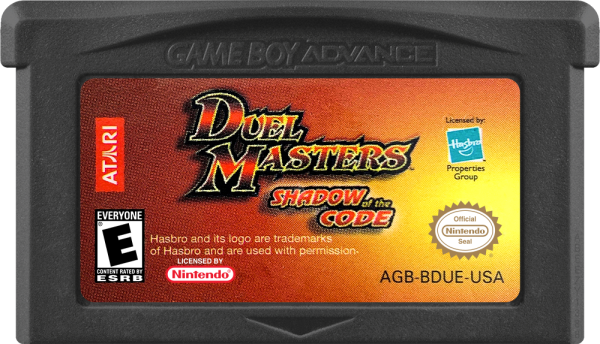
2. Insert the DUEL MASTERS™: Shadow of the Code™ Game Pak into the slot on the Game Boy Advance. Press firmly to lock the Game Pak in place.
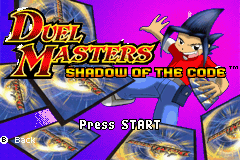
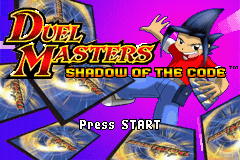
3. Turn ON the power switch. The main Start-up Screen will appear (if not, begin again at step 1).
4. Press START to proceed to the Main Menu.
5. Use the +Control Pad to highlight Play, Tutorial, Two Players or Credits and press the A Button to confirm.
Main Menu Options
•
Play: Select Play to begin a new game or continue a saved game.
•
Tutorial: Select Tutorial to learn or brush up on basic or advanced rules.
•
Two Player: Select Two Player to duel or trade with a friend.
•
Credits: Select Credits to view the game credits.
Saving and Loading
You can save one game on your DUEL MASTERS™: Shadow of the Code™ Game Pak. Start a new game by selecting New Game from the Play Menu.
To save your progress, press START to open your Pocket Gizmo, press the +Control Pad ▲ ▼ to select Save/Quit and press the A Button. Choose Save and Continue to save your game and keep playing or choose Save and Quit to save and return to the Main Menu.
To load your current game, select Continue from the Main Menu.
Welcome to the Adventure
Your DUEL MASTERS™ skills have broken more than a few shields (and raised a few eyebrows). Recent tournament titles have put you at the top of the competitive circuit. Fans want your autograph, your smiling face adorns many a zine cover, and shop owners argue over who gets to be your sponsor.
But all is not well when your pal Shobu goes missing and kids start reporting real-life sightings of famous DUEL MASTERS creatures in town. Winning tournaments isn't enough if you want to solve the mystery of missing Shobu. You can only do that if you accept the quest and become a Kaijudo Master! Only then will you have what it will take to survive what lurks in the shadowy corners of the creature world.
New Game Setup
To begin a new game, select Play from the Main Menu and then select New Game. Warning! Starting a new game will overwrite your previously saved game.
Player Name
Enter your name by using the +Control Pad to highlight a letter and pressing the A Button to add it to your name. Press the B Button to erase a letter. Select OK and press the A Button to continue.
Select Difficulty
Select Easy or Normal difficulty. In Easy mode, your opponents are more likely to make a few mistakes and let you get away with things. In Normal mode, your opponents will show no mercy. Highlight a choice and press the A Button to continue. Press the B Button to return to the previous screen.
Select Deck Mode
Select Kohai or Sempai deck mode. In Kohai mode, you will receive a pre-built deck based on the civilization of your choice. In Sempai mode, you will receive 100 credits to buy the 40 cards that will make up your first deck. Highlight a choice and press the A Button to continue. Press the B Button to return to the previous screen.
Create Your Deck (Sempai Mode)
If you choose Sempai mode, you will advance to the Create Your Deck screen. Here you will see a list of all available cards you can buy for your starter deck. Press the +Control Pad ▲▼ to highlight a card name. Its race, image, casting cost, power and a summary of its abilities are shown on the left. Press SELECT to view more detailed information about the highlighted card. The cost in credits of the highlighted card is shown in the right column.
Press the +Control Pad ► to add the highlighted card to your deck. Its cost will be subtracted from your credits total (shown at the top of the screen). The middle column shows how many of the selected card you have in your deck. The total number of cards in your deck is shown below your total credits.
Press the +Control Pad ◄ to remove the highlighted card from your deck. Its cost will be added back to your credits total.
Sort / Filter
Press START to sort/filter the cards and make it easier to find the ones you want to add to your deck. You can filter the cards by civilization, for example, to display only cards from the Fire civilization. Press the +Control Pad ▲▼ to select a filter criteria and press the +Control Pad ◄► to change.
•
Civilization: Choose one of the five civilizations or select "All" to show all civilizations.
•
Booster: Choose one of eight DUEL MASTERS™ card expansions or select All to show all available cards.
•
Filter: Filter lets you limit the number of cards displayed by the following criteria: None, Spells, Creatures, Shield Trigger, Evolution Creature, Blocker, Power Attacker, Slayer, Double Breaker, Triple Breaker, Tap Ability; Speed Attacker; Survivor; Turbo Rush.
•
Sort by: Name sorts your cards by card name, number sorts by the set and card number; Power sorts by creature power; Rarity sorts by card rarity; Race sorts by creature race; and Cost sorts by casting cost.
Sorting and filtering can really help you make a good deck. For example, to make a Survivor deck, press START, then