Starting the Game
1. Turn OFF the power switch on your Nintendo® Game Boy® Advance. Never insert or remove a Game Pak when the power is ON.
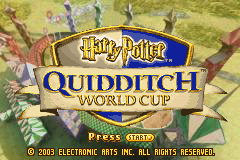
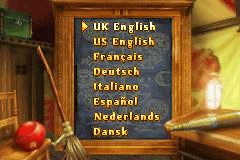
2. Insert the Harry Potter™: Quidditch™ World Cup Game Pak into the slot on the Game Boy Advance. To lock the Game Pak in place, press firmly. 3. Turn ON the power switch. The logo screens appear, followed by the Language Selection screen.
4. Press the + Control Pad ↑↓ to highlight a language and then press the A Button to confirm.
5. Press START at the Quidditch World Cup shield to go to the Saved Data Menu.
6. Press the + Control Pad ↑↓ to highlight an EMPTY SLOT and then press the A Button to go to the Main Menu.
NOTE: This Game Pak will work only with the Game Boy® Advance Video Game System.
The Golden Snitch
The Golden Snitch is a walnut-sized 'ball' with wings. Charmed to evade capture for as long as possible, it is the fastest and nimblest of Quidditch balls. It is also the hardest to spot.
It is the Seeker's role to search constantly for the Golden Snitch, while avoiding the charges of opposing players and the ever-present threat of a game-stopping (or even life-threatening) Bludger strike.
When the Seeker catches the Golden Snitch, the game ends and the Snitch-catching team is awarded one hundred and fifty points. This may or may not be enough to secure a victory, as some mathematically challenged Seekers have found to their cost!
The Players
There are two teams of seven players in a regulation Quidditch match, made up as follows:
Main Menu
Take Challenges, play Practice Games and then compete for the Hogwarts Quidditch Cup.
Choose a national team to compete for the most prestigious trophy in Quidditch.
Play in a Hogwarts match or support a national team in the stadium of your choice. Also go head-to-head or play a cooperative game with a friend.
View your card collection and trade cards with your friends.
Control the game setup.
NOTE: Some of these choices won't be available until you've shown your skill and collected enough Quidditch Cards.
TIP: Some of the above menu items have text introduction screens. To go to the next screen of text, press the A Button; press the B Button to go back. Press START to skip the introduction altogether.
Practice Game
NOTE: Practice Games become available when you have enough Quidditch Cards.
A Practice Game is your first shot at the opposition. Initially, you'll be able to take on only one house, but as you progress and get more Quidditch Cards you'll be able to play against other house teams.
To start a practice game:
1. Select PRACTICE GAME from the Hogwarts Menu.
2. Read the text introduction and then press the A Button to proceed.
3. Press the + Control Pad [up/down/left/right] to choose your opponent. (Your choice will be limited until you've won enough Quidditch Cards.)
4. Press START at the Fixture List screen to proceed.
5. Press the A Button to begin the match.
Quidditch Cup
NOTE: The Hogwarts Quidditch Cup becomes available when you have won enough Quidditch Cards.
Take on the other three houses for the Hogwarts Quidditch Cup. The winner is the one with the most points at the end.
To start a Quidditch Cup game:
1. Select QUIDDITCH CUP from the Hogwarts Menu.
2. Read the text introduction and then press the A Button to proceed.
3. View the Next Match screen and press the A Button to continue.
4. Press START at the Fixture List screen to proceed.
5. Press the A Button to start the game.
•
You can leave a Hogwarts Quidditch Cup game at any point but only completed matches are saved; if you exit in the middle of a match it isn't counted. When you next select QUIDDITCH CUP you can load the previous game or begin a new one.
Exhibition Match
Initially, Exhibition Matches are limited to the Hogwarts teams. But as you gain Quidditch Cards you can play international matches and choose your venue from the pick of the world's best Quidditch stadiums or the birthplace of Quidditch-Queerditch Marsh.
NOTE: It's not possible to play a Hogwarts team against a national side.
1. Select EXHIBITION MATCH from the Main Menu.
2. Choose from among Single Player, Multiplayer or Connectivity modes.
Single Player
1. Select SINGLE PLAYER from the Exhibition Match Menu.
•
The next screen gives you the chance to choose your level, represented by a broom. Start with the basic Comet 260 broom. As you gain more Quidditch Cards you'll be able to play a faster game with the Nimbus 2000 and 2001, and eventually the most advanced broom available-the Firebolt.
2. Select a broom and press the A Button to continue.
3. Press the + Control Pad ↔ to choose your team and then your opponent. (Your choice is limited until you've won enough Quidditch Cards.)
4. Read the text introduction and then press the A Button to


 (En,Fr,De,Es,It,Nl,Da).png)
_2.png)
 (En,Fr,De,Es,It,Nl,Da).png)
.png)
.png)
