Introduction
The fate of the galaxy is in your hands! The ancient darkness of the Sith grows ever more powerful. Even the noble Jedi Order, guardians of peace and prosperity for so long, are threatened by this deepening evil.
In LEGO Star Wars, you can experience the whole epic story of Star Wars: Episode I The Phantom Menace, Star Wars: Episode II Attack of the Clones and Star Wars: Episode III Revenge of the Sith.
Scene by scene, you can take control of a wide variety of characters fighting against the Sith threat:
•
Courageous droids such as R2-D2 The world of LEGO Star Wars is full of secrets. As you build your collection of LEGO Star Wars characters, you'll use their special powers to discover more of the game. Collecting LEGO Studs allows you to acquire further playable characters, even the most fearsome of your dark side adversaries.
Starting the Game
•
Turn OFF the power switch on your Nintendo Game Boy Advance. Always turn the power OFF before inserting or removing a Game Pak.
•
Insert the LEGO Star Wars Game Pak into the slot on the Game Boy Advance. Press the Game Pak firmly to lock it in place.
•
Turn ON the POWER switch. The Credit screens will appear. If the Credit screens don't appear, try reinserting the Game Pak.
•
When the Title screen appears, press START to proceed to the Main Menu.
Character Selection
Sometimes you'll have only one character available to play. At other times, a group of different characters is available. The Character Selection display enables you to see all the members of your party and switch between them.
Different scenes feature different characters with their own distinct abilities. You'll need to make use of every character's individual capabilities to overcome the challenges ahead.
•
When playing a level for the first time, you have a predefined pool of playable characters.
•
Early levels may have only one character, but more are added soon, giving you up to three characters in the playable party.
•
Tap SELECT to switch between characters in your party.
•
Tap SELECT repeatedly or use the Control Pad to choose a character.
•
Leave your selection in place for a time, or press the A Button, to initiate a switch to the selected character.
Once you have successfully completed a level, you can explore it in Free Play Mode. In this mode, you can bring along one additional character from your collection, giving you up to four characters in your party. Use the Special Abilities of the new character to reach new areas and collect hidden bonuses.
HUD Elements
LEGO Studs
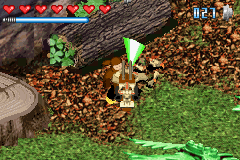
Your LEGO Stud total for the current level is displayed on the HUD. During the level, you can use these Studs to purchase items from Jawas. At the end of every level, you are awarded bonus Studs based on how many you collected. Every Stud collected is banked. Save up enough to purchase new characters for use in Free Play Mode.
Boss Health Meter
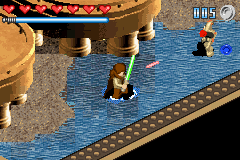
Certain enemies are designated as Bosses or Sub-Bosses. When you fight these enemies, a special gauge appears allowing you to see how much health they have remaining.
Challenge Counter
From time to time, you'll be required to complete a certain number of specific challenges. This counter keeps track of your progress.
Challenge Timer
Sometimes you'll be required to complete a certain task within a specific time period. A timer appears showing how much time you have left.
Using the Force
All Jedi Knight and Sith Lord characters can use the Force to move and transform objects. You'll see a special Force effect highlighting objects that can be manipulated in this way.
To use the Force, move your character close to the object and press and hold the L Button.
Combat
In the epic adventure of LEGO Star Wars, you'll take control of many different characters, each with his, her or its own distinctive abilities and moves.
Collectibles: LEGO Studs
You can collect LEGO Studs throughout the game by defeating enemies, exploring, and using the Force to manipulate objects. Walking over LEGO Studs adds them to your pool. Studs that appear during play will blink and then disappear if not picked up.
Different-colored Studs add different amounts to your Stud total:
Any Studs collected are immediately added to your overall total. However, the local count shown on the HUD, which determines your bonus award at the end of a scene, resets whenever your character falls apart or you begin a new scene.
You can use LEGO Studs within a scene to purchase power-ups and special items from Jawas. Use LEGO Studs stored in your account to buy extra characters for Free Play exploration. You can see the number of Studs in your account on the Pause Menu or on the Status screen at the end of a scene. Lots of bonus characters are available, including dark side enemies.
Death Star Plans
The Geosians are designing the ultimate weapon: a space station capable of destroying an entire planet. If there's to be any hope for the future of the galaxy, you must piece together the plans for this "Death Star." Perhaps you can identify some kind of weakness in the design.
Five pieces of the Death Star plans are hidden in each scene. Walk over one of these pieces to pick it up. A holographic representation of the plans will be activated, so you can see clearly which pieces you've already found when exploring a level in

 (En,Fr,De,Es,It,Nl,Da).png)
.png)

.png)
 (Rev 1).png)
 (Rev 2).png)
_1.png)
 (Rev 1).png)





_1.png)


_1.jpg)




_1.png)
