Getting Started
Turn OFF the power switch on your Nintendo Game Boy Advance. Never insert or remove a Game Pak when the power is on.
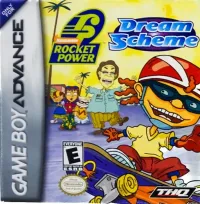
1. Insert the Game Pak of *Rocket Power: Dream Scheme* into the slot on the Game Boy Advance. To lock the Game Pak in place, press firmly.
2. Turn ON the POWER switch.
3. The credit screens will appear (if you don't see them, begin again at step 1).
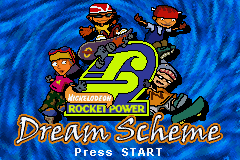
4. When the title screen appears, press START to proceed to the Main Menu.
Main Menu
Start a NEW GAME, load a previously saved game with a PASSWORD, or change the game OPTIONS from the Main Menu. Make a selection and press the A Button.
Options Settings
Change the following game settings by selecting OPTIONS from the Main Menu. Press LEFT/RIGHT on the Control Pad, or use the L Button and R Button to make changes. When done, press the B Button to go back to the Main Menu.
•
Music Volume: Increase or decrease the volume of the game music.
•
Effects Volume: Increase or decrease the volume of the sound effects.
Playing a Game
Select NEW GAME from the Main Menu to start from the beginning, or select PASSWORD to continue a saved game.
Battery Gauge
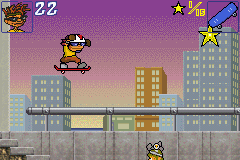
You can only collect battery power after you find the Rocket Board or Magnetic Roller-blades. When you have power in the Battery Gauge, press the R Button for a speed burst with the Rocket Board, or stick to metal ceilings with the Magnetic Inline Skates.
Equipment
The selected equipment you are using is shown on the top/right corner. Press the L Button to change your equipment.
•
Inline Skates: The Inline Skates work well on hard surfaces and can grind on rails.
•
Skateboard: The Skateboard works well on hard surfaces and can grind on rails.
•
Tennis Shoes: When you need to jump over dangerous areas and spikes, try using the Tennis Shoes! After a jump, you won't roll off the ledge. The shoes are also good to use on the beach.
Skating and Blading
Press the L Button to switch between your Skateboard, Roller-blades, Pogo Stick, and Tennis Shoes. Use the Control Pad LEFT/RIGHT to move your character on the screen. When you see a rail to grind, jump towards it by pressing the A Button, then press and hold the B Button to grind the rail.
HINT: Grind rails to access out-of-reach areas to find Stars, Z's, and other items!
Star Point Counter
A Star Point Counter will determine if you have enough stars to continue to the next area. Move on top of the yellow platform and press the B Button. It will count your stars; if you have enough, the gate will open. If not, you will have to go back to find more stars.
NOTE: Try to find more stars than you need. If you have more stars at the Star Point Counter, it will give you more health.
Pausing the Game
Press START to pause the game. While paused, press the A Button to return to the game. Press the B Button to quit the current level and return to the Ocean Shores Map.
•
A Nah: I'm just pausing.