Inserting the Game Pak
Make sure your Nintendo Game Boy® Color is switched off. Inserting the Game Pak while the console is on might damage it.
Once your Nintendo Game Boy® Color is switched off, insert the Land Before Time Game Pak into the slot.
Starting the Game
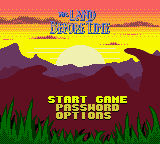
Switch your Nintendo Game Boy® Color on. After a few moments, the Land Before Time opening menu should appear.
If you experience any problems, try repeating the steps for inserting the Game Pak and switching on the console.
Main Menu
When you see the opening menu, press START to begin a new game. You can press START at any point during the introduction sequence to move to the main menu.
Game Objective
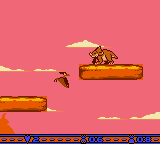
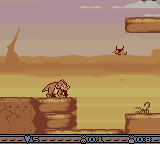
Your main task is to lead Littlefoot, Cera, Spike, and Ducky through 5 exciting worlds in the Mysterious Beyond. Get them home safely to their beloved Great Valley. Thrilling adventures await you, involving all kinds of hazards, formidable adversaries, and lots of arch-villains!
Characters and Skills
You can switch between the four main characters: Littlefoot, Cera, Spike, and Ducky. First, you have to find them. Some situations can only be overcome using a particular dinosaur and his or her special skills. You must decide which dinosaur is best for different parts of the game.
Overcoming Obstacles
If you ever get stuck, always keep a lookout for a ramp or a lift. These can help you to overcome or avoid obstacles.
In some situations, Petrie may even come to your aid, so don't despair!
Maple Leaves and Health
In each world, you will find tasty maple leaves. Pick up as many as you can, as they increase your score and are good for your dinosaurs' health.
If the dinosaurs are attacked, you will first lose the maple leaves you have collected. Only then will the dinosaurs' health deteriorate.
Game Goal
Get through all the gigantic worlds, pick up as many maple leaves as possible, give your enemies what for, and conquer the mighty adversary at the end of each level! Then the dinosaurs will soon be able to frolic happily again in their peaceful Great Valley.
Options
Music
Effects
Difficulty
MUSIC ON/OFF
Use this option to turn the background music in the game on or off.
EFFECTS ON/OFF
Use this option to turn the sound effects in the game on or off.
DIFFICULTY LEVEL (Easy/Medium/Hard)
This is where you can adjust the difficulty to three different levels: easy, medium, or hard, depending on how confident you are.











_1.png)



_1.png)