GETTING STARTED
•
Turn OFF the power switch on your Nintendo® Game Boy®. Never insert or remove a Game Pak when the power is on.
•
Insert the Madden NFL™ 2000 Game Pak into the slot on the Game Boy. To lock the Game Pak in place, press firmly. •
Turn ON the power switch. The credit screens appear (if you don't see them, begin again at step 1).
•
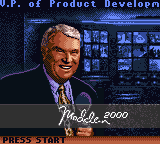
When the title screen for Madden NFL 2000 appears, press Start to proceed to the Game Setup screen. GAME SETUP MENU
Press the A Button to select any of the following options:
Begin a new game with randomly selected teams.
Choose two teams and go head-to-head in a single game. Every team is available – even the All Madden team! Press Left/Right and Up/Down on the Control Pad to select the two teams. Simulate a Sudden Death overtime game – the first team to score wins! Press Left/Right and Up/Down on the Control Pad to select the two teams.
Play through the entire 1999-2000 NFL season with the team of your choice or select several games to play each week. Press Up/Down to highlight the games you want to play, then press the B Button to select each game. To view the rest of the schedule, press Right on the Control Pad. You can view the weekly standings by pressing the A Button.
Go head-to-head in your own single elimination playoff. Start off in the Wildcard round and see if you can make it all the way to the Championship Game. Press Up/Down to highlight a game and press the B Button to select each game to play.
Customize your next game.
Enter a previously acquired Password.
GAME OPTIONS
Press the A or B Button to change each of the following options:
Choose the game time between 20, 40, or 60 minutes of play.
Toggle between FAIR, RAIN, SNOW, or VARIABLE (random weather conditions).
Toggle the game music ON or OFF.
Turn the sound effects ON or OFF.
Return to the main menu.
PRE-GAME MENU
Before a game, John Madden will give his opinion of the match-up. Press START to move on to the Pre-game Menu. Begin the coin toss and head right to the game!
Set Offensive and Defensive Audibles and toggle the Music ON/OFF. Press START to return to the Pre-game Menu.
Select players for every position in every formation available in the game for both Offensive and Defensive play sets.
SUBSTITUTIONS STEPS
•
Select either Offense or Defense by pressing the A Button.
•
Select a formation to change and press the B Button.
•
Toggle the player statistics by pressing Left/Right on the Control Pad.
•
Highlight the player you want to remove from the “Active” column and press the B Button.
•
Highlight the new player in the “Available” column and press the B Button.
•
Press START to return to the previous menu. When all of the changes have been made, press START twice to return to the Pre-Game Menu.
COIN TOSS
The co-captains from each team meet in the center of the field and the head referee flips the official coin into the air. The visiting team's co-captains must call heads or tails before the coin hits the ground. Press Left/Right on the Control Pad to select Heads or Tails.
The winner of the coin toss can choose to Kick or Receive the opening kick-off. If you win the coin toss, press the B Button to Kick, or the A Button to Receive. The kicking team gets to choose which side to defend – A for Visitors or B for Home.
THE KICKOFF
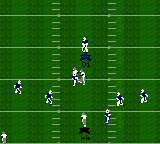
The opening kick-off can bury an opponent deep behind the 20 yard line. Field position is the key to winning, so learn to use it wisely.
With your team lined up in the Kickoff formation, press the B Button to set the kicker in motion. The Power Meter will start moving upward. Press Left/Right on the Control Pad to aim the kick. Press the B Button again to stop the meter and kick the ball. The higher the Power Meter is, the further the ball will travel.
ONSIDE KICK
If your team is losing late in the game and you've just scored, try an Onside Kick and attempt to regain control of the ball. With your team lined up in the Kickoff formation:
•
Press the A Button to call an Audible.
•
Press the B Button for your team to line up in the Onside Kick Formation. They will move to the right hand side of the field.
•
To return to the standard Kickoff Formation, press the A Button to call an Audible.
•
Press the A Button again to return the team to the original formation.
•
Now Press the B Button to set the kicker in motion.
•
Press the Control Pad Right and the B Button immediately.
•
The ball will be kicked a short distance to the right.