Getting Started
1. Make sure that the POWER switch on your Nintendo Game Boy Color is in the Off position. Never insert or remove a Game Pak while the POWER switch is in the On position.
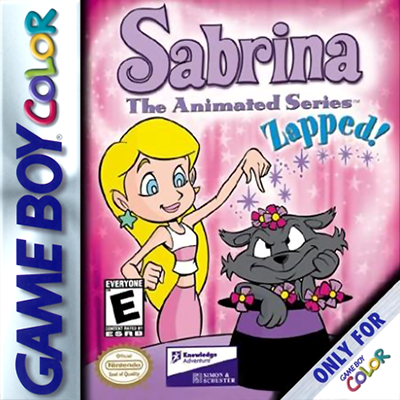
2. Insert the Sabrina, The Animated Series: Zapped! Game Pak into the slot at the back of the Game Boy Color. Make sure the Game Pak is securely in place by pressing it firmly into the slot.
3. Turn the POWER switch to the On position. You should see the Nintendo logo appear. (If you don't, begin again at step 1.)
Main Menu
Use the Up/Down on the Control Pad to choose between these two options:
•
New Game - Begin a new game
•
Password - Enter a password from a previous game
Once you've chosen one of these two options, press START.
Gameplay
Throughout each level, Sabrina will need to look for her transformed classmates, daze them momentarily by bouncing on their heads, and then zap them back into happy children.
Sabrina can also zap open presents containing Salem, Health Hearts, 1Ups (extra lives), or Power Stars. If Sabrina finds five Power Stars on any level, she can transform her classmates in that level without having to bounce on them.
When all the animals in a level have been transformed back into humans, Sabrina will need to find the exit door!
Help from Salem
Sabrina will need all the help she can get, and that's where Salem comes in! Sabrina will have to look for him first, but once he's found, Salem will wait until he can join the search.
By pressing SELECT, you can swap between Sabrina and Salem. Although Salem can't transform Sabrina's friends, he runs much faster and fits into areas too small for Sabrina.
He can also use his tail to whip away Kitty Blocks that block Sabrina's path. Be warned! Salem is too small to bounce off those pesky animals, so steer clear of them!
You can swap unlimited times during the level, but you must complete the level as Sabrina. When the next level begins, Salem must be found again.
Game Over
When Sabrina and Salem have lost all of their lives, the game is over. You may press Up/Down on the Control Pad to choose between the following options:
•
Continue: Press START to start over at the beginning of the current level
.png)

.png)
 (En,Fr,De).png)
.png)
 (En,Fr,De).png)











.png)


.png)


_1.png)
