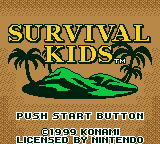
Starting The Game
Plug the game pak into your Game Boy or Game Boy Color and turn on the power switch. After the Konami logo is displayed, the title screen will appear. Pressing the Start button at this point will call up the selection screen.
Starting a New Game
When you choose "New Game", a player select screen will appear allowing you to choose to play the game as either a boy or girl.
Upon making your selection, you can input the name of your chosen character. Enter the name by choosing the desired letter on the Name Input screen with your control pad and pressing the A button to finalize your selection.
You can change the listed letters by either pressing the Select button or moving the cursor on the Name Input cursor to the "Letters" selection and pressing the A button. To delete a letter, simply press the B button.
Once you have decided on the name, select "End" and press the A button to commence play.
Continuing a Previously Saved Game
When you choose "Continue", the game will start from the point where you previously saved (or interrupted the game). Simply choose the file containing the data which you wish to play and press the A button.
•
See P.18 "Saving a Game"
•
See P.13 "Quitting a Game"
Load Data Screen
Deleting a Save File
To delete a saved file, choose "Delete File". Choose the file you wish to delete and press the A button to execute the command.
Upon pressing the A button a message will appear to verify your command. Choose either "YES" to delete the file or "NO" to cancel your command, then the A button to confirm.
Delete Data Screen
•
Deleted files cannot be recovered.
Inspect
You can inspect an item on the mapfield by facing your character towards the object and pressing the A button.
When an item is discovered, command selections such as "Take" and "Leave" are displayed. Choose your command with the control pad and press the A button to execute the selected command.
Changing Directions on the Spot
When you press the B button, an arrow indicating your character's direction will appear on-screen.
By holding down the Select button and pressing the control pad, you can change the direction that your character is facing while maintaining your position on the mapfield.
Opening a Menu
Pressing the Start button calls up the Menu screen. Depending on the location of your character or the item that you wish to use, the commands you can select may vary.
Menu Screen
Item Commands
The commands available for items vary according to their function.
•
Use: Allows the selected item to be utilized
•
Drop: Allows the selected item to be thrown away
•
Equip: Allows the selected item to be equipped or worn for use
•
Unequip: Allows an equipped or worn item to be removed
•
Eat: Allows the selected item to be consumed
•
Drink: Allows the player character to drink the selected item
Merge
This command allows you to combine up to three items for the creation of a new item. Choose the item you wish to merge and press the A button. A check mark will appear beside the item selected. If you wish to cancel the selection, simply press the A button again.
Upon selecting two items, a message will appear on screen that will allow you to either merge the selected items or add a third item. Select "Yes" to merge the two items or "No" to add a third item. Following your selection, press the A button.
If you've successfully merged the right items, a new item will appear on the screen. An unsuccessful combination will not result in the loss of the selected items.
Map
This command calls up an overall map indicating your character's current position as well as the areas of the island previously explored. Unexplored areas will not be displayed. To return to the menu screen, simply press the B button.
•
The name of the area in which your character is currently located.
Break (Quick-Save)
When you are in an area that doesn't allow the saving of a game, this command will allow you to interrupt the game.
When you select "Break" and press the A button, a message instructing you to turn off Game Boy's power switch will appear on screen. Doing so will automatically save the game in progress.
The next time you play, you can continue the interrupted game by choosing "Continue" and then selecting the "Interrupted Game" file. Once this file has been used to resume an interrupted game, the data contained in the file will no longer be available.
Please note that when playing the game again, if you have an "Interrupted Game" file listed, choosing a file other than this one will erase the data in the "Interrupted Game" file.
Selecting "Break" and pressing the A button will return you to the title screen.
Hut and Shelter
Used for recovering from exhaustion and saving a game in progress.
Hut
Appears early in the game.
Hut/Shelter Commands


 (En,Fr,De) (SGB Enhanced) (GB Compatible).png)
 (En,Fr,De) (SGB Enhanced) (GB Compatible).png)