Rumble Pak Function
This Game Pak has a built-in rumble feature for real-time feedback when used with the Game Boy COLOR system. The game play features will operate on any Game Boy COLOR system, but rumble vibrations require a battery.
Battery Installation
•
Remove the battery cover and insert one AAA alkaline battery. Do not use nickel-cadmium batteries.
•
Replace the battery cover.
•
Load the Game Rumble Pak into any Game Boy COLOR system, then turn the system on.
Rumble Pak Note
Make sure to remove the Game Boy Rumble PAK from the Game Boy COLOR system when inserting or removing the battery.
Toggle Rumble Feature
When the game is Paused, you may toggle the rumble feature On or Off by pressing SELECT. The new setting will take effect after gameplay is resumed.
Introduction
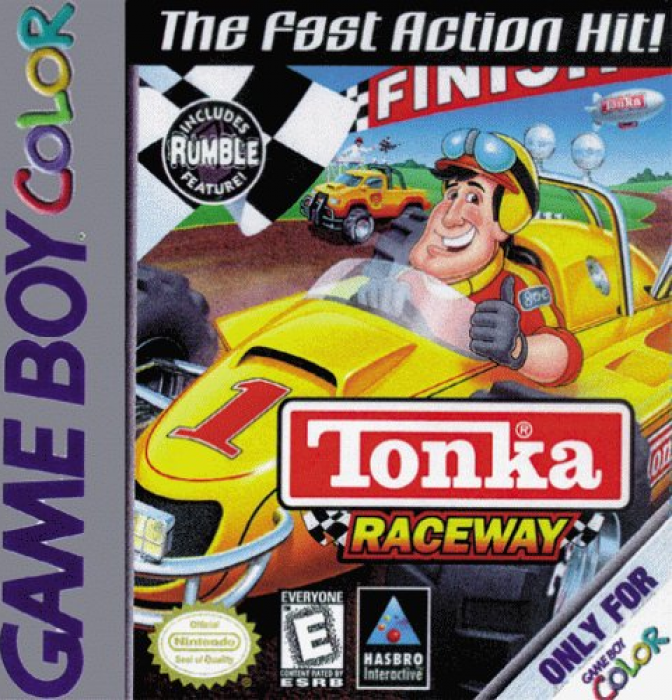
Welcome to TONKA RACEWAY! Enjoy the excitement of a real TONKA race on three types of terrain: Desert, Jungle, and Snow.
Choose from four vehicle types: Dump Truck, Race Car, Bull Dozer, and a 4x4 Off-Road Vehicle. Earn credits to customize your vehicle!
Good Luck.
Copyright Information
•
1999 Hasbro, Inc. All Rights Reserved.
Getting Started
•
Make sure your Nintendo Game Boy COLOR System is turned off, then plug the TONKA RACEWAY Game Pak into the system.
•
Turn on your Game Boy COLOR System. The Title screen will appear shortly.
•
Press START to start the game.
Game Setup
This screen allows you to customize vehicle control and toggle the Rumble-Pak Feature. You can choose between Arcade Steering or Authentic Steering.
Arcade Steering
With this setting, press the Control Pad in the direction you want your vehicle to steer. For example, press UP to steer up, DOWN to steer down.
Authentic Steering
With this setting, pressing LEFT or RIGHT on the Control Pad will always steer your vehicle in that respective direction, regardless of which way it is facing.
Selecting Steering Type
•
Press DOWN on the Control Pad to flash the check mark associated with the Steering setting.
•
Press LEFT or RIGHT on the Control Pad to move the check mark next to "AUTHENTIC" or "ARCADE".
Turning Rumble-Pak Feature On/Off
•
Press UP on the Control Pad to flash the check mark associated with the Rumble-Pak Feature setting.
•
Press LEFT or RIGHT on the Control Pad to move the check mark next to ON or OFF.
Exiting Game Setup
Pressing START will exit the Game Setup Screen and lock-in the displayed settings.
Authentic Steering Note
With Authentic Steering selected, your steering controls may appear reversed when your vehicle is facing toward the bottom of the screen.
Tournament Selection
On the Tournament Selection Screen, choose your racing environment: Tropical Paradise, Scorching Desert, or Winter Wonderland.
Choose Tournament
•
Press RIGHT on the Control Pad to move the flashing frame to the right.
•
Press LEFT on the Control Pad to move the flashing frame to the left.
•
Press the A Button to select the highlighted tournament.
Player Selection
On the Player Selection Screen, choose the number of players who will race against computer-controlled cars. You may select up to four players.
•
Press UP on the Control Pad to increase the number of players.
•
Press DOWN on the Control Pad to decrease the number of players.
•
Press the A Button when finished.
Signing In
On the Sign-In Screen, enter your name. If more than one player is racing, this procedure will need to be repeated for each additional player.
•
Press the Control Pad UP or DOWN to move forward or backward through the alphabet.
•
Press the Control Pad RIGHT or LEFT to move to the next letter or the previous letter.
•
Press the A Button to enter the letter and move to the next letter position.
•
Press START to complete the name entry process for the current player and enable that player to select the type of racing vehicle.
Vehicle Selection
On the Vehicle Selection Screen, choose one of four different vehicles to race: a Racing Car, a Dump Truck, a Bull Dozer, or a 4x4 Off-Road Vehicle.
•
Press UP on the Control Pad to display the next available vehicle.
•
Press DOWN on the Control Pad to display the previous vehicle.
•
Press LEFT or RIGHT on the Control Pad to change your vehicle's color.
•
Press the A Button when finished.
Vehicle Selection Note
If more than one player is racing, the game will present the Sign In and Vehicle Selection screens to each additional player before starting the race.
The Starting Line
In TONKA RACEWAY, only one player races at a time, regardless of the number of players in the game. When more than one player is racing, each player enters a separate race, starting with Player 1 and proceeding in order.
•
Position (Displays current position)
•
Lap Counter (Displays current lap)
Except for the player currently racing, all other cars are controlled by the computer. From the second race onwards, the winner of the previous race (shown on the Current Standings Screen) will be the first driver to enter the next race.
Elimination Rules
TONKA RACEWAY is played by single elimination rules. If the current player doesn't reach the finish line within the time limit, or doesn
.png)

.png)
 (Rumble Version).png)
.png)
.png)
.png)
