Setting Up
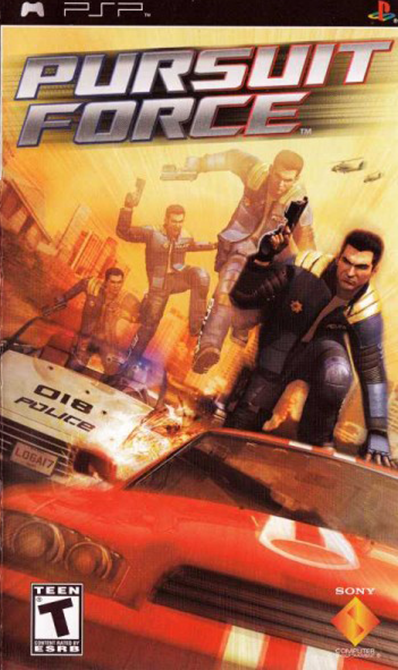
Set up the PSP™ system according to the instructions in its instruction manual. Turn the PSP™ system on and the POWER indicator will light up green to display the Home Menu. Press the OPEN latch to open the disc cover, insert the PURSUIT FORCE™ disc with the label side facing the rear of the PSP™ system, and then securely close the disc cover. Select the icon from the Home Menu and then select the icon. A thumbnail image of the software will be displayed. Select the image and press the ⓧ button to commence loading.
It is advised you select your preferred language from the system settings on the PSP™ Home Menu before booting up the PSP™ Game. Choose from English, Spanish, German, French and Italian. If your Home language is set to a different language, a language select screen will be displayed on boot up. Memory Stick Duo™
To save game settings and progress, insert a Memory Stick Duo™ into the Memory Stick Duo™ slot of the PSP™ system. Saved game data can be loaded from the same Memory Stick Duo™ or any Memory Stick Duo™ containing previously saved PURSUIT FORCE™ data. Make sure there is enough free space on the Memory Stick Duo™ before commencing play. The minimum amount of free space required to save PURSUIT FORCE™ data will vary depending on the capacity of the Memory Stick Duo™ inserted. The minimum amount of free space required for different capacity official Memory Stick Duo™ products is listed below:
Commandeering Vehicles
Officers are permitted to commandeer vehicles if necessary. Abuse of this privilege for personal reasons may lead to disciplinary action.
When adjacent to a vehicle that can be commandeered, the Jump Icon will be displayed; press the O button to jump on to the vehicle. Ramming the target vehicle or releasing the accelerator when close to the target can help officers get into range to perform a jump. If the Jump Icon is not displayed, the adjacent vehicle can not be commandeered.
After jumping on to a vehicle belonging to a member of the public, the vehicle will immediately come under the control of the active officer. Vehicles belonging to gang members are more difficult to commandeer; a few may be customised so that they can not be jumped on to, in which case the Jump Icon will not be displayed.
To capture a gang member's vehicle, the current occupants must be eliminated. Press the R button to fire on vehicle occupants, and press the L button to switch targets. Gang member gunfire can be avoided by pressing and holding the O button.
If the driver swerves to avoid capture, officers may find themselves hanging on for dear life; to climb back on to the vehicle, continually tap the left arrow if hanging from the right side, and continually tap the right arrow if hanging from the left side.
Firearms Usage
Pursuit Force officers are permitted to use deadly force against felons if absolutely necessary. The expected level of care regarding public safety should always be maintained.
To shoot felons whilst driving or attempting to commandeer a hostile vehicle, press the L button or the R button to bring up the targeting indicator over the closest target and hold the R button to shoot. To cycle through available targets, press the L button. The targeting indicator displays the current condition of the target.
Restoring Public Confidence
Pursuit Force has been founded with the ultimate aim of bringing justice back to the state. However, officers should at all times avoid actions likely to exacerbate public anxiety and fear.
The Justice Bar will fill when officers eliminate gang members and ram or destroy criminal's vehicles.
Keeping the Justice Bar fully filled provides a number of benefits:
•
Officers' health will regenerate more quickly (once the regeneration upgrade has been awarded)
•
Attacks on gang members will cause increased damage
•
Gang members can be shot from mid-air as officers leap on to their vehicles. Felons should be targeted in the usual manner: press the R button to shoot and the L button to cycle through targets. Shooting in this way gradually drains the Justice Bar.
Alternatively, press the Triangle button when the Justice Bar is filled to instantly regain health and restore the condition of the vehicle currently in use. When health is recharged in this way the Justice Bar is emptied and must be refilled for further benefits.
Lawbreaking acts such as ramming or destroying public vehicles will empty the Justice Bar, and should be avoided. Whilst the public can not be directly targeted, they are at risk of being caught in crossfire, and officers must be alert to where they are shooting at all times.
Aerial Operations
During certain cases officers may be required to man the mini-gun in the Pursuit Force helicopter. Care should be exercised at all times when operating high-calibre weaponry.
Felons are not targeted automatically when the mini-gun is in use. Officers should direct their fire by pressing Up, Down, Left, or Right to guide the target sight. To invert the vertical axis of the mini-gun controls, select "Controls" from the "Options" section of the Pause Menu and press Left or Right to adjust the "Helicopter Gun Axis".
The mini-gun is susceptible to overheating; officers should be wary when firing the gun for prolonged periods, and should monitor the temperature gauge accordingly.
Main Menu Options
Officers should consider all of the following options, and refer to the specified sections of this handbook for further information:
•
Career (see "Welcome to Your Career in Pursuit Force")