Getting Started
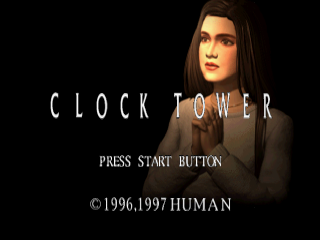
Set up your PlayStation game console according to its Instruction Manual. Make sure the console's power is off before inserting or removing a compact disc. Insert the CLOCK TOWER™ disc and close the disc cover. Insert a game controller and turn the PlayStation game console ON. The opening story will start, then the Title/Game Start Menu will appear. Press the Start Button to begin play. Follow the on-screen instructions to start a game.
Top View
Front View
Game Terminology
Click point
The cursor (arrow on screen) will change shape when placed on certain objects. This indicates that the character can perform some action on or with this object. These points where the cursor changes are called click points.
Click
Pressing a button on a click point to perform an action is called "clicking".
Panic mode
When the character's life is threatened, the cursor blinks red. This is called panic mode.
Escape mode
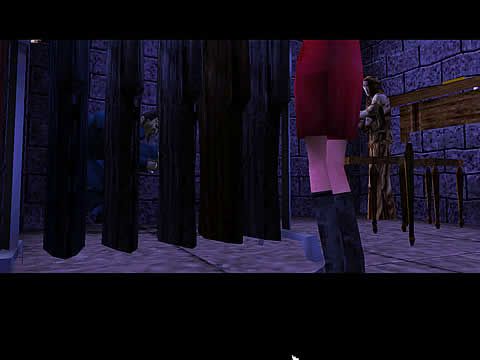
Escape mode is activated when the character is chased by Scissorman. Unlike normal mode, click points occur only on objects effective for making Scissorman retreat.
This mode remains in effect until Scissorman is somehow forced to retreat. A specific music theme accompanies the escape mode.
Game Flow
The game repeats the pattern shown below. There are four scenarios including the prologue. The ending may come before the fourth scenario depending on how the game progresses.
The succeeding scenario depends on the player's actions. Mid-game scenario variations do not affect your ending rank, so sit back and enjoy the different scenario combinations you encounter.
Heroines
The main heroines throughout the game are Jennifer Simpson and Helen Maxwell. Actions during the prologue determine which will be the central character you portray in your storyline. Your character in Scenario 1 is a heroine.
Player character (you)
Within each scenario, you may be operating characters other than the heroine (in the Prologue, for example). The character you play is determined by the scenario progression.
Endings
There are five different endings per heroine, determining a total of ten endings for this game. The conclusion depends on your actions and the progression through the scenarios that you explore.
Intermissions
Scissorman appears at night. Intermission refers to the adventure mode between scenarios. These are usually daytime scenes, so Scissorman poses no danger. Selections made could affect the scenario progression. Intermission map screen
This screen displays the entire neighborhood where the characters live. Click points indicate places on the map that the character can visit. Use the cursor to click on places you want to approach.
Intermission room screen
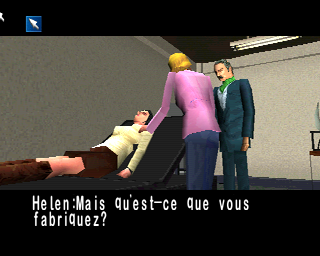
When the desired location is clicked on the intermission map screen, the selected building is entered and conversations begin with the characters found there. Operations are identical to those used during normal game play.
When certain conditions are met within the building, you automatically return to the map screen. The next scenario begins after you have fulfilled all required conditions of the intermission.
Progression Screens
1. Title screen
The title screen appears when you start the game. Press the START button (or the left mouse button) to continue to the main menu screen.
If the start button or left mouse button is not selected immediately, the opening movie begins.
2. Main menu screen
Starts a new game.
Resumes a game from the entrance of the room where the game ended (unless power has been turned off since the last game).
Switches to the data load screen when selected. Data saved in the memory card is read and game commences in the room of the last save scenario you select.
Select "STEREO" or "MONORAL". Selected item switches upon selection.
Switches to the ending list screen when selected. Displays an ending list so you can check the endings finished so far. However, if a data memory card was not inserted in memory card slot 1 when the game was started, this reinitializes the game.
Switches to the pamphlet screen when selected. This displays extra information about the game. For added enjoyment, a quick read is recommended before you play the game.
6. Pamphlet screen
This contains the hints you discovered during the game. Select HINT to switch to the hint screen. There, select the hint you want. Discovered hints are marked.
This contains the story line and background of Clock Tower. This is not initially available. But when certain conditions are met...?
Power and Game Over
During the game, each character has three levels of strength indicated by the cursor color, as shown below. Strength decreases after extreme action or after being attacked, and recovers with time.
In escape mode, action has no effect and recovery is also suspended. For example, if you encounter Scissorman using the panic button, strength decreases by one level.
If your strength is already at the lowest level (red cursor) and you encounter Sc
.png)

.png)