Getting Started
Rampage 2: Universal Tour supports up to three players. If you choose to play a three-player game, you'll need the Multi Tap adapter. This will allow all three players to play at one time.
Multi Tap Warning
If you choose to use the Multi Tap adapter, remember that a controller must be plugged into Controller Port 1-A on the Multi Tap before you connect the Multi Tap to Controller Port 1 or Controller Port 2 on your PlayStation® game console. Options Menu
Customize your game with the features you'll find in the Options Menu. Select the option you want, then press the X button.
Controls
Once selected, press the directional buttons Left or Right to view and select from the available controller configurations. When you find the configuration you want, select Exit, then press the X button.
Sound
After selecting this option, you can adjust the volume of the game's Effects Volume and Music Volume. Highlight either option, then press the directional buttons Left or Right to raise or lower the volume. Once you are done, select Exit and press the X button.
Game Modes
Adjust Damage Friends, Share Lives, Difficulty of the game, and Vibration function. Press the directional buttons Left or Right to cycle the option. Once you have finished, select Exit and again press the X button. The Vibration function will only work with the Dual Shock Analog Controller.
Monster Selection
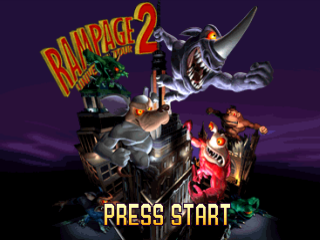
After you select Start from the Main Menu, you'll be able to choose how many players will be in the game. After you make your decision (one, two, or three players) you will then be taken to the Character Select screen.
Press the directional buttons Up, Down, Left or Right to toggle through the different characters of the game. As you destroy each continent, you will be given a password that will unlock an additional character.
When you've highlighted your character, press the X button or Start to begin. If you change your mind as to which character you want (in multi-player mode), press the X button to deselect the character and try again. After all players have selected their characters, the destruction will begin.
Each character has its own strengths and weaknesses, as well as its own special attack move. Along with their own special attack, each monster has a unique food (a Mega Food) that will give your health and power bars a super boost. For more information on the characters, please see pages 17-18.
As The World Hurts
Throughout your game, countless tanks, planes & soldiers will fire on you with their weapons. These bullets and missiles will cause your Health Meter (green bar) to diminish.
To help re-gain health, eat the people you see or look for food when you damage a building. Some things aren't good for you and will cause you to vomit.
Be careful of these items because they make your Health Meter go down as well. You can also make your opponents' health go down by getting into a fight with them. Punch and kick and come out the winner!
You also have a Power Meter (pink bar below the green one). When the meter is full, press the O button to activate your character's special attack! Your Power Meter will rise as you collect power-up icons and eat people. Each character has their own unique special attack to destroy buildings faster!
Below the meters you'll find your character's score. Remaining lives are shown before each level and when you gain or lose a life during the game.
Attacks and Moves
As mentioned before, each monster has a Power Meter. In order to use your character's special attack, your Power Meter must be full. When the Power Meter is full it will flash on the screen. To activate your character's special attack, press the O button. Once activated, your character will proceed to demolish whatever it can!
There are also certain attacks that every character can do. These are accomplished by pressing either Punch or Kick in combination with the directional buttons. Here are the basic attacks each character can perform:
•
UPPERCUT - Up + Kick Button (while on the ground)
•
STRAIGHT PUNCH - Any Direction + Punch Button
•
STRAIGHT KICK - Kick Button
•
BUILDING SMASH - Kick Button (while in the air)
•
BANG/EXT STUFF - Any Direction + Punch Button
•
BUILDING STOMP - Hold Down while tapping Jump Button (must be on the building's roof)
Power Ups
So after you've busted open that hole in the building, you might be tempted to grab whatever object it is that you see. Make sure you know what things are good for you and what things are bad.
Some power-ups are good for health. Others are good for super strength, extra time, added safety, and there are some that will make you sick to your stomach!
•
SUPER STRENGTH: These icons will give you tremendous strength for a short period of time.
•
HEALTH BOOST: These are things that are good for you to eat and will help you gain health.
•
BEWARE OF EATING: These or you're going to be sick!
•
Power Extra: Each of these has a specific point total when you grab one.
Various other icons are hidden in buildings. Some will give you a safety bonus, some are Mega Foods. Some will give you more time and others will help you knock down buildings or knock you off the building! There
.png)

.png)
.png)
_2.png)
_3.png)
.png)
.png)



 (Es,It,Pt).png)
.png)















.png)