Modes of Play
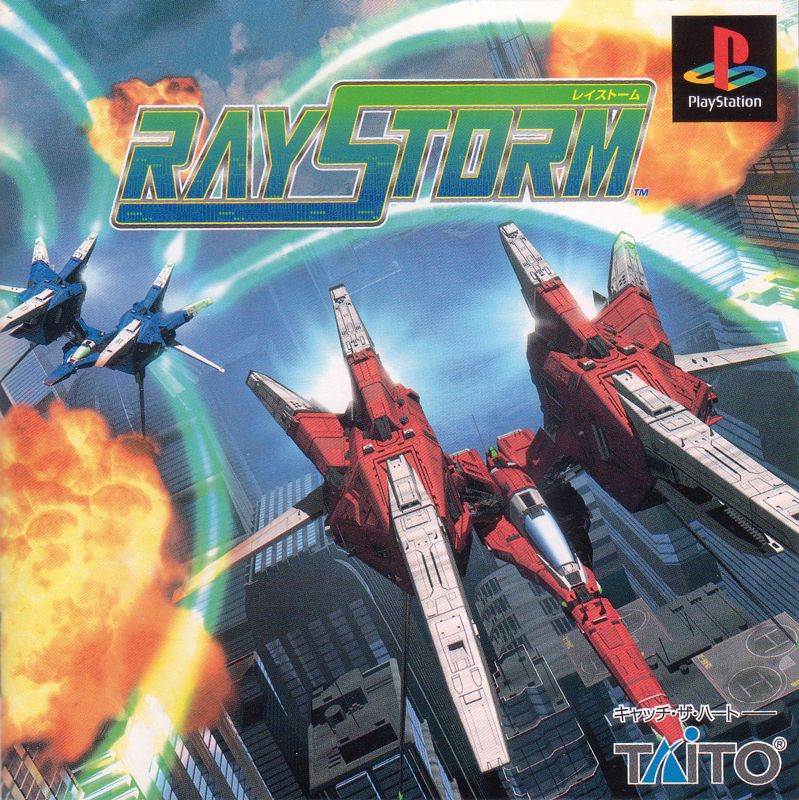
RayStorm offers three modes: Arcade Mode, Extra Mode, or Option. Use the Directional Buttons to select a mode, then press the button to begin. ARCADE MODE
This is a direct translation of the original arcade game. Experience all original enemies and bosses in arcade-perfect fashion. EXTRA MODE
Based on Arcade Mode, Extra Mode features increased difficulty, new enemies, and somewhat different boss attacks. It also includes enhanced visual effects. OPTION
This mode allows you to change game configuration. Settings include controller setup, sound settings, number of ships, automatic fire, game difficulty, top score display, and Memory Card manager.
OPTION Mode: CONTROLLER SETTING
Change button arrangement for your spaceship's weapons. Use the Directional Buttons to move the cursor to the button you want to reassign. Press the button to assign a function.
If the button is already in use, the new function will be assigned, and the previous function will be moved to another button. Choose "EXIT" to return to the Option Screen.
•
NOTE: Both controller ports must have controllers plugged in to change Controller 2's button configuration.
OPTION Mode: SOUND SETTING
Adjust BGM (background music) Mode, Audio (MONO or STEREO), and BGM/SE (sound effects) volume levels. Use the Up or Down Directional Buttons to select an option. Use the Left or Right Directional Button to change the setting.
Choose "EXIT" to return to the Option Screen.
OPTION Mode: CONFIGURATION
Change the number of ships and toggle rapid fire. "PLAYER STOCK" determines the number of ships. "RAPID FIRE" can be turned on or off for your spaceship.
Use the Up or Down Directional Buttons to select an option. Use the Left or Right Directional Button to change the setting. Choose "EXIT" to return to the Option Screen.
•
NOTE: If the number of ships is increased to six (6) or more, the game will enter Training Mode. See Page 15.
OPTION Mode: Difficulty SETTING
Adjust the difficulty for each of RayStorm's eight stages. Difficulty can be set from easy to hard. Use the Up or Down Directional Buttons to select a stage. Use the Left or Right Directional Button to change its difficulty.
Choose "EXIT" to return to the Option Screen.
•
Note: If the difficulty of any stage is set below four (4), the game will enter Training Mode. See Page 15.
OPTION Mode: SCORE RANKING
View high scores for each mode. Press the button to see Arcade Mode high scores. Press it again for Extra Mode high scores. Press the button to exit to the Option Screen. OPTION Mode: RESET FOR COMBAT MODE
This restores game settings to Combat Mode. The game enters Training Mode if any stage difficulty is less than four, or if the number of ships is more than five. Training Mode only allows the first four levels.
After completing the fourth level in Training Mode, the game resets to the Title Screen. To play other levels, the game must be reset to Combat Mode.
To reset to Combat Mode, select "RESET FOR COMBAT MODE" on the Option Menu. Press the button. Select "YES" to confirm, or "NO" to cancel and return to the Option Menu.
•
Note: See page 15 for further information on Training and Combat Mode.
OPTION Mode: MEMORY CARD
Save or Load game configurations and high scores.
•
To save: Select "SAVE DATA." Press the button. Select "YES" to confirm, or "NO" to cancel.
•
To load: Select "LOAD DATA." Select "YES" to confirm, or "NO" to cancel.
•
Please do not remove the Memory Card during a save or load operation.
GAME MENU
To access the Game Menu, press "START" to pause, then "SELECT." The menu displays "CONTINUE," "Quit Game," and "Adjust Display."
GAME MENU: CONTINUE
Returns to the game. Gameplay resumes from where it was paused.
GAME MENU: QUIT GAME
Ends the game or allows you to start over. The game will end and return to the Title Screen.
GAME MENU: Adjust Display
Changes the screen display to better fit your television.
•
Direction Key: Press the Direction Buttons to move the screen.
•
Button: Resets the display to its original setting.
•
Button: Exits the Adjust Display Menu and returns to the Game Menu.
Using LASER-Guided Missiles
R-Gray 1
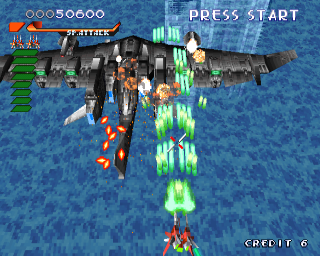
The R-Gray 1 is ideal for beginners due to its balanced laser and missile system. Lock-on missiles can increase from five to eight with power-ups. The maximum attack bonus is 128X.
R-Gray 1: LASERS
Lasers are dispersed into short blasts. Blast width increases with power-ups.
R-Gray 1: LASER-Guided Missiles
Missile speed is normal. After missiles destroy their target, 12 new targets can be selected.
R-GRAY 2
Designed for experienced pilots, the R-Gray 2 has more powerful lasers than the R-Gray 1. Lock-on missiles can increase from eight to sixteen with power-ups. The maximum attack bonus is 256X.
R-GRAY 2: LASERS
Lasers are focused into a long, narrow beam, quickly reaching the selected target.
**R-GRAY 2: LASER
.png)





 (Es,It,Pt).png)
.png)