GETTING STARTED
Set up your PlayStation®2 computer entertainment system according to the instructions in its Instruction Manual. Make sure the MAIN POWER switch (located on the back of the console) is turned on.
Press the RESET button. When the power indicator lights up, press the open button and the disc tray will open. Place the Blowout: Military Fighting Unit disc on the disc tray with the label side facing up.
Press the open button again and the disc tray will close. Attach game controllers and other peripherals, as appropriate. Follow on-screen instructions and refer to this manual for information on using the software.
MEMORY CARD
To save game settings and progress, insert a memory card (8MB) (for PlayStation®2) into the MEMORY CARD slot 1 of your PlayStation 2 computer entertainment system. You can load saved Blowout: Military Fighting Unit game data from the same card or any memory card (8MB) (for PlayStation®2) containing previously saved games.
STARTING THE GAME
1. On the Title Screen, press the button.
2. Press the DIRECTIONAL BUTTONS Up/Down to highlight NEW GAME and press the button to display the Main Menu.
3. Select NEXT MISSION from the Main Menu and press the x button to begin the game.
THE MAIN MENU
NEXT MISSION
Begin the next mission based on your progress through the game.
LEVEL SELECT
Select a level you have already completed. Locked missions are those you have not yet completed.
WEAPON STATUS
View your weapon, its level and how much ammunition you have.
OPTIONS
Make controller, sound and display adjustments here.
AIM SPEED
Set how fast the gun sight responds when you take aim.
VIBRATION
Toggle controller vibration ON or OFF. When set to ON the controller will vibrate in response to certain game events.
EFFECTS VOLUME
Set special effects volume.
MUSIC VOLUME
Set music volume.
BRIGHTNESS
Adjust the amount of ambient light.
CONTROLLER SCHEMES
View and select Controller Scheme 1 (Default) or 2.
CHEAT CODES
Use the DIRECTIONAL BUTTONS to enter four words that create a phrase that unlocks a cheat for the game.
•
Press the DIRECTIONAL BUTTONS Up/Down to scroll through the word options.
•
Press the DIRECTIONAL BUTTON right to select the word and press DIRECTIONAL BUTTON left to delete it.
After selecting the fourth word, press the button to see if your phrase is valid and what cheat, if any, you have unlocked.
SAVE
Save your progress through the game. You can save up to six games to a Memory card (8MB) (for PlayStation®2). You will be also be prompted to save game progress upon completion of a level.
THE STATION MAP
Use the STATION MAP to navigate through Honour Guard. Press the SELECT button to display the Station Map. Press the LEFT ANALOG STICK to scan the map and the RIGHT ANALOG STICK [Up/Down] to zoom the map in and out.
•
View the Map Legend to see icons for each map feature.
•
If you see a passageway on the map that you can't see from where Dutch is standing, maybe you can blast your way through.
•
Mission objectives and their location are also displayed on the STATION MAP. View the objective at the bottom of the screen and its corresponding number on the STATION MAP.
MAP LEGEND
NETWORK NODES
Reach Network Nodes in Honour Guard and press the button to download additional data which will be displayed on the STATION MAP.
PLAYING THE GAME
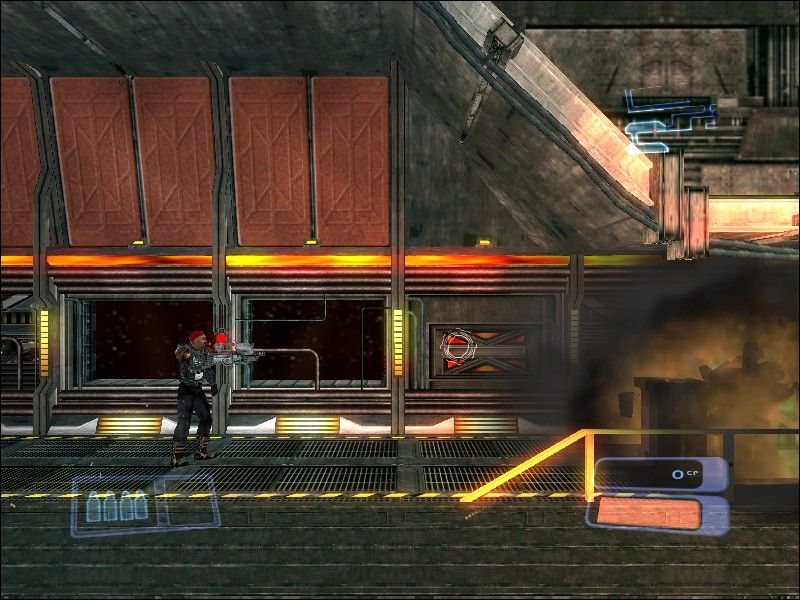
Battle through the passageways of Honour Guard killing the Stephens clones and alien monstrosities that control the ship.
USING WEAPONS
Like every other Jump Posse member, Dutch wears a universal weapon mount on his forearm that allows for instant weapon changes. A quick press of the O or A button instantly cycles his available weapons into the mount and the selected weapon is highlighted on the weapon display.
Press the R1 button to fire the weapon while aiming or changing direction with the LEFT ANALOG STICK.
•
Find additional weapons throughout Honour Guard.
•
You must find ammo, fuel cells or battery packs to reload weapons.
THE JET PACK
Press the L1 button to get a rocket pack boost. Steer while airborne by pressing the LEFT ANALOG STICK.
Use the rocket pack to jump up through shafts, over shafts to avoid falling in or to hover. You can fire weapons while Dutch hovers.
ELEVATORS
Use elevators to move between decks on M-12.
•
To call an elevator that is on a different floor, walk up to an elevator call panel and press the button.
•
To ride an elevator, press the DIRECTIONAL BUTTON Up/Down.
DROPSHIP DATA
Your progress through Honour Guard is being monitored by
.png)

.png)
