STARTING THE GAME
1. On the Title Screen, press START.
2. Press the CONTROL PAD Up/Down to highlight NEW GAME and press the X BUTTON to display the Main Menu.
3. Select NEXT MISSION from the Main Menu and press the A BUTTON to begin the game.
FILE OPTIONS
THE MAIN MENU
NEXT MISSION
Begin the next mission based on your progress through the game.
LEVEL SELECT
Select a level you have already completed. Locked missions are those you have not yet completed.
MAIN MENU OPTIONS
PAUSE MENU
WEAPON STATUS
View your weapon, its level and how much ammunition you have.
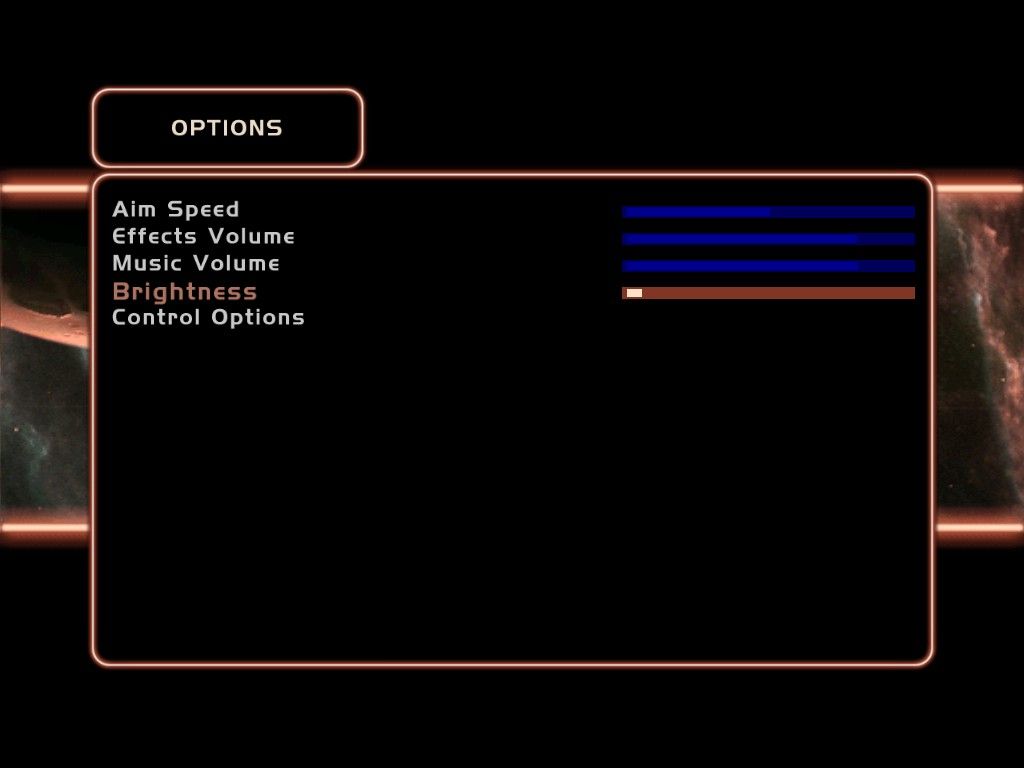
OPTIONS
Make Controller, sound and display adjustments here.
AIM SPEED
Set how fast the gun sight responds when you take aim.
RUMBLE FEATURE
Toggle Controller Rumble Feature ON or OFF. When set to ON the Controller will Rumble in response to certain game events.
EFFECTS VOLUME
Set special effects volume.
MUSIC VOLUME
Set sound volume.
BRIGHTNESS
Adjust the amount of ambient light.
CONTROLLER SCHEMES
View and select Controller Scheme 2 (Default) or 1.
CHEAT CODES
Use the CONTROL PAD to enter four words that create a phrase that unlocks a cheat for the game.
•
Press the CONTROL PAD Up/Down to scroll through the word options.
•
Press the CONTROL PAD Right to select the word and press CONTROL PAD Left to delete it.
After selecting the fourth word, press the A BUTTON to see if your phrase is valid and what cheat, if any, you have unlocked.
SAVE
Save your progress through the game. You can save up to six games to a Nintendo GameCube Memory Card. BLOWOUT only supports memory cards inserted into Slot A. You will also be prompted to save game progress upon completion of a level. However, if you pass through a laser door your game will start again from that if you are killed.
THE GAME SCREEN
MINI MAP
View Dutch's position in the ship. Press the B BUTTON to open the Station Map for a very detailed view.
WEAPONS
Displays the weapon Dutch is currently holding. Cycle to the next or previous weapon by pressing the X BUTTON and Y BUTTON.
Dutch always carries the machine gun but must find additional weapons and ammo throughout Honour Guard.
SHOTS REMAINING/THERMOMETER
Shows shots/fuel remaining for the selected weapon. When using the machine gun, the thermometer appears here to monitor muzzle temperature.
When the gun reaches max temperature it quits firing. Wait for the gun to cool off before firing.
WEAPON POWER GAUGE
Shows the power level of weapons from 1 to a maximum of 4. Find the WEAPON POWER MODIFIER to raise weapon power.
SCORE
This is your score for the current level.
HEALTH
Find Health Paks to keep this full or increase Dutch's health capacity.
THE STATION MAP
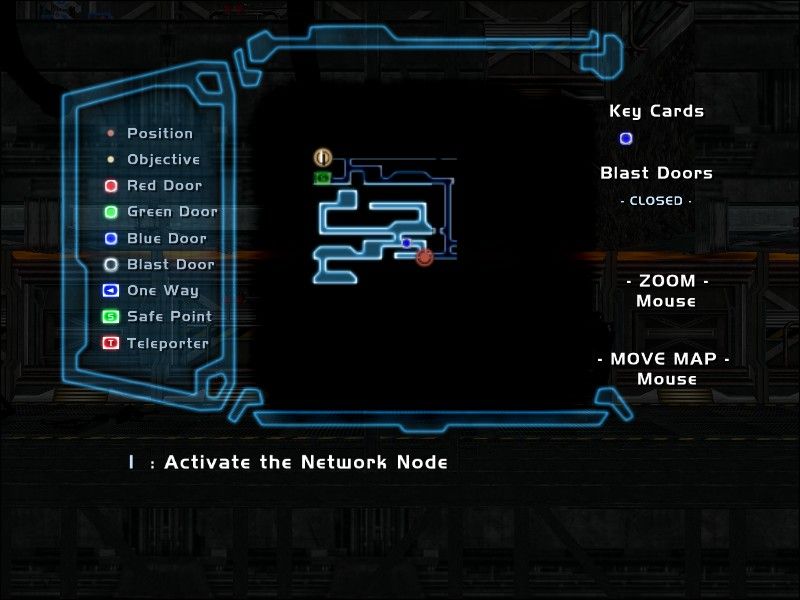
Use the Station Map to navigate through Honour Guard. Press the B BUTTON to display the Station Map. Press the CONTROL STICK to scan the map and the C STICK [Up/Down] to zoom the map in and out.
•
View the Map Legend to see icons for each map feature.
•
If you see a passageway on the map that you can't see from where Dutch is standing, maybe you can blast your way through.
•
Mission objectives and their location are also displayed on the STATION MAP. View the objective at the bottom of the screen and its corresponding number on the STATION MAP.
NETWORK NODES
Reach Network Nodes in Honour Guard and press the A BUTTON to download additional data which will be displayed on the Station Map.
PLAYING THE GAME
Battle through the passageways of Honour Guard killing the Stephens clones and alien monstrosities that control the ship.
USING WEAPONS
Like every other Jump Posse member, Dutch wears a universal weapon mount on his forearm that allows for instant weapon changes. A quick press of the X BUTTON or Y BUTTON instantly cycles his available weapons into the mount and the selected weapon is highlighted on the weapon display.
Press the R BUTTON to fire the weapon while aiming or changing direction with the CONTROL STICK.
•
Find additional weapons throughout Honour Guard.
•
You must find ammo, fuel cells or battery packs to reload weapons.
THE JET PACK
Press the L BUTTON to get a rocket pack boost. Steer while airborne by pressing the CONTROL STICK.
Use the rocket pack to jump up through shafts, over shafts to avoid falling in or to hover. You can fire weapons while Dutch hovers.
ELEVATORS
Use elevators to move between decks on M-12.
•
To call an elevator that is on a different floor, walk up to an elevator call panel and press the A BUTTON.
•
To ride an elevator, press the CONTROL PAD Up/Down.
DROPSHIP DATA
Your progress through Honour Guard is being monitored by the dropship crew and at certain times during your mission, you will receive dropship voice communication to give you important data.
TYPES OF DOORS
COLOR-CODED DOORS AND KEYS
These security doors require keys that you must find. When Dutch carries the correct key, doors open automatically when approached.
**ONE
.png)








.png)

.png)







_1.png)

.png)