Getting Started - PS2
Set up your PlayStation®2 computer entertainment system according to the instructions in the Instruction Manual. Attach game controllers and accessories as appropriate. Make sure the MAIN POWER switch (located at the back of the console) is turned on.
Press the /RESET button. When the indicator is green, press the button and the disc tray will open. It is advised that you do not insert or remove accessories once the power is on.
Make sure there is enough free space on your memory card (8MB) (for PlayStation®2) before commencing play. Place the Conflict: Global Terror™ disc on the disc tray with the label facing up. Press the button again and the disc tray will close.
Follow on-screen instructions and refer to this manual for information on using the software.
Profile
Load Profile
Select this option if you're returning to Conflict: Global Terror and wish to continue a previously saved game.
Create New Profile
Select this option if you're new to Conflict: Global Terror or wish to start a new game.
Default Profile
Select this option if you would like to play using the standard game profile (only recommended for brief game sessions).
Main Menu
Training
Select from Basic or Advanced training.
Tip: If you're new to the Conflict series, we strongly recommend you go through the Training missions before engaging the world's terrorists. We can't obviously force you to do so but we can guarantee you'll be glad you did - trust us, you won't survive for very long otherwise.
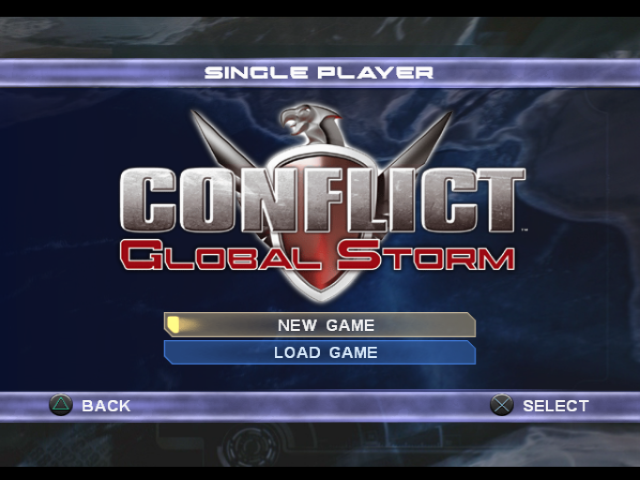
Single Player
Select from New game or Load game.
Tip: Use your game saves carefully. Each mission offers a limited number of saves depending on the difficulty level selected (five for Easy, four for Normal, three for Hard) which you can use whenever you see fit.
Multiplayer
Select from Split screen, LAN or Internet.
Edit Profile
Select from Controller Vibration on/off, Invert look on/off, Help Messages on/off, Controller Layout (two options), or Rename Profile.
Options
Select between Widescreen on/off, Refresh Rate (50/60Hz or Test), Center screen or Audio settings (Music, FX and Headset volumes, Voice audio through speakers or headset, plus Mono, Stereo or Dolby Pro Logic II™).
Multiplayer
Had enough of fighting world terrorism on your own? Don't despair, you can always join forces with friends. Cooperative gaming represents the pinnacle of the multiplayer experience and Conflict: Global Terror has been designed specifically with this massively rewarding element in mind.
Split Screen
Two players play through the single player Conflict: Global Terror campaign cooperatively on a single PlayStation®2. With two players, each player controls a two-member squad.
Tip: You can continue a single player campaign in split screen mode by loading the single player mission rather than starting a new game.
Network (Internet)
With the NETWORK service you can enlist in online multiplayer Conflict: Global Terror with players from all over the world. In order to play Conflict: Global Terror over the Internet you will need a broadband connection with an Ethernet cable. Please note that vehicle control is not included in NETWORK gameplay.
If your PlayStation®2 is not equipped with a NETWORK connector as standard, you will need to purchase a Network Adaptor (Ethernet/modem) (for PlayStation®2) in order to play online. Note: Conflict: Global Terror does not support analog telephone modems, or any USB network adaptors.
If you do not already have one, you need create a Your Network Configuration File using the network configuration application included in Conflict: Global Terror. If you are unsure of which settings to enter please contact your Internet Service Provider (ISP) for assistance.
There can be particular issues related to playing through a router or firewall, including sharing your internet connection via your Windows XP PC. In order to join or host a Conflict: Global Terror game from behind a firewall you must open the following ports (inbound and outbound):
•
UDP ports 4658, 6500, 10010, 13139, 27900
•
TCP ports 4658, 6667, 28910, 29900, 29901, 29920
To host a game from behind a router with NAT (Network Address Translation), or a firewall, you will need to enable 'port forwarding' on the following ports to route data to the IP address of your PlayStation®2:
If you continue to have problems connecting to other players, try bypassing your router or firewall by connecting your PlayStation®2 console directly to your broadband connection. For additional information related to setting up your PlayStation®2 for online gaming visit www.playstation.com and follow the appropriate links.
Note: Conflict: Global Terror uses an account login based on GameSpy ID. You may either create a new account in-game, or use a previously created one (which you may have already for another game using GameSpy ID). For more management options






.png)
.png)

.png)

