System Setup
Set up your PlayStation®2 computer entertainment system according to its Instruction Manual. Ensure the MAIN POWER switch (on the back of the console) is turned on.
Press the RESET button. When the power indicator lights up, press the open button to open the disc tray. Place the Dark Summit™ disc on the tray with the label side facing up. Press the open button again to close the disc tray.
Attach game controllers and other peripherals as appropriate. Follow on-screen instructions and refer to this manual for software usage information.
Memory Cards
To save game settings and progress, insert a Memory Card (8MB) (for PlayStation®2) into MEMORY CARD slot 1. You can load saved game data from the same memory card or any memory card (8MB) containing previously saved Dark Summit games.
Game Objective
Defeat the Chief, win back the mountain for all snowboarders, and uncover the covert agenda!
More On Tricks
Gain as much speed as you can, then launch yourself off a jump for some huge air. Use the easier Air and Jibbing tricks first to get used to the controls. Attempt Special Tricks after you've picked up the Special Trick icon and are able to land the easier tricks. Timing of your jumps is key to landing tricks. Work on releasing the jump button at the lip of each hit to maximize your air. Look for different coloring on the snow to distinguish gap jumps from run-of-the-mill hits. Rotation
While in the air, press and hold the directional buttons LEFT/RIGHT to rotate left or right. The longer you hold down the directional buttons, the more you will rotate. Learn to stop your rotation with your board facing downhill before you land, or you'll tumble down the slope!
Flip
You can also flip forwards or backwards in mid-air by holding the directional buttons UP or DOWN. Make sure to complete a flip before releasing the directional buttons, or you'll land on your head!
Grab Tricks
Use the directional buttons and the button to pull off different grab tricks. Tweak your grabs in mid-air using the R1 and L1 buttons. Add a rotation or flip for more difficulty (and points)! Jibbing
Hold down the button before you land on a rail to stick to it. Try to combo an Air trick onto a rail for huge points!
Current Challenge Counter
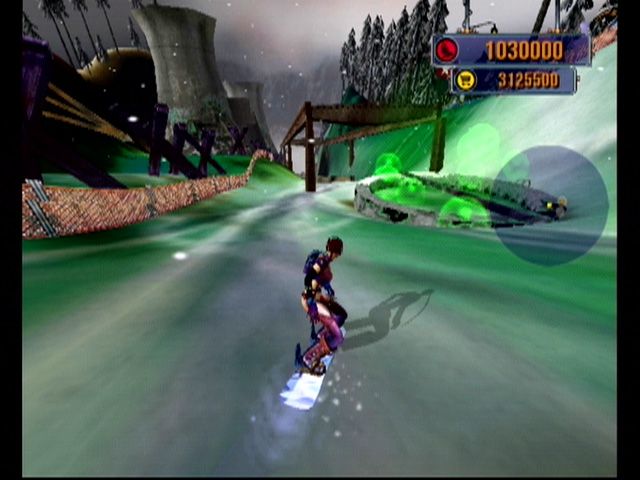
After accepting a challenge, a counter will appear on the left side of the screen. Each time you accomplish one of the goals, a light on the counter will appear. When all goals are complete, the counter will disappear until your next mission.
Trick Call-Out
Every time a trick or combo is performed, the name of the trick will be listed on the bottom of the screen. If you successfully land the trick, equipment points will appear and be awarded to you.
Current Talking Character
If an in-game character is talking to you, their face will be displayed in the bottom-right corner of the game screen.
Play Dark Summit
Challenge Mode is the heart and soul of Dark Summit. As you accomplish each mission objective, you will earn Lift Points to get access to more advanced slopes. As the story unfolds, you will meet other snowboarders trying to achieve the same objectives you are.
Game Start Options
•
Continue Game — Continue the current game.
•
New Game — Start over from the beginning.
•
Load Game — Return to a previously played game. Choose a saved snowboarder using the directional buttons LEFT/RIGHT, then press the X button to confirm.
•
Save Game — Save the current game onto a Memory Card (8MB) (for PlayStation 2). Rider Select
You will only be able to control Naya throughout the Challenge Mode. Press the button to enter the Equipment Hut and upgrade your equipment. Press the button to accept your changes and hit the slopes!
Progress
You can view your Challenge Mode progress from the Rider Select screen. Try to complete the game with a full 100%.
Bomb Pieces
There are five bomb pieces scattered across Mt. Garrick. Alone, each piece of the bomb is worthless. Assembled, they comprise one of the most destructive weapons ever conceived.
As you ride down a run, an operative will help you find a bomb piece. These are indicated beneath your game Progress. Each time you find a piece of the bomb, it will be highlighted here.
Equipment Hut
Use your hard-earned Equipment Points to upgrade Naya's equipment.
•
Press LEFT/RIGHT on the directional buttons to toggle between your Equipment and Outfit.
•
Press UP/DOWN directional buttons to view new items (and the points needed to purchase each item).
Starting Location
Choose a ski lift to begin the next run. You start the game with a forged pass for the first ski lift. As you complete the mission objectives, you will earn lift points. Earn enough lift points and you can buy a forged pass for the next chair.
You will not be able to select a new location until the previous lift's objectives have been completed and you have enough lift points to buy the next pass.
Special Tricks
When you begin, Naya only knows how to land a few over-the-top Special Tricks. She can learn more on her way down the slope by finding the Special Trick power-ups. When you see the power-ups, be sure to run over them so Naya can pick them up and add them to her repertoire. After finding a Special Trick, press the START button to pause the game, then select SPECIAL TRICK LIST from the Pause Menu
.png)

.png)




_1.png)









_1.png)
.png)