GETTING STARTED
Set up your PlayStation®2 computer entertainment system according to the instructions in its Instruction Manual. Make sure the MAIN POWER switch (located on the back of the console) is turned ON.
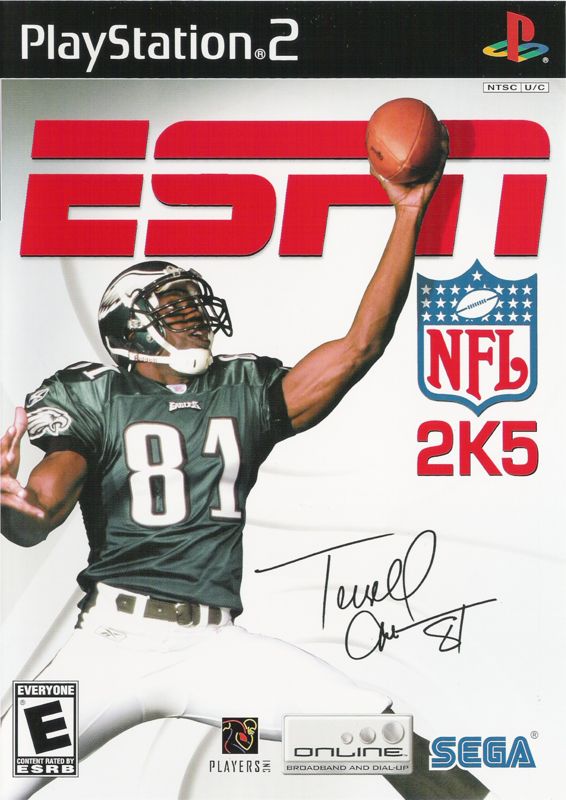
Press the RESET button. When the power indicator lights up, press the OPEN button and the disc tray will open. Place the ESPN NFL 2K5 disc on the disc tray with the label side facing up. Press the OPEN button again and the disc tray will close.
Attach game controllers and other peripherals, as appropriate. Follow on-screen instructions and refer to this manual for information on using the software.
At any point during ESPN NFL 2K5 gameplay you may quit the game by pressing the START button and choosing "Quit." To restart your PlayStation®2, press the RESET button on the front side of the console.
ESPN Tip - Setting On-the-Fly Audibles
If you'd like to reconfigure your audibles for an offensive formation, it's easy to do so. On the Play Call screen, press and hold the R1 button.
Press the ,, or button to select the audible button "slot". Release the R1 button. Find the play that you wish to assign to the audible slot and press its corresponding button. The play will now be available from your Offensive Audible Menu.
OFFENSE: Prior to the Snap
•
Left analog stick or directional button
•
Right analog stick.....Call a Hot Route for a receiver
ESPN Tip Offensive Hot Routes
If you want to switch a receiver's route at the line of scrimmage, you can call a Hot Route for that receiver. Move the right analog stick in the direction of the route you desire and press the button corresponding to the receiver to assign the route to that receiver.
By moving the right analog stick in the following directions, you can assign the following routes: Up = Go, Down = Stop, Right = Out, Left = In, Up/Right = Quick Corner, Up/Left = Slant, Down/Right = Speed Out, Down/Left = Speed Under.
Click and hold the R3 button and press the button corresponding to that receiver to instruct the receiver to pass block.
MAIN MENU
The Main Menu gives you access to all of ESPN NFL 2K5's modes and options.
Quick Game
Play a quick preseason game between any two teams. This is the fastest way to suit up and lead your team on to the field.
The Crib™
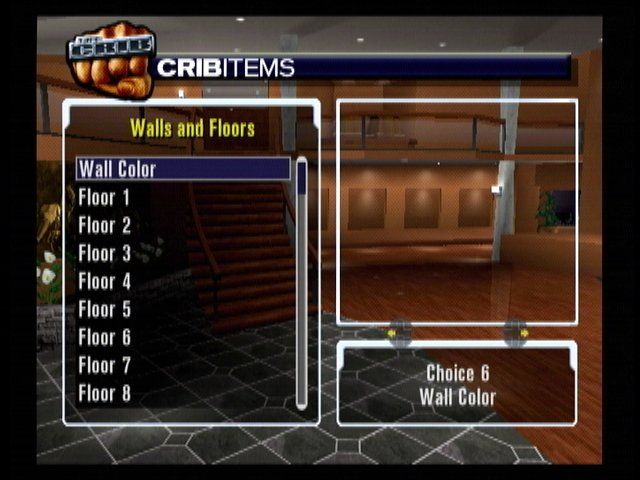
This is the real playa's bachelor pad. Deck out your crib with unlockable items as you progress through game play milestones.
Make it your own by adding killer items to your pad; discover and play mini-games; pick up the phone to play against profile peeps like David Arquette, Carmen Electra, Funk Master Flex, Jamie Kennedy, and Steve-0; or listen to some phat beats pumping from the 2K5 jukebox.
Dart Game Instructions
After you have purchased a Dart Board in the Crib™, you can play either 501 or Cricket.
•
In 501, be the first player to reach zero from a starting score of 501. Throw 3 darts a turn and subtract the total from the previous score until it reaches zero. To win, you must reach zero exactly by hitting a double.
•
In Cricket, you must "close" certain numbers: 15 to 20 and Bulls-eye. To "close" one of the numbers, record three hits of that number (double = 2 hits, triple = 3 hits). Any additional hits will count as points to your score. If every player "closes" a number then no player can score on that number. Cricket ends when any player "closes" out all numbers and has more or equal points than every opponent.
To bump to ESPN NFL 2K5's new beats:
•
From the Main Menu select The Crib™ and press the ✖ button.
•
Navigate through The Crib™ by pressing the left analog stick in the direction you want to go.
•
The Jukebox is on the 1st floor between the window and fireplace. Press the ✖ button when you have located it.
•
To change the music, select a track and press the ✖ button. The selected track will be queued up in the playlist.
•
To scroll through the various genres of music, press the L1 or R1 button.
•
Press right to move the cursor to the playlist. To play individual songs scroll up and down to the desired song and press the ✖ button.
To answer the Celebrity Phone:
•
When an overlay appears saying you have a call, go to the Main Menu.
•
Select The Crib™ and press the ✖ button.
•
The Celebrity phone is on the 1st floor at the bar. Press the ✖ button when you have located it.
•
Do you accept his or her challenge? Be warned, they are tough to beat!
•
Wipe out all the celeb's and get a nifty surprise at the end.
Game Modes
Choose from one of seven unique game modes:
•
Franchise: Control every aspect of a team, including off-season personnel moves, for decades to come.
.png)

.png)




.png)


_1.jpg)