GETTING STARTED
Set up your PlayStation®2 computer entertainment system according to its Instruction Manual. Make sure the MAIN POWER switch (on the back of the console) is turned on.
Press the RESET button. When the power indicator lights up, press the open button to open the disc tray. Place the GUILTY GEAR X2 disc label-side up. Press the open button again to close the disc tray.
Attach game controllers and other peripherals as appropriate. Follow on-screen instructions and refer to this manual for software information.
ABOUT PROGRESSIVE MODE
If you have a PlayStation 2 Component Video Cable (SCPH-10100) and a Progressive Mode enabled (525p) television with Component Video inputs, you can enjoy a higher quality picture. If you do not have a Progressive Mode enabled (525p) television, or if you do not use the Component Video Cable, the picture may not display properly.
For setup instructions with the Component Video Cable, refer to the PlayStation 2 Instruction Manual or the Component Video Cable instructions. Set Component Video Out to "Y Cb/Pb Cr/Pr" under PlayStation 2 System Configuration. Some televisions with Component Video inputs are not Progressive Mode enabled. Refer to your television's instruction manual or contact the manufacturer for compatibility.
SELECTING PROGRESSIVE MODE
Hold down the and buttons while the game is starting up. A message will appear asking to switch to Progressive Mode.
To switch, read the caution, use directional buttons to select "Yes", and press the button to confirm. If the picture is correct, select "Yes" again to save the setting. If the picture is incorrect, press the RESET button on the PlayStation 2 and use Normal (NTSC) Mode. THE RULES
MATCH FORMAT
Combatants battle to drain each other's strength. The first to win the best of 3 rounds wins the match.
*You can change the number of rounds in the Game Options Mode.
TIME LIMIT
One round is 99 seconds. If the limit is exceeded, the round ends, and the player with the highest remaining strength wins.
*You can change time limits in the Game Options Mode.
TIES
A round ends in a draw if there's a double knockout or if players have the same remaining strength when time runs out. If the match isn't decided in 3 rounds, a fourth (final) round begins. If the match is still not decided in the fourth round, the game ends for both players.
CONTINUE
In Arcade Mode, you can resume play by pushing the START Button while the Continue Screen is displayed. STARTING THE GAME
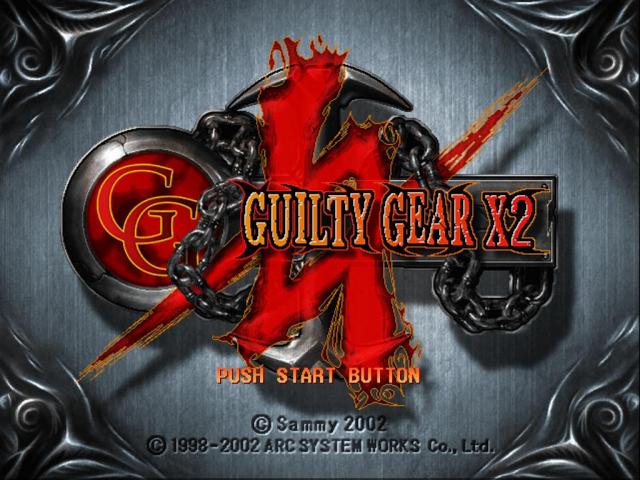
Push the START Button when the Title Screen appears to call up the Mode Select Screen. Select a mode with the directional buttons and push the START Button to confirm.
•
Push the Button while the Mode Selection Screen is displayed to return to the Title Screen.
ARCADE MODE
In this mode, you take on computer characters in elimination battles. Defeat a certain number of opponents to clear the game and reach the ending.
Another player can join a one-player game for two-player competition by pushing the START Button on the unused controller.
M.O.M MODE
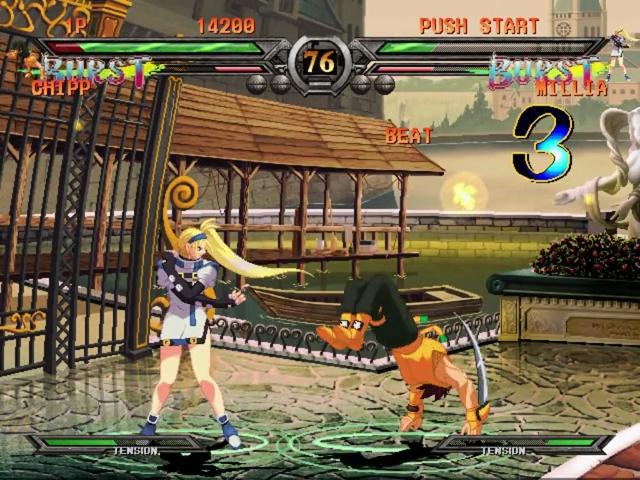
This is a one-fall competition where medals are awarded. The Medal Gauge in the bottom center of the screen rises, and your medal level increases as you strike opponents with combination moves.
The greater the medal level, the more points you receive. Achieving certain point levels also grants your character life restoration items.
VS 2P MODE
This mode is for two-player battles only. It requires two controllers connected to the main console. After a round ends, the Character Select Screen will appear again.
•
Two-player battles require a second game controller, which is sold separately.
VS CPU MODE
A custom mode for battles with computer-controlled players. The Character Selection Screen appears at the end of each match.
SELECTING BACKGROUNDS
You can select battle venues in Versus 2P Mode, Versus CPU Mode, and Training Mode. First, call up the Character Select Screen and move the cursor to the character whose background you want to use.
Then push the R2 Button to call up the yellow cursor, indicating the background has been selected. If no background is selected, the background of the Player 2 character will be selected automatically.
ENEMY SETTING
This is primarily used for changing sparring partner settings.
•
RETURN: Returns you to the game screen.
•
MODE: Lets you select how your sparring partner is controlled.
•
ENEMY STATE: Lets you adjust the condition of your sparring partner to 1 of 4 settings.
•
GUARD: Lets you set how your sparring partner guards against attacks.
•
PG: Sparring partner's life does not decrease by special attacks and the Guard Level Gauge does not increase.
•
RECOVERY: Lets you set your sparring partner's ability to recoil from attacks at 1 of 5 levels.
•
FT: Sparring partner recoils forward when hit.
•
NT: Sparring partner does not recoil.
•
BK: Sparring partner recoils backwards when hit.
•
RND: Sparring partner recoils to any one of the 3 above positions






.png)


_1.png)
 (Disc 2).png)
_1.png)
.png)











_1.png)