Getting Started
Set up your PlayStation®2 computer entertainment system according to its instructions. Ensure the system is turned on (the on/standby indicator is green).
•
Press the OPEN button to open the disc cover.
•
Place the Legend of the Dragon™ disc with the label side facing up in the disc holder.
•
Attach game controllers and other peripherals as appropriate.
•
Follow the on-screen instructions and refer to this manual for information on using the software.
Memory Card (8MB) (for PlayStation®2)
To save game settings and progress, insert a memory card (8MB)(for PlayStation®2) into MEMORY CARD slot 1 of your PlayStation®2 system.
You can load saved game data from the same memory card or any memory card (8MB) (for PlayStation®2) containing previously saved games.
Transformation Mode Attacks
Energy Wave
You can launch an energy wave in Transformation Mode.
•
Press the [button] and then press the [button] as quickly as possible to inflict maximum damage.
•
If the defender presses the [button] before their attacker, they will counter-attack and may drain some of the opponent's Ki gauge.
•
The defender can counter-attack more easily if they have already released a Ki shield.
Energy Attack
You can launch an energy attack in Transformation Mode.
•
The attacker charges toward the opponent and initiates the energy attack if at long range; otherwise, the attack will be aborted mid-flight.
•
The energy attack has two phases. The first is for the attacker, who must create a combo of 6 icons by pressing the [button], [button], and [button] buttons.
•
The opponent must memorize and reproduce this button combination in the second phase.
•
If the defender reproduces it exactly, they will avoid some damage. If they have already released a Ki shield, they will defend against all damage.
Energy Blasts
You can throw energy blasts in Transformation Mode.
•
Press the [button]; you will now be able to throw energy blasts at your opponent.
•
Throw a blast to the left by pressing the [button].
•
Press the [button] to throw a blast upwards.
•
Throw a blast to the right by pressing the [button].
•
Press the [button] to throw a blast downwards.
•
To avoid damage, the defender should press the button corresponding to the type of energy blast at the right moment to make them disappear.
•
If they have released a Ki shield beforehand, they will defend against all damage.
Ki Shield
You can only release a Ki shield when your opponent launches a special attack against you.
•
Press the L1, R1 and [button] buttons simultaneously before your assailant completes their attack (before the game enters Special Attack Mode).
•
If you are in Transformation Mode, you can also release a Ki shield by pressing the [button] button.
Menu Options
Select Options in the Main Menu to modify various game settings.
•
Use the up/down directional buttons to select an option.
•
Press the [button] to go to that sub-menu of options.
•
In the Options sub-menu, use the up/down directional buttons to select an option and the right/left directional buttons to change it.
•
Use the [button] to confirm the settings on the same screen; these will then be saved.
Game Settings
Difficulty
Adjust the strength of your AI opponents from 1 (Very Easy) to 5 (Very Hard). This setting determines how AI characters attack and defend in all game modes.
Battle Count
Opponents confront each other during battles, and the first to drain the strength of the other wins. The first to win 2 battles wins the match. You can modify the number of battles required to win the match.
Battle Time
Adjust the duration of a Versus Mode, from 30 seconds to unlimited!
Language
Select a language (English, French or Spanish).
Vibration
Activate or deactivate the controller vibration.
Sound Settings
BGM Volume
Adjust the music volume.
SFX Volume
Adjust the SFX volume.
Voice Volume
Adjust the voice volume in the game.
Memory Cards
Save Data
Save your current game progression to a memory card (8MB) (for PlayStation®2) in MEMORY CARD slot 1.
Load Data
Load a game saved on a memory card (8MB) (for PlayStation®2) in MEMORY CARD slot 1.
Adjust Screen Position
Choose how to display the image depending on your screen.
•
Use the directional buttons and press the [button] to save this position.
•
Press the [button] to return to the default display.
Quest
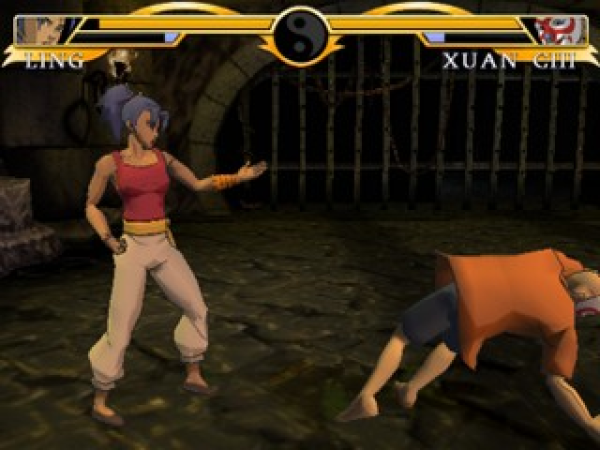
Select a hero and follow their adventure by moving around on the map. On your journey, you will enter the temples of different guardians from the animated series "Legend of the Dragon", unlock new techniques, meet fierce fighters, and build up enormous strength.
Each opponent you defeat will either unlock that character in other game modes or enable you to access a side-quest. For each quest you complete, you will unlock a "Kata" animation, displayed in the Bonus Menu in the Main Menu.
If you win a battle, you will earn aptitude gems; use these to improve the following statistics:
•
Punch attack: Increases the damage your character inflicts with punch attacks.
•
Kick attack: Increases the damage your character inflicts with kick