GETTING STARTED
Set up your PlayStation®2 computer entertainment system according to the instructions in its Instruction Manual. Make sure the MAIN POWER switch (located on the back of the console) is turned on.
Press the standby/RESET button. When the power indicator lights up, press the OPEN button and the disc tray will open. Place the MICRO MACHINES™ disc on the disc tray with the label side facing up. Press the OPEN button again and the disc tray will close.
Attach game controllers and other peripherals, as appropriate. Follow on-screen instructions and refer to this manual for information on using the software.
Insert a memory card (8MB) (for PlayStation®2) in MEMORY CARD slot 1 if you wish to save a game. The MICRO MACHINES™ game requires at least 70 KB of free space on your memory card to save your game progress.
Never remove the memory card or turn the console power OFF when loading or saving a game. It is also advised that you do not insert or remove accessories once the power is ON. Make sure there is enough free space on your memory card before commencing play.
The MICRO MACHINES™ game supports the DUALSHOCK®2 analog controller. Digital controllers are not supported.
MULTITAP
•
Multitap (for PlayStation®2)
•
multitap connector (for PlayStation®2)
If three or more people are competing in a MICRO MACHINES game, you must have a multitap (for PlayStation®2) connected to the PlayStation®2 game console. Refer to the instructions that came with your multitap for information on how to connect it to the PlayStation®2 game console.
SAVING AND LOADING
The MICRO MACHINES game automatically saves your game progress, provided you have a memory card (8MB) (for PlayStation®2) with at least 70 KB of free space in MEMORY CARD slot 1.
During a game — for example, after you get a high score — you are prompted to save your game progress. Press the button to save, or press the button to cancel.
If you have a memory card (8MB) (for PlayStation®2) with previously saved game data on it in MEMORY CARD slot 1, the MICRO MACHINES game automatically loads that game data when you start the game. It is not possible to load previously saved game data beyond this point.
WELCOME TO MICRO MACHINES™
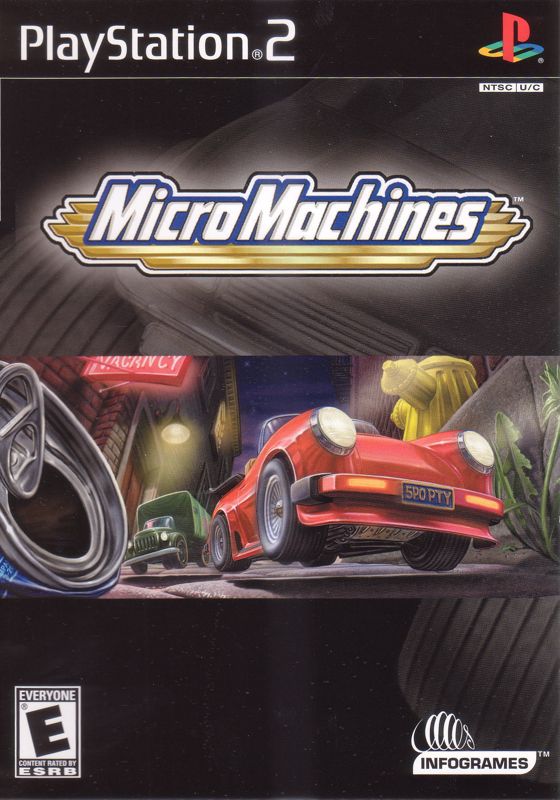
They're cool, they're fast, they're MICRO MACHINES! Toy cars, motorcycles, boats and more compete on a variety of racetracks in an oversized world where anything (and everything!) can happen.
Players choose the character they want to play in single-player or multiplayer games and head out for outrageous racing action. Each track features unique terrain with ramps, tunnels, obstacles and hazards. Hidden weapons and power-ups let drivers use rockets, time warps, mines, giant frying pans and fireballs against each other to take the lead. Race in Time Trials, single Races, Championships or in thrilling Bomb Tag, where drivers try to pass a ticking bomb to each other before it goes off. We've scaled down the cars and scaled up the FUN!
GAME SCREEN
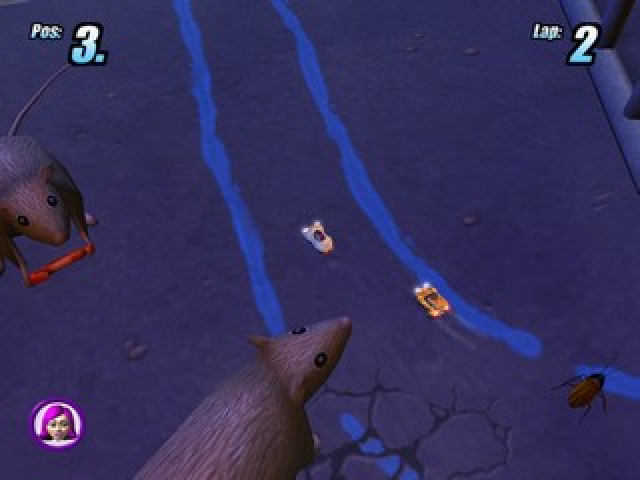
The MICRO MACHINES game screen displays several useful gauges, including vehicle position, current lap, time/time remaining (Micro GP mode only), and available weapon or power-up.
•
Time/Time Remaining (Micro GP mode only)
MAIN MENU
Choose from the following race modes, or select Options to change game settings (see below, "Options"):
•
Micro GP (1 or 2 players)
Exciting checkpoint racing on variable-terrain tracks. Race against the clock, completing multiple stages in order to reach the finish line. Collect stars to unlock Bonus features (see page 8). The idea is simple: The first to cross the finish line wins! Championship and Quick Start options available (see page 9).
•
Bomb Tag (1 or 2 players)
Bomb Tag is a blast! At the start of the race, one randomly selected competitor has his or her machine turned into a drivable time bomb — the goal of the game is to get rid of the bomb before it explodes (see page 10).
•
MICRO MACHINES (1 to 4 players)
If you're up for a challenge, try MICRO MACHINES mode. The object is to earn points by getting far enough ahead of the other players to push them off the screen. Fill up your points bar to win each race. Tournament option available (see page 11).
Go to Training mode first if you are new to MICRO MACHINES or if you just want to try out the different track surfaces and vehicles (see page 11).
OPTIONS
Select Options from the Main Menu to adjust the following game settings:
Adjust the volume of in-game sounds,
.png)

.png)

.png)

_1.png)
.png)
.png)
