GETTING STARTED
Set up your PlayStation®2 computer entertainment system according to the instructions supplied with your system. Check that the system is turned on (the on/standby indicator is green).
Insert the Power Rangers: Super Legends disc in the system with the label side facing up. Attach game controllers and other peripherals as appropriate. Follow the on-screen instructions and refer to this manual for information on using the software. Memory Card (8MB) (for PlayStation®2)
To save game settings and progress, insert a memory card (8MB) (for PlayStation®2) into Memory Card slot I of your PlayStation®2 system.
You can load saved gamedata from the same Memory Card (8MB) (for PlayStation®2) or any Memory Card (8MB) (for PlayStation®2) containing previously saved games.
Zord Battles
Take down giant monsters with massive Zord attacks! Zord combat is broken down into a series of earth-shattering rounds.
Attack Round
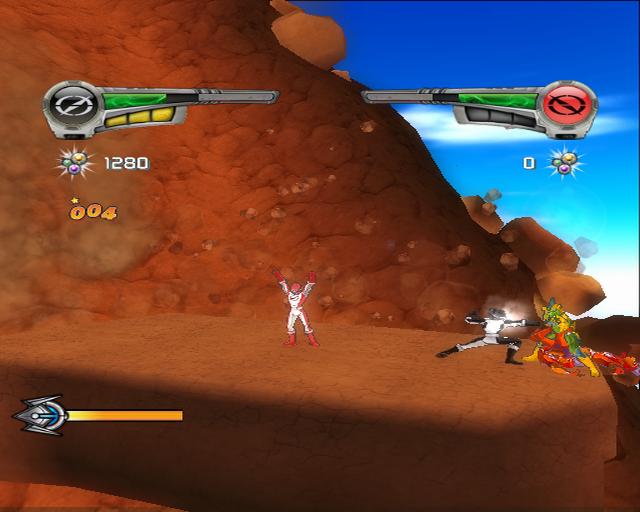
To attack your foe, you must fill your Power Bar before time runs out. To do so, press the buttons that appear on screen or continually rotate the analog stick.
Clash Round
Defeat your opponent with brute strength in Clash mode. Mash a button as fast as possible to overpower your opponent. A Momentum Meter will show you how you're doing.
Success will lead to another Attack Round. Failure damages your Zedd and leads to a Defend Round.
Defend Round
As in the Attack Round, you must match the buttons as they're displayed on screen. Succeed in filling the Power Bar and your Zord will take a reduced amount of damage. Fail and your Zord will take heavier damage.
Cooperative Zord Battles
If 2 players are battling Lord Zedd's forces in normal play, they will continue to do so during Zord Battles. Both players need to work together to fill the Power Bar and Lightning Bolt Meter.