GETTING STARTED
Press the START button at the Title Screen to open the Main Menu. From here you will begin or continue Spawn's quest for redemption.
MAIN MENU
The Main Menu allows you to select your game mode and difficulty level, alter gameplay options and view Bonus Materials.
NEW GAME
Select "New Game" to begin the latest adventure of the Hellspawn. There are three Difficulty Levels available; complete all three to become a master player.
Press the button to select a Difficulty Level and begin the game. At any point before the game begins, you can return to the Main Menu by pressing the button.
CONTINUE SAVED GAME
Select "Continue Saved Game" to continue from a previous save. First select a file to load in the Continue Saved Game Screen. Each save game slot displays the saved game information.
Select a game to load and press the button to accept.
OPTIONS
Before you start a new game, you can change the options for the music or sound in the game, change the video settings, change the Controller configuration and turn Vibration On or Off.
These options can be also changed in the Pause Menu during normal play.
BONUS MATERIAL
As you progress through the game, various bonus materials, including Comic Book Covers, concept art and enemy data will be unlocked. You can view these items in the Bonus Materials Menu.
SELECT MISSION
"Select Mission" opens up a list of the game's missions, allowing you to replay any unlocked missions to collect any bonuses you may have missed. This mode is only available after you have completed the game in any of the Difficulty Levels.
Highlight the mission you want to replay, and press the button to play. After the successful completion of a mission, save any additional Comic Book Covers collected by selecting "Save Comics". The Comic Book Covers are saved separately from the Saved Games.
WINNING THE GAME
The countdown to Armageddon has begun, and Spawn has no desire to submit to an assured eternity of damnation. He will fight back by dedicating himself to preventing the horrific conclusion of the plan that began with the green beam he witnessed in the sky.
His quest will lead him inexorably through worlds both natural and supernatural, past foes both hellish and heavenly, via a series of missions that each unlock a part of the Grand Design. If Spawn survives, he may even find a way to end his suffering forever...
COMPLETING THE GAME 100%
To experience SPAWN: ARMAGEDDON in its entirety, Spawn must accomplish the following tasks:
•
Complete the game in all Difficulty Levels Easy, Normal and Hard.
•
Collect all of the Comic Book Covers.
•
Defeat enough enemies to unlock the entire Encyclopedia.
MISSIONS
The game is divided into a series of missions, each of which unravels part of the mystery of the green beam that struck in the center of New York City. Collect the fiery Spawn icon to end a mission.
Demons are running freely through the back streets of Rat City, the slums of New York. Spawn will begin his quest by tracking these demons to their source where an unexpected development will turn his twisted world upside-down...
GAME DISPLAY
Ammo
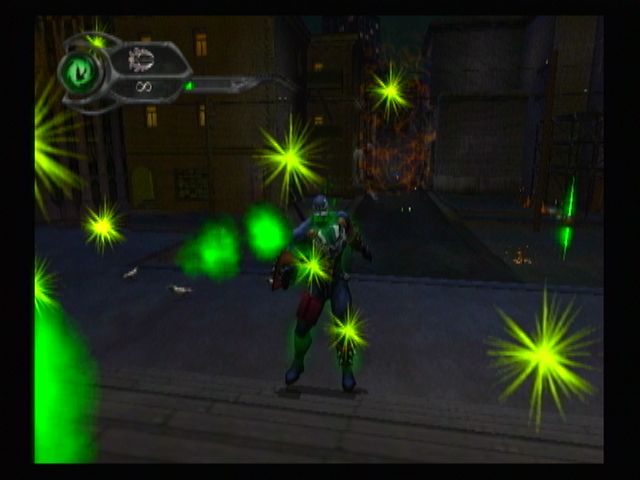
This is the amount of ammunition held in the currently active weapon. If this reaches zero, the weapon will become unavailable and Spawn will automatically switch his weapon. The amount of ammunition that each weapon holds can be upgraded. HELL POWER
This icon shows the Hell Power that Spawn currently has selected.
•
Cycle through Hell Powers using the directional button ▲ and directional button ▼, and use them with the ● button.
ENEMY HEALTH BAR
The health of the currently targeted enemy is located in the lower left corner of the screen. When this reaches zero, the enemy is destroyed. The enemy's name appears above the Enemy Health Bar. SOULS
When enemies die, they release their tortured Souls in the form of blue globes. Spawn can collect these Souls and trade them at the Intermission Screen for weapon upgrades or ammo for any of the weapons he has acquired. He can also use Souls to increase his maximum Health and Necroplasm levels. INFORMATION
Throughout the game, Spawn will obtain information about the different enemies that he encounters in the game. The demonology tome appears along with the word "New" in the upper right corner of the screen when new Enemy Information is added to the Encyclopedia.
PAUSE MENU
Press the START button during game play to Pause the game and display the following menus:
•
General Mission Information
WEAPONS
This screen displays the following for each weapon: Press the directional button ◄ or directional button ► to cycle through the available weapons. Press the ● button to accept the weapon and go back to the previous screen. HELL POWERS
This screen displays the following for each Hell Power acquired:
Press the directional button or directional button to cycle through the Hell Powers. Press the button to accept the Hell Power and go back to the previous screen.
GENERAL
This screen displays the briefing for the current mission. The following information is displayed on the screen:
ENCYCLOPEDIA
The Encyclopedia contains all of the information you've discovered about the various enemies you've
.png)

.png)
.png)
.png)
