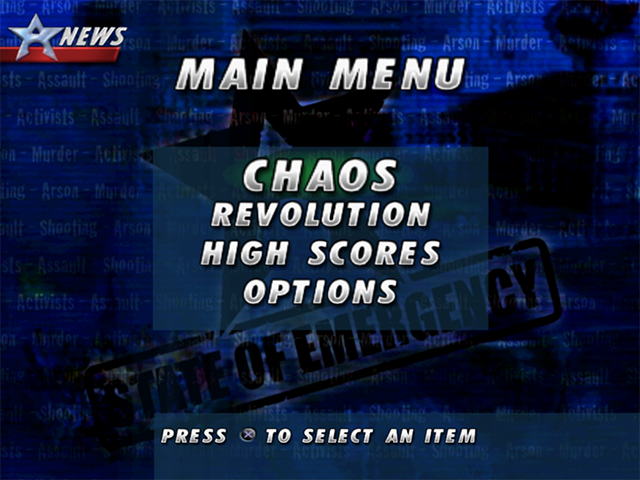
CHAOS MODE
Chaos Mode is a fast and furious mode of play with no missions to complete. The primary objective is to score points.
You are awarded points for:
•
Killing Corporation forces and gang members.
•
Successfully completing objectives.
You cannot save a game midway through Chaos Mode. If you quit, the game is over.
If you achieve a high score in any Chaos Mode, you get the chance to enter your name on the high score tables. Achieving target scores in each Chaos Mode unlocks new levels and game modes.
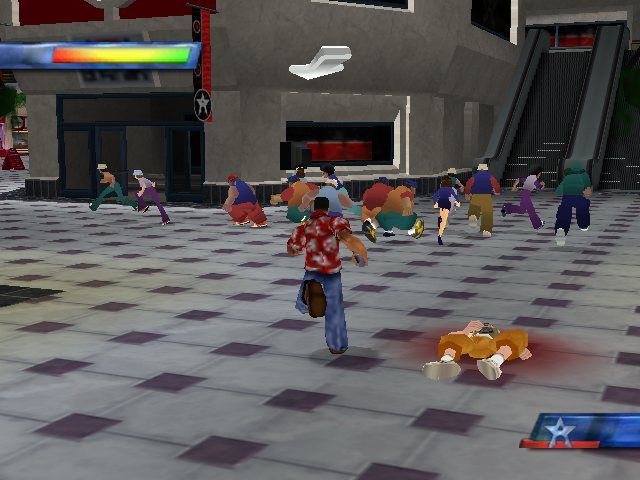
GAME DISPLAY (CHAOS MODE)
KAOS MODE
In Kaos Mode, a countdown timer is constantly running and must be topped up by completing stages and collecting time pickups. If this time runs out, or your health reaches zero, the game will end.
Your final score will be calculated, and you will have the opportunity to enter your name on the high score table if your score is good enough.
TIME PICKUPS
These golden tokens appear throughout the map and are spawned from killed opponents. You can pick them up simply by running into them. The amount of time awarded is indicated when you do so.
HEALTH PICKUPS
These green and white tokens appear throughout the map and are spawned from killed opponents. You must keep your health topped up to continue playing the Kaos Mode games.
OBJECTIVES
As you play Kaos Mode, objectives will be activated, indicated by a colored fist and the objective arrow appearing on the game display. These objectives are simple bonus tasks that can be attempted in Kaos Mode to obtain large score bonuses.
When an objective begins, it remains active until you succeed in accomplishing it or you decide to reject it. The aim of the objective will flash up briefly on the game display and can be checked by pressing PAUSE (START BUTTON).
The arrow will lead you to the objective, and target identifiers show you who or what you must kill or destroy. As well as a score bonus, you will also be rewarded with a 50% health boost for successfully completing an objective.
THREATS
Throughout Kaos Mode, threats appear in the map. These consist of one or more opponents whose objective is to hunt you down and kill you. Threat characters are indicated in-game by a red skull and crossbones symbol above their head.
SCORE MULTIPLIERS
At certain points in Kaos Mode, a score multiplier will be active for a short while. This appears on the game display below your score and indicates that the item named is worth its normal score multiplied by the bonus value indicated while it is displayed.
For example, if CARS X3 appears on the display, then you should switch your attention to destroying vehicles as every one destroyed will be worth their normal score multiplied by 3.
CIVILIAN PENALTIES
At certain points in Kaos Mode, the warning CIVILIAN PENALTY appears on the game display. When this is active, you are penalized points for every civilian you kill.
STAGES
Each Kaos Mode level is divided into stages. To move up stages in Kaos Mode, you must achieve a certain target score, which is indicated on the game display.
When you reach a new stage, a message appears briefly on the screen informing you of this, and you are rewarded with a bonus amount of time and health. Be aware though that the opponents you face get tougher as you achieve new stages.
COMPLETING KAOS MODE LEVELS
Each Kaos Mode level has a level target score that must be achieved to complete it. Although the game will continue beyond this point and much higher scores can be achieved, reaching the level goal will unlock the next level in Kaos Mode.
CHAOS MODE LEVEL GOALS
See the Chaos Mode Progression Chart on page 19 to find out what scores you need to unlock new characters and levels.
REVOLUTION
The Revolution game features 175 unique missions spread over four levels. As you complete missions, you will unlock new ones. Completing all the missions in a level will unlock new levels and playable characters.
STARTING OR CONTINUING A REVOLUTION GAME
Select a name from the list of saved games or choose an empty slot and enter a new name to begin an all-new game. State of Emergency supports five unique Revolution game slots.
To enter a name, choose letters by pushing LEFT or RIGHT on the left analog stick or the directional buttons. Use BUTTON to enter a letter, BUTTON to delete a letter, and the START button to accept your chosen name.
You can erase saved game slots by highlighting them then pressing the SELECT button.
NEWS
•
PRESS TO SELECT A CHARACTER
CHOOSING A CHARACTER AND LEVEL
At the start of the game, only McNeil and Libra are available to play. Three other characters can be unlocked by successfully completing levels in the Revolution game.
You can also choose which level to play, although at the start of the Revolution game only the Capitol City Mall is available. Press BUTTON to select a character and level and to deselect and go back.
NEWS
REVOLUTION GAME RULES
MISSIONS
Tasks in State