GETTING STARTED
Set up your PlayStation®2 computer entertainment system according to its instruction manual. Make sure the MAIN POWER switch (located on the back of the console) is turned on.
Press the RESET button. When the power indicator lights up, press the open button and the disc tray will open. Place the Sunny Garcia Surfing™ disc on the disc tray with the label side facing up. Press the open button again and the disc tray will close. Attach game controllers and other peripherals, as appropriate. Follow on-screen instructions and refer to this manual for information on using the software.
GAME MODES
At the Title Screen, press the START button and the Main Menu will appear. You can select from a variety of Game Modes, the Multiplayer Menu or the Options Menu.
FREESURF
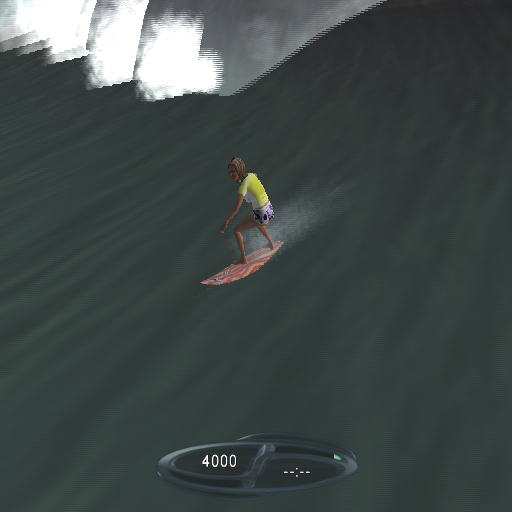
Begin a Freesurf session. Select from unlocked surfers, gear, beaches and boards. Freesurf provides a casual surfing mode where you can practice your skills in an unlimited time, unlimited wave scenario.
NOTE: The Surf School is available in Freesurf.
CHAMPIONSHIP
Begin a new Championship. Select from unlocked surfers, gear and boards. Championship provides a realistic adaptation of competition surfing, allowing you to test your skills across several beaches and against other surfers.
ARCADE
Begin an Arcade round. Select from unlocked surfers, gear and boards. Arcade is an obstacle course, requiring you to achieve a certain score while navigating a 2 minute course of objects ranging from swimmers and lifeguards, to deadly mines and sharks.
TIME ATTACK
Begin a Time Attack round. Select from unlocked surfers, gear, beaches and boards. Time Attack is a race against the clock, where you must complete all the moves requested within a 30 minute limit.
NOTE: The Surf School is available in Time Attack.
CHALLENGE
Begin a Challenge. Completion of certain game modes will unlock these challenges, which are designed to test your skills in the various techniques and aspects of surfing.
MULTIPLAYER
The Multiplayer Menu allows you to select a multiplayer Championship, Arcade, Rumble or King of the Waves contest in which you compete against friends.
CHAMPIONSHIP
Begin a new Championship. Select from unlocked surfers, gear and boards. Championship provides a realistic adaptation of competition surfing, allowing you to test your skills across several beaches and against other surfers.
Supports up to 8 players (requires 1 controller per player, i.e. 2 multitaps (for PLAYSTATION®2) and controllers needed for 8 players).
ARCADE
Begin an Arcade round. Select from unlocked surfers, gear and boards. Arcade is an obstacle course, requiring you to achieve the highest score while navigating a two minute course of objects ranging from swimmers and lifeguards, to deadly mines and sharks.
Supports up to 8 players (requires 1 controller per player, i.e. 2 multitaps (for PLAYSTATION®2) and 8 controllers needed for 8 players).
RUMBLE
Begin a Rumble round. Select from unlocked surfers, gear, beaches and boards. Rumble is a head to head contest, where the combatants surf on the same wave collecting power-ups and attempting to wipe each other out.
There are both helper and attack power-ups including shields, invincibility, bombs and lightning. Rumble Info is available in game, for a complete reference of available power-ups. Supports up to 2 players (requires one controller per player).
KING OF THE WAVES
Begin a King of the Waves match. Select from unlocked surfers, gear and boards. The match is a head-to-head contest across several beaches, where the contestants compete in split screen to decide the King of the Waves.
Supports up to 8 players (requires 1 controller per player, i.e. 2 multitaps (for PLAYSTATION®2) and 8 controllers needed for 8 players).
OPTIONS
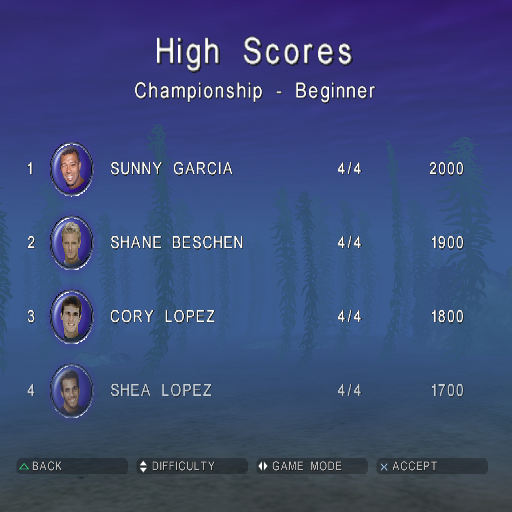
You can change a variety of settings, view High Scores and Credits, and load Settings, Replays and Games.
CONFIGURATION
Set Sound and Music volumes, and turn Control Vibration ON/OFF.
HIGH SCORES
View the High Scores for each mode and difficulty level.
CREDITS
View the Sunny Garcia Surfing™ Credits. LOAD
Load Settings, Replays or Saved Games.
CONTROL CONFIGURATION
Select the control configuration for each controller, from the 4 styles available. The controller configurations are based on the analog controller (DUALSHOCK®2).
UNLOCKING AND BONUSES
When you first start Sunny Garcia Surfing™ the following modes, difficulty levels, beaches, surfers, outfits and boards are available: Modes
•
Championship (Single Player and Multi-Player)
•
Arcade (Single Player and Multi-Player)
Difficulty Levels
Beaches
Surfers
Surf Gear
•
Outfit 1, for each unlocked surfer
Boards
.png)

.png)
