PlayStation 2 Setup
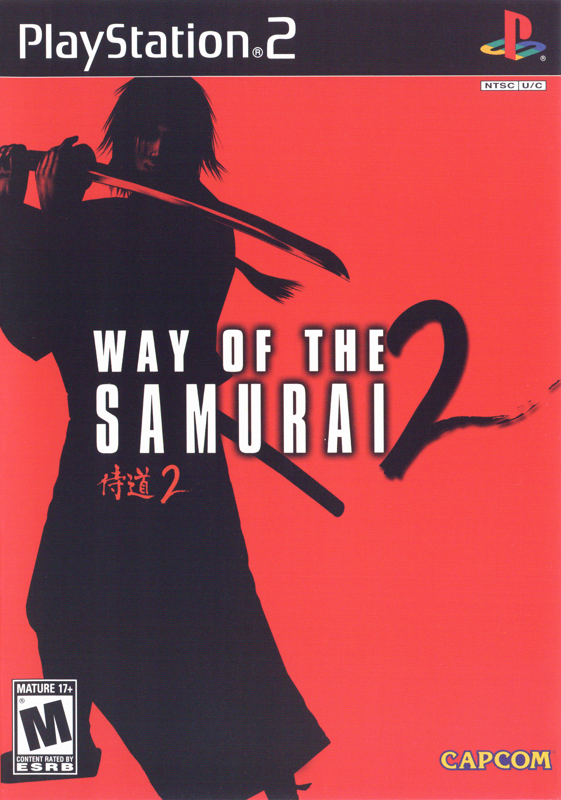
Set up your PlayStation 2 computer entertainment system according to its instruction manual. Ensure the main power switch (located on the back of the console) is turned on. Press the RESET button. When the power indicator lights up, press the OPEN button and the disc tray will open. Place The Way of the Samurai™ 2 disc on the disc tray with the label side facing up. Press the OPEN button again and the disc tray will close. Attach game controllers and other peripherals, as appropriate. Follow on-screen instructions and refer to this manual for information on using the software.
PlayStation 2 Components
DUALSHOCK®2 ANALOG CONTROLLER CONFIGURATIONS
The Way of the Samurai™ 2 is a 1 player game that supports the DUALSHOCK®2 Analog Controller. Before beginning play, connect the controller to Controller Port 1. •
left analog stick (L3 button when pushed down)
•
right analog stick (R3 button when pushed down)
When vibration is set to ON, the controller will vibrate in response to game events. You can turn vibration ON/OFF in Option Mode.
Memory Cards
To save a game, insert a Memory Card (8MB) (for PlayStation®2) into Memory Card Slot 1 of your PlayStation 2 console. You can load saved game data from the same Memory Card, or from any Memory Card containing Way of the Samurai 2 save game data. You need at least 134KB of free space available on the Memory Card in order to save game data. If less than 134KB of free space is available, erase unwanted data to make room.
Do not remove the Memory Card or turn off power to the PlayStation 2 while data is being saved or loaded or your game data may be lost. You can play the game without a Memory Card but you won't be able to save game data.
Getting Into The Game
Use the menu controls to navigate through menu screens. The first time you play the game, you will create a system file on the Memory Card. Follow the onscreen instructions and press the button.
Select your play data, then select START and YES. The START menu appears.
•
Copy data by selecting the play data, COPY, and then a location to copy to.
•
Delete data by selecting the play data and then selecting DELETE.
•
IMPORTANT! Data on game points, swords and records is saved in separate save files (Files 1, 2 & 3) and cannot be shared.
Start Menu Options
•
START - Start a game and set the difficulty level. If you saved an unfinished game the last time you played, you will start from where you left off without setting the difficulty level.
•
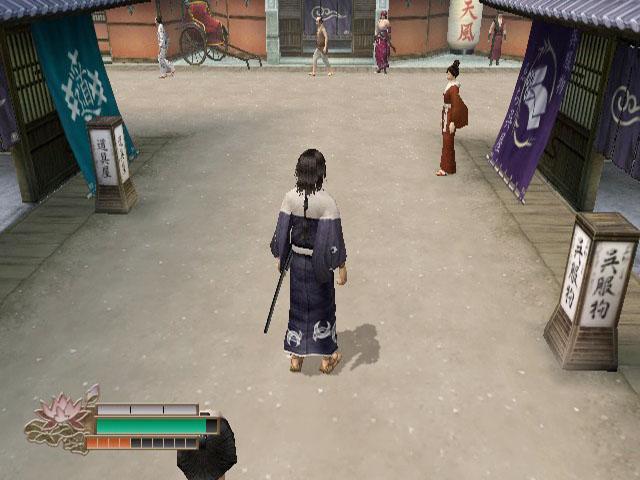
If you select START FROM BEGINNING, the maximum Health (HP) and Energy (EP) levels are restored. You start with your HP at 1000/1000 and your EP at 4/10.
•
RECORDS - View play data from previous games.
•
MAIN RECORDS - View a variety of records. Pictures of different endings appear in the Ending column. If the ending is the same for two or more games, the number of times you cleared that ending will be shown.
•
TITLES - View a list of titles acquired.
•
SWORDS - View a list of swords acquired.
•
ACCESSORIES - View a list of accessories acquired.
Settings Menu
Adjust various game settings. Press the directional buttons / to select items and / to change settings.
•
CAMERA MODE - Toggle NORMAL or REVERSE modes.
•
VIBRATE - Toggle the controller's vibration function ON/OFF.
•
SUBTITLES - Toggle subtitles ON/OFF.
•
BLOOD - Toggle blood display ON/OFF.
•
SOUND - Toggle STEREO/MONO. Select TEST and adjust the volume.
•
SCREEN POSITION - Center the game screen on your TV.
•
COLOR BAR - Adjust the color display.
•
RESET - Restore the default values.
•
END - Exit the settings menu.
Character Customization
•
NAME - Select the letters and press the button to enter them. Press the button to delete a letter. Press the L1/R1 buttons to move the cursor.
•
HEAD - Select a head for your character.
•
CLOTHES - Select clothes for your character.
•
SWORD - You can carry a total of two swords from the SWORD SAFE in addition to your standard weaponry.
•
READY SWORDS - Swords you are currently carrying.
•
SWORD SAFE - Holds the swords stored in your previous game. Select CHANGE ORDER to rearrange the list.
•
ITEMS - You can carry up to eight items stored in your ITEM BOX in previous games. Select the ITEM BOX and then select the item to equip. Reverse the procedure to return an item to the box (select the item and then select the ITEM BOX).
.png)

.png)








_1.png)