GETTING STARTED
Set up your PlayStation®2 computer entertainment system according to the instructions supplied with your system. Check that the system is turned on (the on/standby indicator is green).
Insert WORLD HEROES ANTHOLOGY disc in the system with the label side facing up. Attach game controllers and other peripherals as appropriate. Follow the on-screen instructions and refer to this manual for information on using the software.
PlayStation®2 Components
Memory Card (8MB)(for PlayStation®2)
To save game settings and progress, insert a memory card (8MB) (for PlayStation®2) into MEMORY CARD slot 1 of your PlayStation®2 system.
You can load saved game data from the same memory card or any memory card (8MB) (for PlayStation®2) containing previously saved games.
GAME OPTIONS
CONTROLLER SETUP
In each game title you can change the settings for buttons on the Player 1 and Player 2 controllers. Move the cursor to "TITLE" and use the directional buttons to call up that title's Controls menu.
Select the commands you want to change with the ↑↓ directional buttons and push the button you want to use for the function. Pushing the SELECT Button returns everything to their initial settings. Select "EXIT" when you finish changing the settings to return to the Main Menu screen.
DISPLAY SETUP
This lets you change various settings related to the screen display. Select items with the directional buttons and change settings using the or ➡ directional buttons.
•
SCREEN - Lets you change the width of the picture display area to "TYPE A" or "TYPE B."
•
POSITION X - Lets you move the picture display area right or left. Changing numbers to positive values moves the picture to the right, and negative values moves it to the left.
•
POSITION Y - This allows you to move the picture display area up or down. Changing numbers to positive values moves the picture down, and minus values move it up.
•
FOCUS - Lets you set the game display image to either normal or soft.
•
EXIT - Returns you to the Main Menu screen.
AUDIO SETUP
This allows you to change audio output modes, adjust various soundtrack selections and volume levels, and play selections.
•
OUTPUT - Adjust the audio output to stereo or mono.
•
BGM - Set the soundtrack version to either normal or arranged.
•
BGM LEVEL - Adjust the volume to one of 10 levels.
•
BGM CHECK - Listen to individual song tracks. Change the selection number by using the directional buttons and push the X Button to play the selection.
•
EXIT - Returns you to the Main Menu screen.
CHARACTER SETUP
Edit the look of your favorite character by customizing the color palette. Press the SELECT Button to restore default settings. (See page 15 Character Edit for more details)
PRACTICE MODE
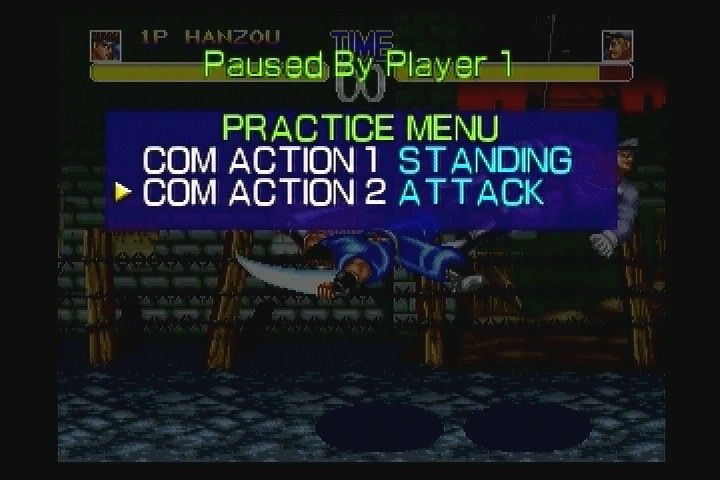
Practice the moves of your favorite character. Push the SELECT Button in Practice Mode to call up the Pause Menu to adjust various settings.
TWO-PLAYER AND BURST-IN PLAY
To battle a friend in a 2-player game, Player 2 must press the START Button of the unused controller at either the character select screen or "burst in" at any time during a one player game.
In Two-Player Mode, choose one of the following status types for your character.
•
NORMAL TYPE - A type whose attack strength, defense strength, and speed are equally balanced.
•
ATTACK TYPE - This type emphasizes attack strength and is for players who like taking the offensive.
•
DEFENSE TYPE - A type designed around defensive strength for players who like to wear down their opponents.
•
SPEED TYPE - This type emphasizes speed of movement for players who like to both attack and humiliate their opponents.
SEQUENCE FOR BEGINNING MATCHES
•
GAME SELECT - From the Main Menu select which World Heroes game you would like to play.
•
TITLE SCREEN - Push the START Button when the Title Screen is displayed.
•
GAME LEVEL SELECT - Select the difficulty level of the computer opponent (single-player games). Use the directional buttons to make your selection and push the X Button to confirm. In two-player games, the game level setting has no effect.
•
EASY - The easiest level designed for beginners.
•
NORMAL - The initial level setting with a difficulty geared toward intermediate players.
•
HARD - The most difficult level with a difficulty level designed for advanced players.
•
MVS - A difficulty level between Normal and Hard that is the same as the arcade version.
•
*World Heroes 2 Jet and World Heroes Perfect offer a Beginner and Expert level.
•
CHARACTER SELECT - Select the character you want to use.
•
MODE SELECT - WH & WH2 feature Normal or DeathMatch games. In WH2J you can elect either "Entry to the Tournament" or "The Forging of Warriors." There is no mode select in WHP. (See page 14 for a complete description of Game Modes)
Please note: The Continue Countdown appears when you lose a single-player match or two-player battle. If you want to try again, push the START button before time runs out.
.png)

.png)
.png)
.png)
