Gettting Started
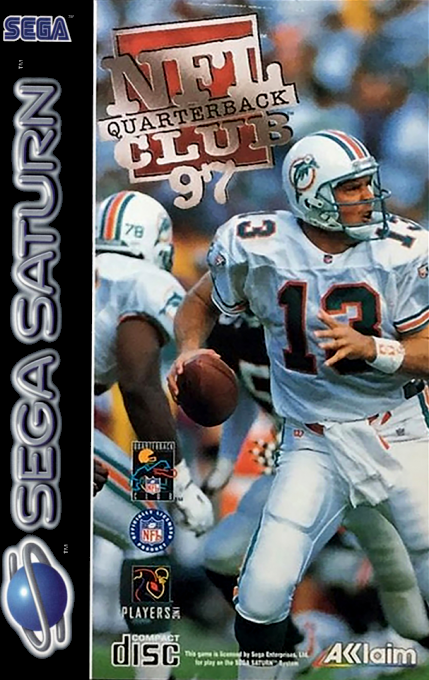
Set up your Sega Saturn™ system as described in its instruction manual. Plug in Control Pad 1 for a one player game and Control Pad 2 for a two player game. If you wish to play a multi-player game, plug in a Saturn Team Player™ adapter (sold separately) as described in its instruction manual. Note: NFL™ Quarterback Club™ '97 is for up to 12 players. Place the NFL™ Quarterback Club™ '97 disc, label side up, in the well of the CD tray and close the lid. Turn on the TV or monitor and the Sega Saturn™. The Sega Saturn™ logo appears on screen. (If nothing happens, turn the system off and make sure it is set up correctly before turning it on again.) If you wish to stop the game in progress or the game ends, press the Reset Button on the Sega Saturn™ console to display the on-screen Control Panel. Your Sega Saturn™ CD contains a security code that allows the disc to be read. Be sure to keep the disc clean and handle it carefully. If your Sega Saturn™ system has trouble reading the disc, remove the disc and wipe it carefully, starting from the center of the disc and wiping straight out toward the edge. Welcome to the Action
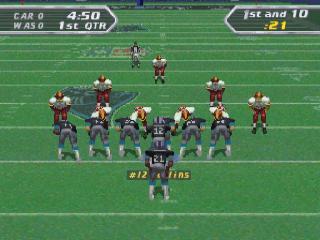
Welcome to the action! If you're new to NFL™ Quarterback Club™, get ready to be blown away by the best quarterbacks in the business, leading your team to victory! If you've played before, you'll appreciate the host of new features in NFL™ Quarterback Club™ '97. Features include trading players, more on-screen plays to choose from, on-field referees, an on-field clock, and new improved player animations. Of course, you still have all the features you love, like all the player names and numbers with realistic career attributes. So lets quit the jawboning and get down to the field!
Quick Play and Simulation
Jump straight into action with Quick Play mode. In this mode, two teams are selected at random by the computer for a fast fix of Preseason action. Quarters are only five minutes each in Quick Play, and difficulty is set to Pro.
This mode lets your imagination and adrenaline kick in as you play in the most incredible game situations of the past, present and future--or create your own! Can you defeat them all? (See page 21 for more details on Simulation play.)
Calling Plays
There are two play select modes, Quick Select and Normal Select. Plays are divided first by various defensive and offensive formations. Zone categories based on yardage situations (Short, Medium, Long, and Bomb Zone) appear next, finally branching out to a number of plays appropriate to the selected formation and yardage.
Quick Select involves selecting your formation, then confirming your choice. Next, select a play in that formation, then confirm your choice. Finally, get into the action!
Normal Select involves selecting the desired formation, then confirming your choice. Select the proper yardage situation and confirm your choice. Scroll left and right through the available plays, then press the action control (A, B, C or Z) for the desired play.
Once you've picked a play, you can flip the play, start the play, or choose No Huddle. Flipping the play reverses the formation and direction of the play. Starting the play begins the action. No Huddle will take you back to the line of scrimmage following the play.
Play begins when the Quarterback snaps the ball. For example: a short run to the left would be input as A, A, A. A Pass fake from a punt formation to the middle would be Z, Z, B.
No Huddle allows the player to set a "no huddle" situation on offense for the purpose of speedy game play or hurry-up and two-minute drill situations. If the no huddle option is set, no playbook options will appear, and players will call plays from their selected, default, or Hyper audibles. Once a No Huddle offense is set, it remains in effect until you select a Huddle setting or the clock stops.
NFL Play Modes
In Preseason, Season or Playoff modes, you can use the default Original Roster, or use a previously saved Traded Roster. If you select a Traded Roster, you will go to the Restore screen, where you can choose one of five saved rosters. You will then begin the selected game type with the specified roster. See Trade Player (page 12) for more on this mode.
Preseason
Practice your skills in this exhibition mode, then take your instincts and intensity into Season play. Preseason games are a great way to get a feel for the game!
New Season
Begin a new Season and coach your team all the way to the Super Bowl™! You can even upgrade your team using the Trade Players mode to build a team that's virtually unbeatable! In Season mode, you select only your own team; the computer determines your opponents throughout the season.
Saving a Season Schedule
At the end of every Season game, you will be given the option of saving your place in the schedule at the save screen. You can also enter the File Manager screen from here by pressing the Y BUTTON. This allows you to delete and manipulate saved files.
If you are using the Sega Memory Cartridge, you can choose between saving to the Cartridge or the internal memory by toggling with the A BUTTON. You can save your place to any available season schedule slot.
If all the slots are full and you wish to save the current season, you must erase one of the existing seasons to do so. Highlight the slot you wish to save over. You will


 (En,Fr,De).png)
.png)
.png)