Kicking and Receiving
•
Kick off/Punt: Use the kick meter for kickoffs, punts, field goals, and extra point attempts.
•
Start the kick meter and kick the ball by pressing C.
•
Aim left or right using the D-Pad (↔).
•
Adjust wind speed and direction, which affects the kick.
*(Kickoff only)*
•
Select audible: A, then A/B/C for left inside/normal/left inside kick.
•
Control the kick receiver using the D-Pad.
•
Call for a fair catch by pressing C.
Introduction to Madden NFL™ 98
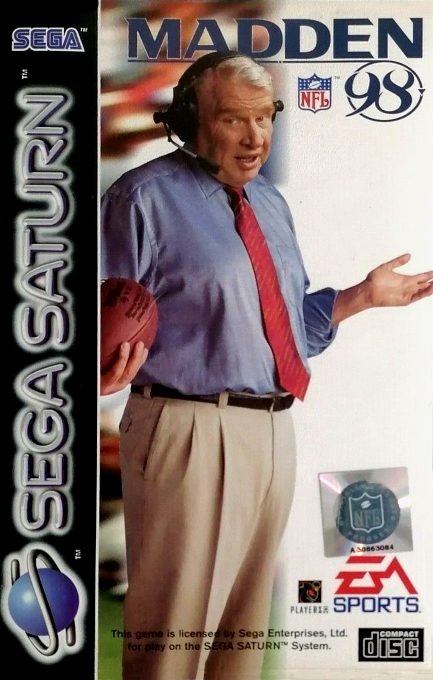
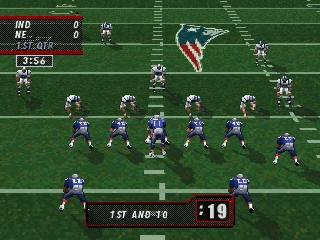
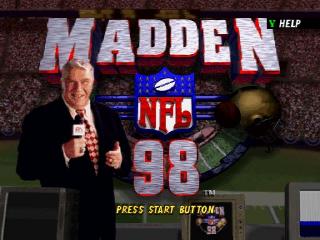
EA SPORTS proudly presents Madden NFL™ 98, returning for another championship season. The game features smarter AI, faster performance, and deeper gameplay. New features include Liquid AI™ based on real NFL defensive playbooks, V-Poly™ technology for supersonic framerates, and Touch Passing™ QB simulator. You can also play play-by-play commentary from Pat Summerall and John Madden. Other features include Fantasy Draft for custom teams, Iso Cam for controlling any player, 116 current and classic NFL teams, and 30 authentic 3-D rendered stadiums.
About this Manual
This manual focuses on the "why" and "what" rather than just the "how." It explains why you might choose different options rather than just which buttons to press.
If you are unsure which buttons to press in a menu screen, press and hold Y to get Help.
Madden Bowl™
Built on the credo of 'Fame and Game', Madden Bowl is a celebrity Madden tournament held annually at the Super Bowl®. It is considered the pinnacle of competitive sports gaming. Madden Bowl 98 will be held in San Diego during Super Bowl XX XII. It features the best NFL and celebrity Madden players in a winner-take-all slugfest. Setting Up the Game
The Main menu serves as control central for Madden NFL 98. From here you can start a game, Season, or Tournament, draft fantasy teams, or set options. •
EXHIBITION: Start an Exhibition game between any two teams.
•
SEASON: Start a new NFL Season.
•
CUSTOM SEASON: Realign the NFL divisions any way you want using both current and classic teams.
•
TOURNAMENT: Start a new 8- or 16-team Tournament.
•
FANTASY DRAFT: Start a new 4- or 8-team fantasy draft where you draft all your players then play a tournament.
•
FRONT OFFICE: Wheel and deal Madden NFL style-trade, sign, release, draft, or create players or reorder team rosters. •
GAME OPTIONS: Set game, sound, and controller options.
•
BACKUP OPTIONS: Save or load game data and manage files.
A CONTINUE SEASON, DRAFT, or TOURNAMENT option appears at the top of the screen if you have a series in progress.
Game Options
Options set from this menu affect Exhibition and Series games. Note that default options are listed in bold in this manual.
•
QTR LENGTH: Set the game Quarter length to 3, 5, 10, or 15 minutes. Note that during a Season, game stats reflect this length even in simulated games.
•
SKILL LEVEL: Choose between ROOKIE, PRO, or MADDEN.
•
INJURIES: Toggle the possibility of player injuries ON/OFF. If a player is injured, the computer automatically substitutes for him.
•
MADDENISMS: Toggle Madden's color commentary and analysis ON/OFF. •
COMMENTARY: Toggle Pat Summerall's play-by-play ON/OFF.
•
FATIGUE: Toggle player fatigue ON/OFF.
•
USER RECORD: Leave User Records ON if you want to compile user stats and/or all-time records.
•
SALARY CAP: Toggle Salary Cap restrictions. When ON, you can't sign or trade for a player whose salary will take your payroll over the cap limit.
•
TRADING DEADLINE: This only affects Season mode. When ON, you can't trade players after the trading deadline.
•
SOUND FX: Set game and menu sound effects volume. Set to 0 to turn off sound effects.
•
MUSIC: Set the menu music volume.
•
SOUND OUTPUT: Toggle audio between STEREO and MONO.
•
PENALTY LEVELS: Go to the Penalty Levels screen to adjust the sensitivity of each of the penalties called in Madden NFL 98. •
CONTROLLER CONFIG: Go to the Controller Config screen to select one of four Controller setups.
Backup Options
Use Backup Options to save or load game data on a Backup RAM cartridge or System Memory.
•
Use D-Pad (↔) to toggle between OPTION and the File list.
•
Use D-Pad (↑↓) to highlight files in the list.
Options include:
•
LOAD: Load the highlighted memory file, overwriting the current game in memory.
•
OVERWRITE: Replace the highlighted file with current game data.
•
DELETE: Delete the currently highlighted memory file.
•
NEXT DEVICE: Cycle to the next available memory device.
•
SAVE NEW: Save current game data to backup RAM cartridge. If a series is in progress, you