Skill Levels
PRO offers you absolute control of the ball and complete freedom for passing. If you have not played FIFA Soccer 97 before, start at the BEGINNER level; the computer will assist you in ball control and the game is simpler. •
Use the D-Pad ↑↓ to cycle between BEGINNER, SEMIPRO, and PRO skill levels.
If you are playing against a computer-controlled team, the computer starts and maintains four levels of difficulty. As your skill grows, the computer matches your ability level, making each match a true competition.
Control Sets
FIFA Soccer 97 features two Control Set options: SIMPLE and COMPLEX. The Simple Control set lets you perform basic football moves and is limited to the A, B, and C buttons as well as the D-Pad. The Complex Control set lets you execute advanced skills, activating all Control Pad buttons for additional moves. •
To choose a Control set, move the Control Pad icon under a team flag using the D-Pad and press X to toggle between COMPLEX and SIMPLE.
•
Complex mode is distinguished by having all buttons highlighted yellow.
•
Press C to confirm your selections and continue to the match.
On the Controller Select screen, you can decide who controls which team, select the level, determine if a team is controlled by one or several players, and select simple or complex controls.
Controller Icons
A symbol appears on screen for each controller connected to the system. Up to eight players can play if two Multi Taps are connected.
•
Use the D-Pad ↔ to move your controller icon under a team.
•
A controller icon in the center of the screen means the controller is inactive; the computer will control the team during the game.
It is possible to reassign a controller during the game from the Pause menu or the Pre-Game menu.
Welcome to the World of Soccer
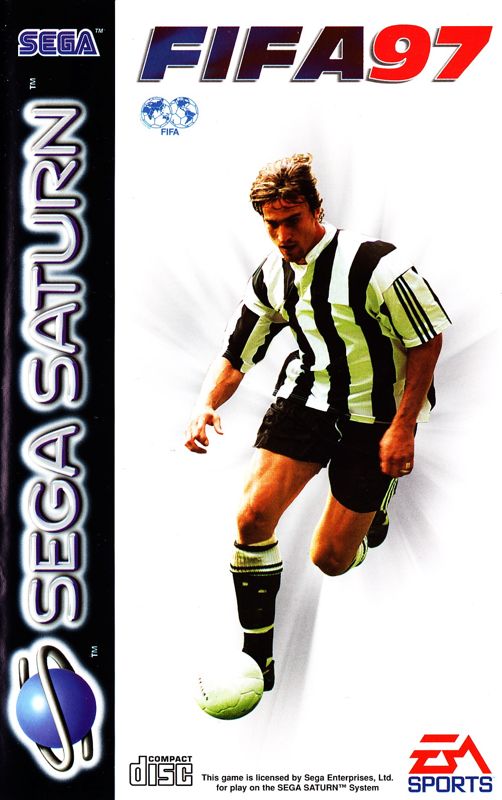
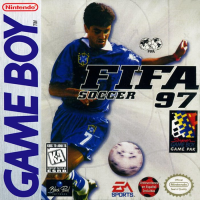
Welcome to FIFA Soccer 97! Congratulations on purchasing the only soccer video game that captures the true essence of the world's greatest sport. This title features players from twelve international leagues, authentic crowd chants, an exciting new indoor soccer mode, and multi-lingual text. Get ready to kick off a whole new season of world-class soccer competition. You can play an arcade game for fun or try a simulation match to experience the reality of the game.
If you are ready to play right away, look over the command summary and go straight to a Friendly match. Alternatively, take time to study the manual to learn about strategy, formations, infringements, and how to change your starting line-up.
Key Features
•
Motion capture technology brings players to life.
•
Fully rendered 3-D players created with Motion Blending technology.
•
Indoor and outdoor game modes.
•
Three modes of play: Arcade, Simulation, and Action.
•
Three skill levels that challenge all players: Beginner, SemiPro, and Pro.
•
Updated statistics with over 4,200 players from over 12 international leagues.
•
Full play-by-play commentary with 3 world-renowned announcers.
•
Completely updated artificial intelligence.
Spanish Language Settings
Follow these instructions to display screen text in Spanish:
1. Select OPTIONS on the Match Select screen to open the Options screen.
2. Highlight LANGUAGE and change the options until ESPAÑOL appears.
All screen text will be in Spanish from this point forward.
Match Select Screen
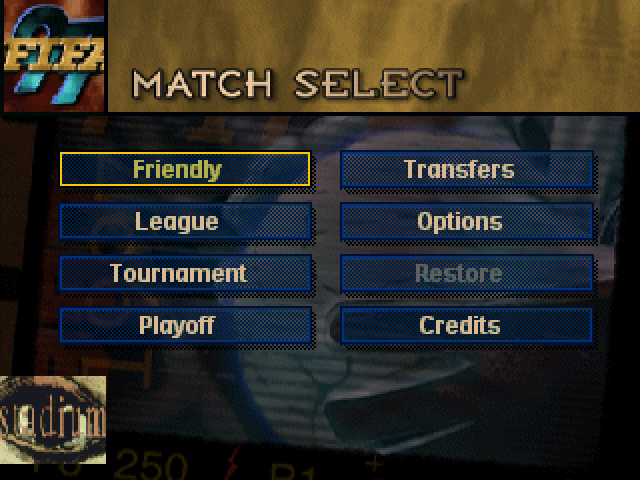
From the Match Select screen, you can select a game mode, access the Options menu, view credits, load a saved game, or create a custom team.
•
To highlight an option, use the D-Pad ↑ ↓ ← →.
•
To select the highlighted option, press C/START.
Game Modes
•
Friendly: A single match between two teams of your choice. Select from over 250 clubs or create a custom club.
•
League: Play through 11 official regional leagues and an international league. Take up to 8 teams through an entire league schedule.
•
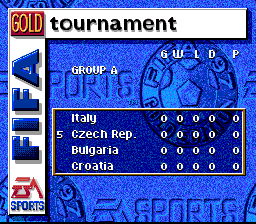
Tournament: Select 1-8 teams to play in a league Tournament, then take champions to a Playoff series.
•
Playoff: Create a Playoff tree with up to 16 teams and race for the championship.
•
Transfers: Trade players from one league to another to create a world-dominating dream team.
•
Options: Set Half Length, Language, Game Type, Pitch Condition, and more.
•
Restore Select: Return to a saved game from a Sega Saturn Back Up RAM Cartridge. •
Credits: View the development team.
Options Menu
Navigate the Options menu to customize your experience. Default options are listed in bold in the manual.
•
To highlight an option, use the D-Pad ↑.
•
To cycle game options, use the D-Pad ←→.
•
Press C to accept selections and return to the Match Select screen.
•
Press Z to return to the Match Select screen without accepting changes.
Half Length
Select the duration in minutes: 2, 4, 6, 8, 10, 20, or 45. This can only be changed before competition begins.
Language
Choose from six on-screen languages: ENGLISH, DEUTSCH, FRANÇAIS, ESPAÑOL, ITALIANA, and SVENSKA.
Game Type
•
Simulation: Player and team performance reflect skill ratings. Players fatigue as the game progresses, and substitutions are limited to three per game.
•
Action: Gameplay speed increases, there are no restrictions on substitutions, and player attributes are exaggerated.
.png)

.png)







.png)

 (En,Fr,De).png)



.png)


_1.png)
.png)
.png)

_1.png)


