Epilepsy Warning
Please read before using this video game system or allowing your children to use it.
Some people are susceptible to epileptic seizures or loss of consciousness when exposed to certain flashing lights or light patterns in everyday life. Such people may have a seizure while watching certain television images or playing certain video games. This may happen even if the person has no medical history of epilepsy or has never had any epileptic seizures.
If you or anyone in your family has ever had symptoms related to epilepsy (seizures or loss of consciousness) when exposed to flashing lights, consult your doctor prior to playing.
We advise that parents should monitor the use of video games by their children. If you or your child experience any of the following symptoms, IMMEDIATELY discontinue use and consult your doctor: dizziness, blurred vision, eye or muscle twitches, loss of consciousness, disorientation, any involuntary movement or convulsion.
Precautions to Take During Use
•
Do not stand too close to the screen. Sit a good distance away from the television screen, as far away as the length of the cable allows.
•
Preferably play the game on a small television screen.
•
Avoid playing if you are tired or have not had much sleep.
•
Make sure that the room in which you are playing is well lit.
•
Rest for at least 10 to 15 minutes per hour while playing a video game.
Starting Up: How to Use Your Sega Saturn System
This CD-ROM can only be used with the Saturn System. Do not attempt to play this CD-ROM on any other CD player-doing so may damage the headphones and speakers. 1. Set up your Sega Saturn system by following the instructions in your Sega Saturn System Instruction Manual. Plug in Control Pad 1. 2. Place the Sega Saturn CD-ROM, label side up, in the well of the CD tray and close the lid. 3. Press the Power Button to load the game. The game starts after the Sega Saturn logo screen. If nothing appears, turn the system OFF and make sure it is set up correctly. 4. If you wish to stop a game in progress or the game ends and you want to restart, press the Reset Button on the Sega Saturn console to return to the Game's Title Screen. If you wish to return to the Control Panel, press Buttons A, B, C and Start simultaneously at any time. 5. If you turn on the power without inserting a CD, the Audio CD Control Panel appears. If you wish to play a game, place the Sega Saturn CD in the unit, press the D-Button to move the cursor to the top left button on the Control Panel, and press Start. The opening screens of a Game will appear. Important: Your Sega Saturn CD-ROM contains a security code that allows the disc to be read. Be sure to keep the disc clean and handle it carefully. If your Sega Saturn system has trouble reading the disc, remove the disc and wipe it carefully, starting from the center of the disc and wiping straight out towards the edge. Handling Your Sega Saturn CD-ROM
The Sega Saturn CD-ROM is intended exclusively for use with the Sega Saturn console. Keep the surface of the CD-ROM free from dirt and scratches. Do not leave the CD-ROM in direct sunlight, near a heater or other heat sources. During long gaming sessions, take a break occasionally to allow both yourself and the Sega Saturn CD-ROM to rest. Warning to owners of projection TVs
Still images or stationary graphics can cause permanent damage to the picture tube or burn into the phosphor coating of the cathode ray tube. Avoid repeated or prolonged playback of video games on large-screen projection TVs.
For this product, a guarantee is provided within the period prescribed by the law of this country. This does not affect your statutory rights in the country of purchase.
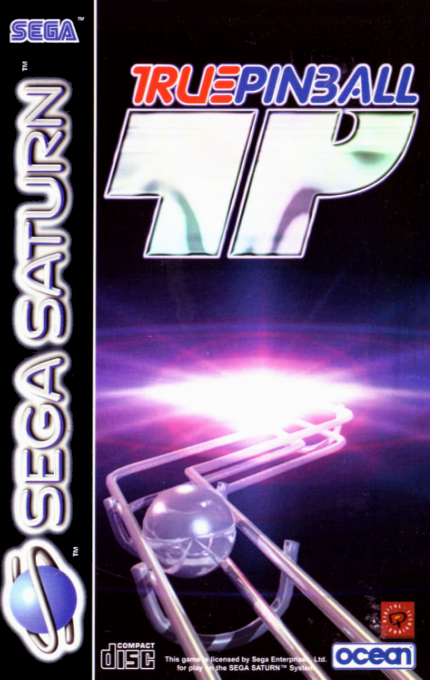
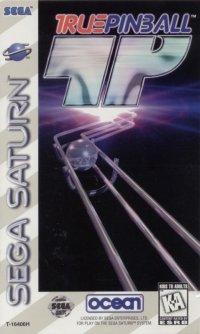
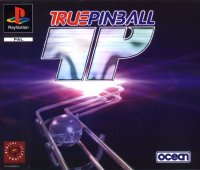
Welcome to True Pinball
Welcome to True Pinball, the latest and greatest pinball simulator from Digital Illusions. Step into the most original and accurate pinball simulation ever made! Enjoy the amazing graphics in 2D and 3D with Hi-Res and 32,000+ colors. Be amazed by the extensive layout of the tables with all the new special effects that are also found on real tables, plus incredibly powerful music and authentic sound effects. This is truly, as the name says: Real Pinball, True Pinball. The Menu System
All menus use the following controls:
•
Up/Down: Select an option in the menu (if available)
•
Start or B: Confirm or change current selection
•
A: Back to previous menu
•
Left/Right: Rotate radial menu clockwise/counter-clockwise
Controls
When a table has been loaded, the following controls are used for playing (Standard):
•
D-Pad: Activate left flippers
•
A: Activate right flippers
•
Top right: Bump table to the right
•
Top left: Bump table to the left
During Pause
•
Start or A: Restart table
High Scores
If you reach a score that is high enough for the high score table, you may enter your name as three initials. Choose the letters with the D-Pad and use the A-Button to proceed to the next letter.
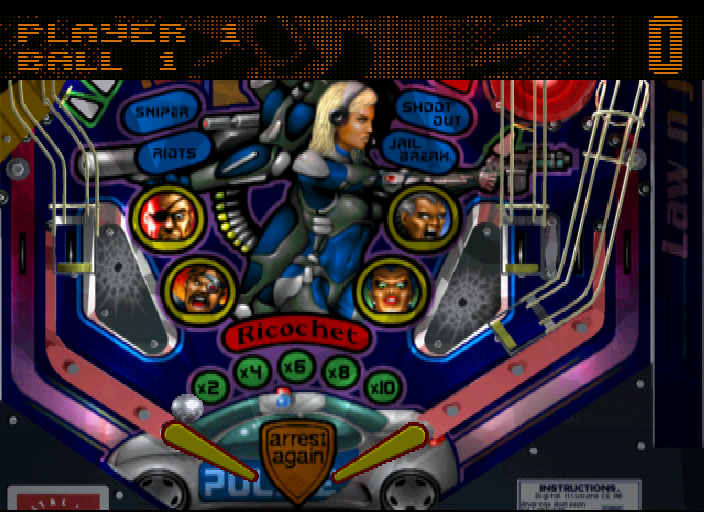
Law N' Justice
Skill Shot
Shoot this ramp 1 to achieve a skill shot after the ball has been started from the chute.
Multi-Bonus
Multi-B




.png)