Starting the Game
If you turn on the power without inserting a CD, the Audio CD Control Panel appears. To play, place the Sega Saturn CD in the unit, press the D-Button to move the cursor to the top left button, and press Start. The opening screens of the game will appear. Your Sega Saturn CD-ROM contains a security code that allows the disc to be read. Be sure to keep the disc clean and handle it carefully. If your system has trouble reading the disc, wipe it carefully from the center straight out towards the edge. Main Menu Options
•
Selecting Start Game: This loads the table ready to play. Once loaded, press the Start Button to begin. Use the Start Button to enable/disable pause mode. Press the ADD PLAYER Button (default: X Button) to add players during ball 1. Hold down A+B+C+Start to return to the title sequence.
•
Selecting SLIDESHOW: This displays high-quality views of the table from various angles. Use the Directional Button to step through views manually. Press Start or the B Button to exit.
•
Selecting OPTIONS: Presents the Options screen. Use the Directional Button and C Button to select settings.
•
Selecting EXIT: Returns you to the Main Menu. High Scores and configurations are saved to System Memory automatically.
Options Settings
Use the Directional Button and C Button to navigate these settings:
•
Visuals: Choose between Soft focus (reduces screen flicker) and Sharp focus (sharper view). Use left or right to select.
•
Dot Matrix: Choose between "Grid" (preferred, may cause interference) and "Solid" (better for non-RGB inputs). Use left or right to select.
•
Audio: Select Mono, Stereo, or Swapped Stereo. Use Mono sound for mono TVs to ensure speech is heard. Volumes can be adjusted in the Pause Menu.
•
Sound Test: Use left/right to scroll samples and the C Button to play them.
•
Music Test: Use left/right to scroll tracks. Use the C Button to listen and the B Button to stop.
Pause Menu Options
Press the Start Button during gameplay to enable Pause. Use the Directional Button and C Button to make selections.
•
Add Player: Adds a player if ball one is not complete. If ball one is complete in single-player mode, use the ADD PLAYER Button to restart.
•
Adjust Volume: Use the Directional Button to highlight and adjust Sound effects and music volumes. Press C to return.
•
Adjust Screen Position: Use the Directional Button to adjust vertical screen position. Press C to return.
•
Quit Game: Highlights YES or NO with the Directional Button. Press C to confirm and return to the title sequence.
Playing the Game
You start each game with three balls. Launch the first/next ball, then use the flippers to keep the ball in play. You can nudge the table, but excessive nudging may cause a TILT, ending the current ball.
At the end of each ball, a bonus score is tallied (press the Fire Button or both flippers to bypass this). If your final score is higher than previous scores, enter your initials using the flippers and Fire Button.
Scoring and Credits
•
Credits: Gained via a loud "thwack" sound. Used to buy extra balls at the end of a game. Credits carry over; the maximum is nine.
•
Replays: A credit is awarded when a player's score exceeds the replay level.
•
High Scores: Earning a high score may grant credits. Scores from "bought" extra balls go into the "buy in" high-score table.
•
Match: At the end of the game, if the match number equals the last two digits of your score, a credit is awarded.
Submitting High Scores
To register a high score, hold down both flippers while the high scores are displayed on the dot matrix. The hall of fame scores will become encrypted. Type the code into the form on the hi-score page at www.empire-us.com, www.empire.co.uk, or www.interplay.com.
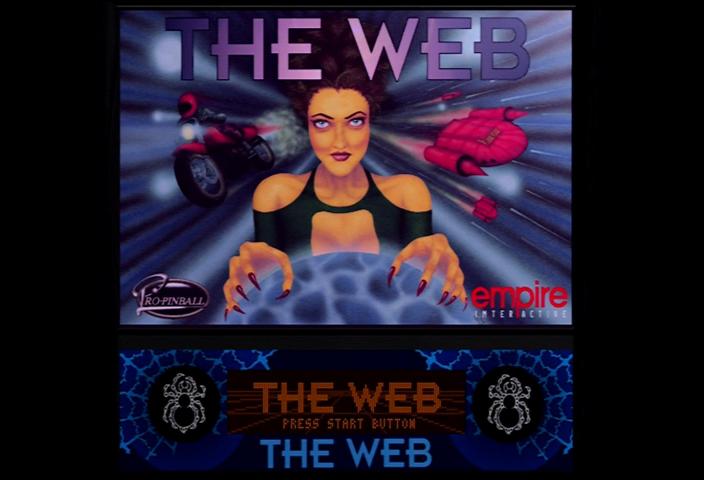
The Web Rule Card
•
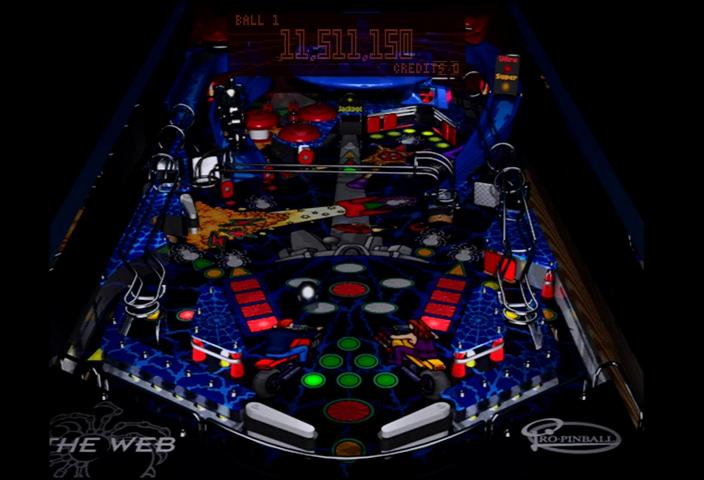
Space Station Frenzy: Shoot all drop targets to light the dock. Dock three balls to start the frenzy for fast jackpots.
•
Missions: Shoot the center sinkhole to activate missions.
•
Power Levels: Inlanes light spinners. Shoot lit spinners to advance power levels and light awards.
•
The Arena: Shoot consecutive loops to light extra ball and bonus held.
•
The Ultimate Showdown: Complete Missions, Combos, Power, Bonus, and Ultra to begin this mode.
Additional Rules and Clues
•
Power Levels: Inlanes at the bottom light Spinner lanes. Shoot these when lit to increase power levels (1-8). Levels reset when you lose a ball.
•
Combos: Awarded for making one loop, orbit, or ramp shot quickly followed by another. Successive combos award Combo, Double Combo, or Triple Combo points.
•
Missions: Hitting the center hole when lit starts a Mission. Instructions and Spider light targets appear on the dot matrix. You have limited time; completing a mission awards a Showdown Sphere.
•
Skill Shot: Shoot the briefly lit spider immediately after plunging the ball for a large bonus.
•
Video Mode: Activated when indicated on the






.png)

.png)

.png)